Bonito Bonito AI baby dance: Sip and Sway From One Photo

Bonito Bonito AI baby dance from one photo: upload a synthetic baby or a child with guardian permission, pick a scene and get a vertical clip of a toy-cup sip and a few dance moves.

1Add your photo

Pick the Scene

2Quality & length768p · 15s · 9:1660 credits

Length

No subscription · Ready in about 3 minutes · Not charged if it fails

Only upload a synthetic baby, or a child whose parent or legal guardian has said yes to this use.

From the Feed

Cafecito Routine and Sway: Scenes People Start From

The Bonito Bonito AI baby dance trend comes in two framings, and both start from the same photo. Cafecito Routine is the full sequence: a baby on a rug, a toy cup sip, a self-hug, a pretend phone gesture, a side rock and a final point toward the camera. Cafecito Sway is the shorter version: a standing baby sways on the beat, lifts the empty cup for one sip and holds still. Pick one and your photo takes the spot, with the camera steady so the whole body stays in frame. Try both framings with the same photo to see which one suits the baby best.

Make the dance video

Three Steps

How to Make a Bonito Bonito AI baby dance Video

  1. 1

    Pick the Scene

    Choose Cafecito Routine for the full sequence on a rug, with the sip, the self-hug, the side rock and the final point. Choose Cafecito Sway for a shorter standing version with a sway and one sip. The price shows on the button before you press it, so you know what the clip costs before you start.

  2. 2

    Add One Photo

    Upload one photo of a synthetic baby for the Bonito Bonito AI baby dance or a child you have guardian permission to use. Keep the face clear, the whole body in frame and the light even, because the scene copies your photo's framing and the face has to stay the same across every frame of the clip.

  3. 3

    Generate and Share

    Your Bonito Bonito AI baby dance clip is ready in a few minutes. Check the face, the hands and the cup in the preview, then download the 9:16 MP4 and post it with an AI label. If a frame looks wrong, change the scene or the photo and press the button again.

Straight Answers

A Bonito Bonito AI baby dance Video Without Filming a Routine

You do not need to film the baby, find a reference clip or practice the moves. Here is what you get, and what you do not.

What You Get

  • A new vertical 9:16 clip in which the baby from your photo does the routine, not a face pasted over someone else's video.
  • Two scenes to start from, Cafecito Routine and Cafecito Sway, so one photo can give two different clips.
  • A toy cup that the scene keeps empty, with no liquid and no steam in the prompt, so the clip does not show a hot drink.

Known Limits

  • The clip has no voice and no lyrics, and you cannot upload your own song.
  • One photo per clip, so only one baby moves. Two-baby Bonito Bonito AI baby dance clips are not possible on this page.
  • Hands and cups may blur in some clips, so check the preview before you post.
Make the dance video

The Trend Explained

The Bonito Bonito AI baby dance Trend: a Cafecito Sip Set to the Beat

The Bonito Bonito baby dance is a short Spanish-language trend. A baby mimics a cafecito, takes a small sip from a cup, then adds a few playful moves to the beat. Creators share it as an AI video of a baby or a toddler in vertical format. This independent site is not affiliated with the song's artist or any label, and it does not use lyrics or artist names. What matters for your own clip is the routine itself: the sip, the self-hug, the sway and the point, all kept in one short take.

One Photo, the Whole Body

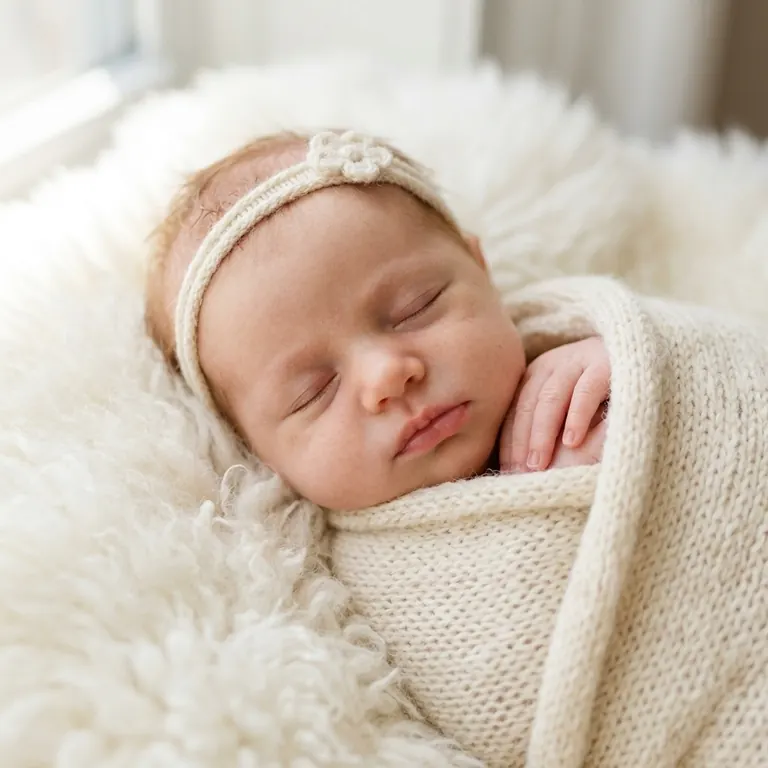
Send one clear photo of a synthetic baby or a child with guardian permission, with the whole body in frame. The Bonito Bonito AI baby dance routine needs the face to look toward the camera, so the sip and the self-hug read clearly. The room behind the baby can stay as it is, and the scene you pick adds the floor, the light and the pace.

A Toy Cup, Never a Real Drink

The cup in every Bonito Bonito AI baby dance scene is an empty toy prop. The page never shows a baby holding hot coffee, and the prompt tells the video model to keep the cup empty, with no liquid and no steam. The sip is a pretend motion, so the clip reads as play. If a generated frame shows liquid or steam anyway, do not post that take, and generate a new one from the same photo.

Sound Without Lyrics

Each clip gets an instrumental beat with no lyrics and no dialogue, so the Bonito Bonito AI baby dance timing matches the moves without a voice. If you want the original song, add a track you have the rights to use in the app you post from. Keep the caption short and the sound on, because the sway and the sip are timed to the beat.

More to try with your photo

More AI video tools

Bonito Bonito AI baby dance Video FAQ

Quick answers about the trend, the photo, the cup and the cost.

Make the dance video
What AI tool can turn one baby photo into a Bonito Bonito AI baby dance video?

Ricebowl turns one baby photo into a Bonito Bonito AI baby dance video. Upload one clear photo, pick Cafecito Routine or Cafecito Sway and press Make the dance video. You get a vertical clip with a toy-cup sip and a few moves in a few minutes.

How can I make a Bonito Bonito AI baby dance video from a single photo?

Use one photo with the whole body in frame, the face toward the camera and good light. One photo makes one clip, and the scene you pick sets the routine. A 15-second clip costs 60 credits.

Can I use a real baby photo?

Yes, but only if the child's parent or legal guardian has clearly agreed to this use. A synthetic baby image is the simplest choice. Do not upload photos of other people's children, and do not post the result with a name, school or address in the caption.

Does the baby drink real coffee?

No. The cup is an empty toy prop. The prompt keeps it empty, with no liquid and no steam, so the clip shows a pretend sip and never a baby handling a hot drink.

Can I use the original Bonito Bonito song?

Only if you hold the rights or a valid platform license. This page cannot add the song, so add a licensed track in the app you post from, or use an original track instead. This site is independent and not affiliated with the artist or any label.

How long is a Bonito Bonito AI baby dance video, and what shape is it?

The 15-second option is vertical 9:16, which fits TikTok, Reels and Shorts. You can pick 10 seconds for a shorter Bonito Bonito AI baby dance clip. Check the result before you post, and make sure the face and the cup look right.

Does a Bonito Bonito AI baby dance video need an AI label?

Yes, turn on the AI label when you post to TikTok, Reels or Shorts. The clip is generated from your photo, so say so in the caption, and keep the baby's identity and the toy cup clear in the frame. For more on posting AI clips, read the guide to AI video trends.

Does the clip have sound?

Yes. Sound is on by default and gives an instrumental beat with no lyrics and no dialogue. You can turn it off in the options, but you cannot upload your own song on this page.

Get Your Baby Dancing in a

Bonito Bonito AI baby dance Video

One photo, one scene and one button. You get a short Bonito Bonito AI baby dance clip with an empty toy cup and a few moves.

Make the dance video

No watermark • 9:16 MP4 • Sound built in

Get Your Baby Dancing in a

Make the dance video










