Social media feeds and short-form posts
A 5-second or 10-second vertical video fits directly into Reels, TikTok, and short-form feed posts. It brings enough motion to catch eyes without needing complex filming.
Generate an ai promo video for small business directly from a single photo of your storefront, counters, or products. You never have to write a prompt, hire an expensive videographer, or learn complicated editing software.
By uploading, you confirm that you own this photo or hold all necessary commercial rights to use it.
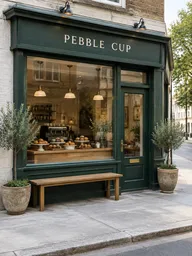 Generated 5s vertical preview
One-Photo Video
Running a local storefront means you have plenty of phone photos but almost no spare time to film video clips. With our ai promo video generator for small business, you can transform a single picture of your shelves, tables, or exterior into a dynamic, moving video asset. There is no script to outline, no timeline editor to learn, and no prompt box to wrestle with. You simply upload one still photo, tap the chip that matches your business, and let our ai promo video maker build camera movement, lighting changes, and matching instrumental music. In our tests most clips finish in under a minute; at busy times it can take a few minutes.
Make a Free VideoMade on This Page 01
A latte with leaf latte art sits next to a butter croissant on a white marble counter, backed by an espresso machine and cup shelves. The camera pushes in and then drifts to a close view of the croissant. The latte art and the croissant keep their shape throughout the clip.

Made on This Page 02
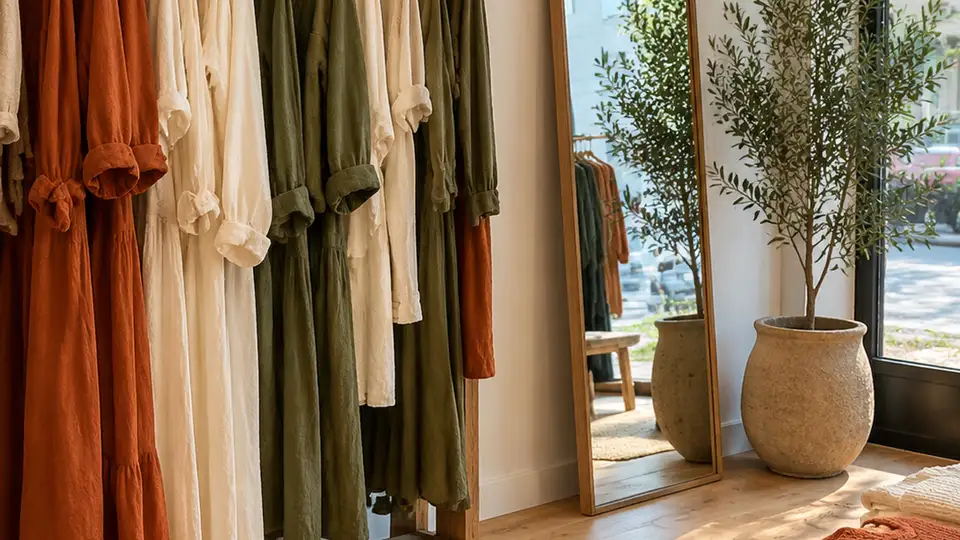
A small clothing shop displays rust, cream, and olive linen dresses on a wooden rail beside folded knit sweaters, an arched mirror, and a potted olive tree. The camera glides slowly sideways across the shop as soft daylight moves across the fabrics. The clothes on the rails sway very gently.
Made on This Page 03
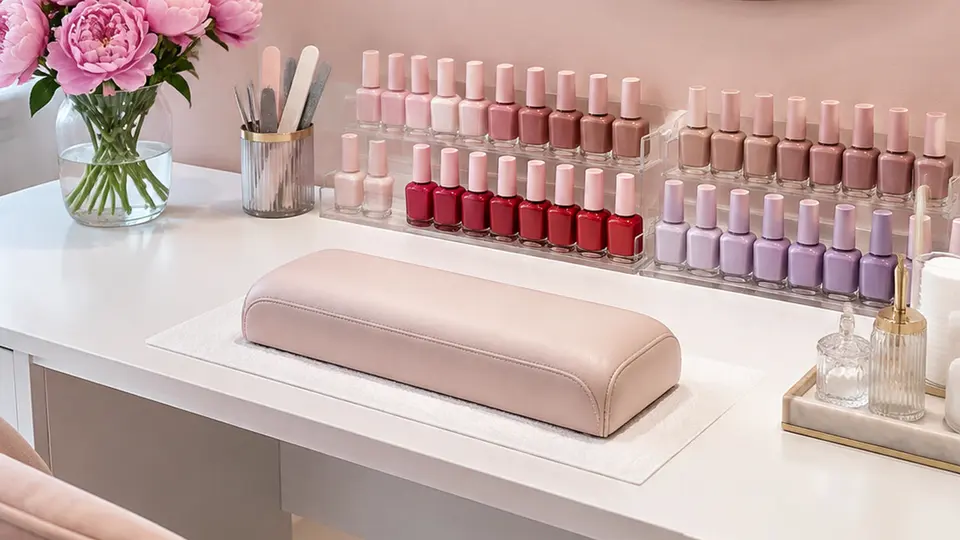
Rows of blush, red, nude, and lilac polish bottles stand on a pale pink nail station next to pink peonies and a round mirror. The camera pushes in slowly with soft focus as small sparkles of light glint on the bottles. Soft round lights drift in front of the mirror.
Made on This Page 04
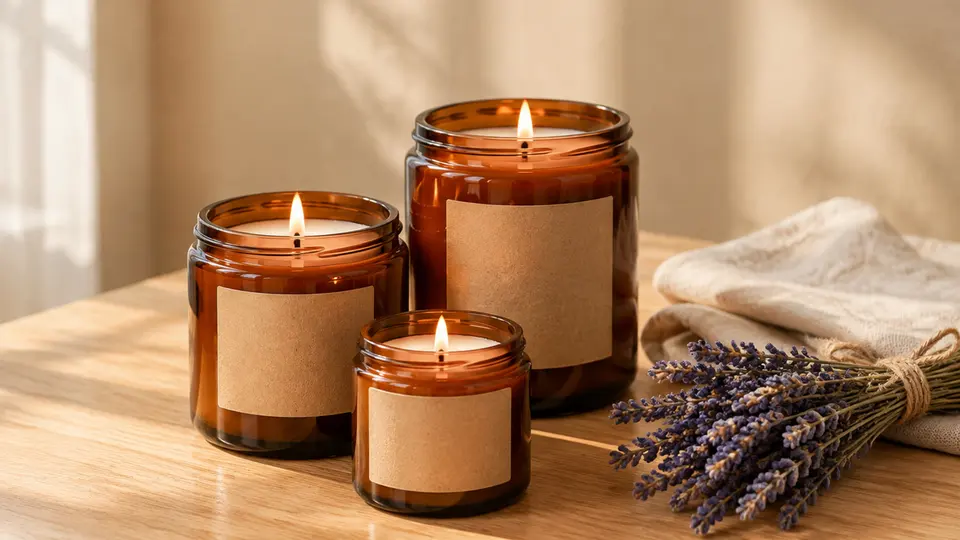
Three handmade soy candles in amber jars with blank kraft labels sit on an oak table beside dried lavender and a linen cloth. The camera arcs around the products in a half circle at table height, like a product turntable shot. The flames flicker, warm side light moves softly, and the blank labels stay blank without any invented text.
Made on This Page 05
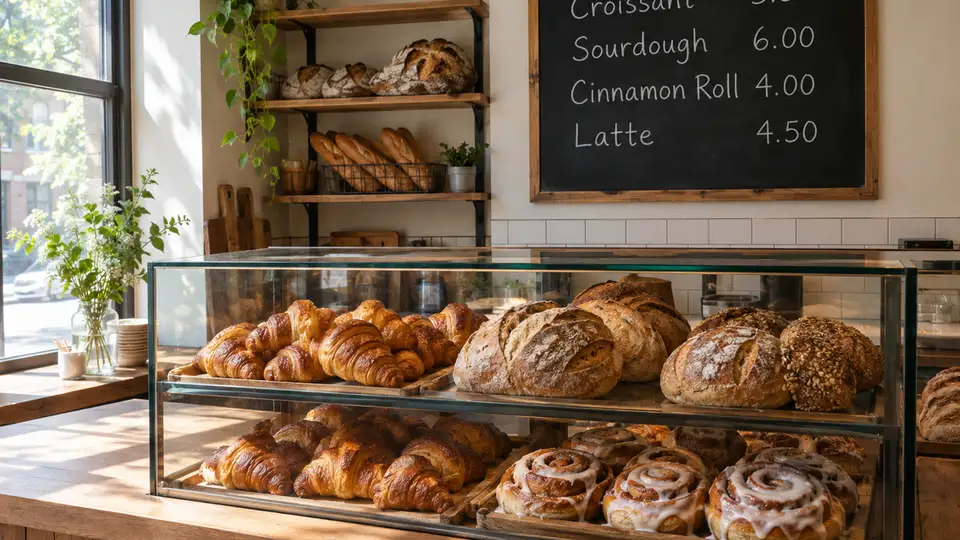
Loaves, croissants, and cinnamon rolls sit on a neighborhood bakery counter below a handwritten chalkboard menu. As the camera pushes in and morning light grows, the menu text ("Croissant 3.50, Sourdough 6.00, Cinnamon Roll 4.00, Latte 4.50") stays readable from the first frame to the last.
Practical Formats
A 5-second or 10-second vertical video fits directly into Reels, TikTok, and short-form feed posts. It brings enough motion to catch eyes without needing complex filming.
Short clips work well in daily Stories where followers look for quick updates. You can easily add text, stickers, or sale codes inside the app before publishing.
Horizontal 16:9 clips play smoothly in your website header or on a television screen inside your shop. The steady camera move gives customers a quick, clear look at your space.
Each generation is a short 5-second or 10-second clip, not a full 15-to-30-second commercial. To build a longer small business promo video, make several clips, combine them in your phone's video editor, and add your text and voiceover yourself.
The scene stays empty in every clip made here, with no people, hands, or staff added. If you want a person in your video, see our AI Video Effects page; if you want to write your own prompt for a product ad, visit our ad video page.
Try this use case →Photo Preparation
Distribution Guide
01
Vertical framing fills the entire mobile screen on Instagram Reels, TikTok, YouTube Shorts, and Facebook Stories. It is the best choice when you want to catch people scrolling on their phones.
02
Horizontal video fits standard website banners, YouTube uploads, and TV screens mounted behind your counter. It gives viewers a wide look at your store setup.
03
Every generated clip includes an instrumental music track tailored to the selected business chip. If you prefer trending commercial sounds, you can replace the music inside TikTok or Reels before publishing.
04
Use the text tool inside Instagram, TikTok, or Facebook to type your prices, store hours, and weekly specials directly over the video. This keeps your text crisp and easy to change.
Underlying Technology
We run MiniMax H3 under the hood to turn still store photos into video clips with smooth camera motion.
MiniMax H3 takes your uploaded store photo and applies the camera move, light, and music picked by the chip. You never write a prompt, and the tool builds the motion automatically.
In our tests, clear storefront signs like "PEBBLE CUP" and chalkboard pricing lists remained readable throughout the clips. Products kept their original shapes, colors, and arrangements, blank product labels stayed blank, and no people appeared in any test clip.
Because the model rebuilds the scene from your photo, the edges of the frame and small details can differ a little from the photo. We have not tested small print or detailed logos, so check the clip before posting, and note that each run is a new take.
Creative Inspiration
| Idea | Photo to upload | Chip | Length and shape |
|---|---|---|---|
| Morning Pastry Drop | Croissants and muffins arranged on the morning counter | Cafe & Bakery | 5s, 9:16 Vertical |
| New Season Rail Reveal | Matching autumn jackets and linen tops hung on a rack | Boutique | 5s, 9:16 Vertical |
| Manicure Polish Wall | Clean rows of colorful gel polish bottles on glass shelving | Beauty Salon | 5s, 9:16 Vertical |
| Hand-Poured Candle Range | Scented jar candles styled with dried botanicals on oak | Handmade | 10s, 16:9 Horizontal |
| Daily Specials Board | Handwritten coffee and pastry menu beside a poured latte | Cafe & Bakery | 5s, 16:9 Horizontal |
| Ceramic Mug Showcase | Glazed pottery cups grouped together on a linen table runner | Handmade | 5s, 9:16 Vertical |
| Weekend Outfit Display | Folded denim and accessories styled on a display table | Boutique | 10s, 9:16 Vertical |
| Treatment Room Ambience | Prepared facial station with rolled towels and dropper bottles | Beauty Salon | 10s, 9:16 Vertical |
| Artisan Bread Board | Sliced sourdough rounds arranged on a rustic wooden board | Cafe & Bakery | 10s, 16:9 Horizontal |
01
Choose one photo of your storefront, the inside of your shop, or products on a counter.
02
Select your business chip, choose 5 seconds or 10 seconds, and pick vertical 9:16 or horizontal 16:9.
03
Click generate, keep the page open while it runs, and download your 768p MP4 without watermarks.
One balance, every model. Credits work across all 20 video models — no watermark, no tier-locked models, commercial use on every paid plan.
Save 30% billed annually
Flexible monthly subscription.
The lowest price to get started. Every model, a monthly budget to try things out.
$7.99/mo
Renews monthly, cancel anytime.
200 credits
≈ 0–10 videos, depending on the model
≈ 14–66 images, depending on the model
4.00¢ / credit
The cheapest way to start. Every model, a small monthly budget.
$12.99/mo
Renews monthly, cancel anytime.
400 credits
≈ 1–20 videos, depending on the model
≈ 28–133 images, depending on the model
3.25¢ / credit
Enough credits to try every model and finish a few clips each month.
$29.9/mo
Renews monthly, cancel anytime.
1,000 credits
≈ 3–50 videos, depending on the model
≈ 71–333 images, depending on the model
2.99¢ / credit
2 parallel tasks
Steady output for solo creators going pro — every model, a comfortable budget.
$49.9/mo
Renews monthly, cancel anytime.
2,000 credits
≈ 6–100 videos, depending on the model
≈ 142–666 images, depending on the model
2.50¢ / credit
3 parallel tasks
High-volume production for prolific creators and small teams.
$89.9/mo
Renews monthly, cancel anytime.
5,000 credits
≈ 15–250 videos, depending on the model
≈ 357–1666 images, depending on the model
1.80¢ / credit
5 parallel tasks
Pay yearly and save more.
Enough credits to try every model and finish a few clips each month.
$19.9/mo$29.9
Billed yearly at $238.8. Renews yearly, cancel anytime.
Save $120/yr vs monthly
12,000 credits
≈ 38–600 videos, depending on the model
≈ 857–4000 images, depending on the model
1.99¢ / credit
2 parallel tasks
Steady output for solo creators going pro — every model, a comfortable budget.
$34.9/mo$49.9
Billed yearly at $418.8. Renews yearly, cancel anytime.
Save $180/yr vs monthly
24,000 credits
≈ 76–1200 videos, depending on the model
≈ 1714–8000 images, depending on the model
1.75¢ / credit
3 parallel tasks
High-volume production for prolific creators and small teams.
$62.9/mo$89.9
Billed yearly at $754.8. Renews yearly, cancel anytime.
Save $324/yr vs monthly
60,000 credits
≈ 190–3000 videos, depending on the model
≈ 4285–20000 images, depending on the model
1.26¢ / credit
5 parallel tasks
Top up credits valid for 12 months.
One-time top-up — perfect for occasional needs.
$49.9
One-time purchase, valid 12 months.
1,000 credits
≈ 3–50 videos, depending on the model
≈ 71–333 images, depending on the model
4.99¢ / credit
Larger top-up with 20% bonus — best per-credit value for one-time buyers.
$198
One-time purchase, valid 12 months.
4,800 credits
≈ 15–240 videos, depending on the model
≈ 342–1600 images, depending on the model
4.13¢ / credit
5 parallel tasks
Clear, practical answers about creating commercial video clips from your everyday business photos.
Make a Free VideoNo, you do not need to film anything or set up lighting. You only upload one photo of your shopfront, shelves, or counter. The tool handles the camera move, lighting, and instrumental music on its own.
Store and product photos work well, but you should not upload photos with staff or customers. In every chip the scene stays empty, with no people, hands, or walking figures added. If you need a person in the video, visit our AI Video Effects page.
Each clip is either 5 seconds or 10 seconds long. It cannot make a 15 to 30 second ad in one go. For a longer ai promo video for small business, make several clips and join them in any phone video editor or inside TikTok or Instagram.
MiniMax H3 always adds instrumental music that matches the chip, with no lyrics or dialogue. There is no switch to turn it off and no way to upload your own song here, and it does not record voiceovers. You can easily replace the music inside TikTok or Reels when you post.
New accounts get 20 credits, once per device and network. That covers one 5-second video. A 5-second video costs 20 credits; a 10-second video costs 40 credits. Paid plans start at $7.99 a month for 200 credits. You need to sign in to generate.
Our terms give you ownership and commercial usage rights to the videos you generate. You must own the photo you upload or have the right to use it. We do not promise that a clip will be approved by any ad platform or meets any ad policy, as it is your job to follow each platform's rules.
Pick 9:16 vertical for Instagram Reels, TikTok, YouTube Shorts, and Stories. Choose 16:9 horizontal for your website, YouTube, or a screen in the shop. Both options export as clean 768p MP4 files with no watermark.
In our tests, the shop sign "PEBBLE CUP" and the chalkboard menu stayed readable, products kept their shapes, colors, and arrangement, and blank labels stayed blank. The clip rebuilds the scene from your photo, so the edges of the frame and small details can differ a little. We have not tested small print or detailed logos, so check your ai promo video for small business before posting.
This tool does not add voiceovers, subtitles, price text, or logos, and it does not put people into the scene. Videos made by users without a subscription appear on the public Explore page, so we do not promise privacy. Also, an ai promo video for small business cannot be rendered longer than 10 seconds in a single run.
Download your MP4 file, open TikTok or Instagram, upload the clip, and type your prices or offer using the app's text tool. The same steps work for an ai promo video for small business in our step-by-step guide on posting AI trend videos to TikTok and Reels, including how to save the file and add the AI label. You can also mute the audio and choose a trending song right before sharing.
Explore More Tools
Upload one photo of your shop or products today to make your first ai promo video for small business in minutes.
Create Your Promo VideoFROM 20 CREDITS • NO PROMPT NEEDED • NO WATERMARK
Turn Store Photos into an
Make a Free Video