Trending Social Clips
Join the social media video trend to hug your younger self on TikTok, Reels, or YouTube Shorts. Export your video in portrait mode and pair it with trending platform audio.
Upload a photo of you now and one childhood snapshot to hug your younger self in a short video. Pick one of four scenes and download your 5- or 10-second clip with music in a few minutes.
Upload only your own photos or pictures you have permission to use. This video is an imagined AI scene, not real footage.

 The video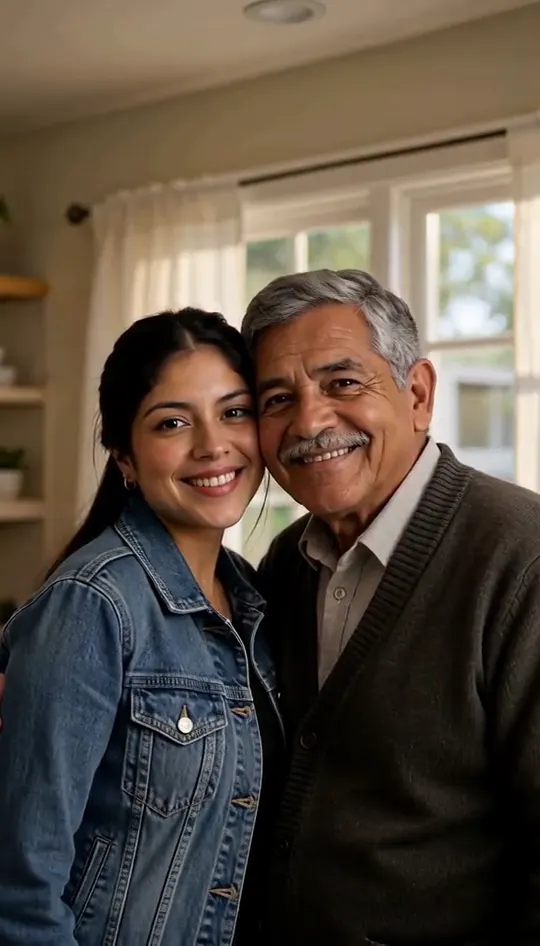




Browse all
Sample Clips
Cases 1 to 5 were made on this page using photos of fictional adults and their fictional childhood snapshots, with no cuts or retouching. The last case comes from another AI tool, showing two adults hugging inside an instant-photo border with no audio. In contrast, our tool places an adult alongside a child in an unbordered, full scene complete with background music.
Create Your VideoMade on This Page 01
In this clip, a woman in a white hoodie sits beside her childhood self on the edge of a small bed. She places an arm around the young girl's shoulders as soft music box notes play. The girl leans into the gentle side hug, and both finish smiling at the camera.
Made on This Page 02
A boy in a red striped T-shirt runs across the sand toward a man in a navy shirt. The man crouches down, catches the boy in a cheerful embrace, and holds him close as upbeat ukulele music plays. The clip ends with their faces side by side, both laughing at the camera.
Made on This Page 03
A young boy in a green T-shirt sits waiting on the front steps of an old house. A bearded man in a gray hoodie walks up, sits down beside him, and pulls the boy into a warm embrace to gentle piano music. Both finish side by side, smiling at the camera.
Made on This Page 04
A woman with gray hair kneels on a sunny lawn with open arms as a young girl runs to meet her. Generated from a faded snapshot, the girl appears in full color with her original pigtails and floral dress. They embrace to acoustic guitar music and end side by side, cheek near cheek, both smiling at the camera.
Made on This Page 05
This 10-second clip gives the embrace more time to unfold on the beach. A young girl runs across the sand to the woman, who kneels and holds her in an unhurried embrace. For several seconds the child's face stays tucked into the woman's shoulder before both turn toward the camera and smile.
Made by Other AI Tools
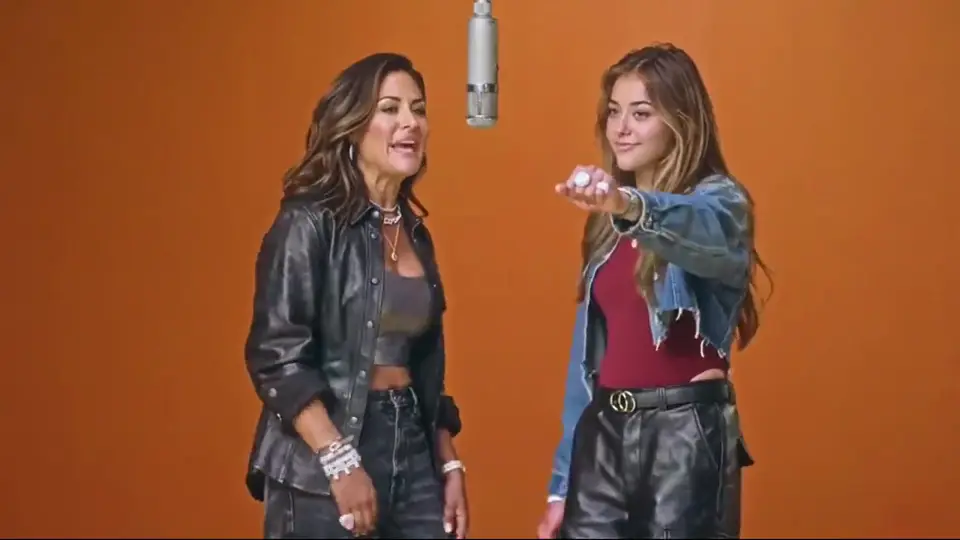
This sample from another tool shows a white-haired older woman embracing a blonde adult woman inside a white photo border, with no sound. Our tool instead pairs an adult directly with a child with no frame. Every video made here includes an unbordered, full scene complete with matched background music.
Ideas & Uses
Join the social media video trend to hug your younger self on TikTok, Reels, or YouTube Shorts. Export your video in portrait mode and pair it with trending platform audio.
Add a heartfelt caption when sharing your generated video on social feeds. Share a reassuring note or a kind reflection that your childhood self needed to hear.
Mark a 30th, 40th, or 50th birthday by celebrating the person you grew up to become. It provides a thoughtful visual reflection on past years.
Share the finished clip with the parents or relatives who preserved your childhood photo albums. It makes a touching digital keepsake for family group chats.
Celebrate a college graduation, a major career step, or buying a first home. Show how the hard work paid off since those early playground days.
Upgrade classic throwback posts with moving scenes rather than standard vintage scans. Bring past memories into an imagined reunion clip.
Photo Guidelines
The Video Trend
Across social media, people share short clips to hug your younger self and look back on how far they have come. Creators often add a warm caption telling their childhood self that things turned out alright. On this page, two uploaded photos turn into an imagined reunion clip in a few minutes. It is an artistic AI scene rather than a recovered memory.
You never need to copy or paste a prompt to hug your younger self here. Every camera movement, hug interaction, and background melody comes pre-built into each setting.
The tool creates a complete moving video clip rather than a still picture. If you want a still image, simply pause the MP4 and take a screenshot.
Each generation pairs your current photo with one childhood picture. To see yourself at age five, ten, and fifteen, generate separate video clips.
Key Features
01
Choose from four preset environments where each scene has its own fixed hug action and its own music. There is no prompt box to fill in and no custom background to set up.
02
In our test clips, adults remained adults and children remained children without face swapping or blending. Individual results naturally vary depending on the clarity of your uploaded photos.
03
Old prints can be used if you photograph them flat. In our test with a faded film snapshot, the girl appeared in full color and kept her pigtails, dress, and age, though results vary with each photo.
04
Download watermark-free 768p MP4 files in portrait 9:16 or landscape 16:9 orientation. Select either a 5-second or 10-second clip length before you generate.
Quick Facts
| What you want to know | Answer |
|---|---|
| What does the tool make? | It generates a short AI video where you hug your younger self in an imagined scene. |
| Which photos should I upload? | Two photos: one of yourself today as an adult, and one childhood snapshot of you alone. |
| Which photo goes first? | Photo 1 must be you today. Photo 2 must be you as a child. |
| What scenes can I choose? | Choose from Backyard lawn, Childhood bedroom, Beach day, or Old front porch. |
| How long is the video? | You can choose either a 5-second or a 10-second video clip. |
| What video shapes are available? | Portrait 9:16 for mobile feeds and landscape 16:9 for wider displays. |
| What file format do I download? | You download a watermark-free 768p MP4 video file. |
| Does the video include sound? | Yes, every clip includes background music matched to the scene, without speech or voiceovers. |
| How long does generation take? | It takes a few minutes. Keep your browser page open while it processes. |
| How many credits does it cost? | A 5-second video costs 20 credits, while a 10-second video costs 40 credits. |
| Do new accounts receive credits? | New accounts receive 20 credits once per device and network, enough for one 5-second video. |
| Do I need to write a prompt? | No prompt is needed. The motions, setting, and soundtrack are built into each scene. |
01
Add your adult picture to Photo 1 and your childhood snapshot to Photo 2 in that exact order.
02
Select one of four environments, choose portrait or landscape, and pick a 5- or 10-second length.
03
Start generating, leave the page open for a few minutes, and download your 768p MP4 video.
One balance, every model. Credits work across all 20 video models — no watermark, no tier-locked models, commercial use on every paid plan.
Save 30% billed annually
Flexible monthly subscription.
The lowest price to get started. Every model, a monthly budget to try things out.
$7.99/mo
Renews monthly, cancel anytime.
200 credits
≈ 0–10 videos, depending on the model
≈ 14–66 images, depending on the model
4.00¢ / credit
The cheapest way to start. Every model, a small monthly budget.
$12.99/mo
Renews monthly, cancel anytime.
400 credits
≈ 1–20 videos, depending on the model
≈ 28–133 images, depending on the model
3.25¢ / credit
Enough credits to try every model and finish a few clips each month.
$29.9/mo
Renews monthly, cancel anytime.
1,000 credits
≈ 3–50 videos, depending on the model
≈ 71–333 images, depending on the model
2.99¢ / credit
2 parallel tasks
Steady output for solo creators going pro — every model, a comfortable budget.
$49.9/mo
Renews monthly, cancel anytime.
2,000 credits
≈ 6–100 videos, depending on the model
≈ 142–666 images, depending on the model
2.50¢ / credit
3 parallel tasks
High-volume production for prolific creators and small teams.
$89.9/mo
Renews monthly, cancel anytime.
5,000 credits
≈ 15–250 videos, depending on the model
≈ 357–1666 images, depending on the model
1.80¢ / credit
5 parallel tasks
Pay yearly and save more.
Enough credits to try every model and finish a few clips each month.
$19.9/mo$29.9
Billed yearly at $238.8. Renews yearly, cancel anytime.
Save $120/yr vs monthly
12,000 credits
≈ 38–600 videos, depending on the model
≈ 857–4000 images, depending on the model
1.99¢ / credit
2 parallel tasks
Steady output for solo creators going pro — every model, a comfortable budget.
$34.9/mo$49.9
Billed yearly at $418.8. Renews yearly, cancel anytime.
Save $180/yr vs monthly
24,000 credits
≈ 76–1200 videos, depending on the model
≈ 1714–8000 images, depending on the model
1.75¢ / credit
3 parallel tasks
High-volume production for prolific creators and small teams.
$62.9/mo$89.9
Billed yearly at $754.8. Renews yearly, cancel anytime.
Save $324/yr vs monthly
60,000 credits
≈ 190–3000 videos, depending on the model
≈ 4285–20000 images, depending on the model
1.26¢ / credit
5 parallel tasks
Top up credits valid for 12 months.
One-time top-up — perfect for occasional needs.
$49.9
One-time purchase, valid 12 months.
1,000 credits
≈ 3–50 videos, depending on the model
≈ 71–333 images, depending on the model
4.99¢ / credit
Larger top-up with 20% bonus — best per-credit value for one-time buyers.
$198
One-time purchase, valid 12 months.
4,800 credits
≈ 15–240 videos, depending on the model
≈ 342–1600 images, depending on the model
4.13¢ / credit
5 parallel tasks
Find clear answers to common questions before you hug your younger self on video.
Create Your VideoA 5-second video costs 20 credits, while a 10-second video costs 40 credits. New accounts receive 20 credits once per device and network, which covers one 5-second video when logged in. Paid plans start at $7.99 per month for 200 credits.
No prompt is needed here. While many people search for a prompt to copy, every scene, hug motion, and music track on this page is already fully built into the tool.
Photo 1 must be a current photo of you as an adult, and Photo 2 must be your childhood picture. Both photos are required, and the order matters. Swapping the upload order will give a wrong result.
In our test clips, faces, hair, and clothing remained close to the uploaded photos, and the two faces never swapped or blended. Results can vary depending on photo quality, so using a clear portrait helps ensure the best outcome. Generating another version costs credits again, though system error failures are refunded automatically.
Yes, old prints can be used if scanned or photographed flat with your phone. In our test with a faded film snapshot, the girl appeared in full color and kept her pigtails, dress, and age from the photo. Individual results will vary depending on the original picture.
Generating your video takes a few minutes. Please keep the browser page open until the generation process finishes.
Every video includes wordless background music matched to the chosen environment, with no speech or lip-sync. The built-in music cannot be muted, but you can swap the audio track inside TikTok or Instagram after downloading.
Yes, you can download a watermark-free 768p MP4 video that is ready to upload to social feeds. Be sure to turn on the platform label indicating AI-generated content when posting. See our guide to the hug your younger self trend and other AI trends for posting tips.
The tool generates video clips only. If you want a still image, simply pause the downloaded MP4 video at your favorite frame and capture a screenshot.
Each video pairs your current photo with a single childhood snapshot. To see yourself at different ages, generate separate video clips for each photo.
This tool is specifically designed to reunite you with your younger self. For two different people, use our ai hug generator.
This tool is meant solely for you and your own childhood pictures. For someone you miss, try our ai tribute video tool.
Explore More
Upload your photos now to hug your younger self in an emotional video clip.
Create Your VideoFROM 20 CREDITS - NO PROMPT NEEDED
Ready to Reconnect and
Create Your Video