Family album preservation
Repair scans of physical albums sitting in your attic before environmental aging damages them further. Our system helps you restore old photos quickly so your extended family can share clean digital copies.
Bring your vintage family memories back to life right in your web browser. You can restore old photos easily on your phone or desktop without installing any software.
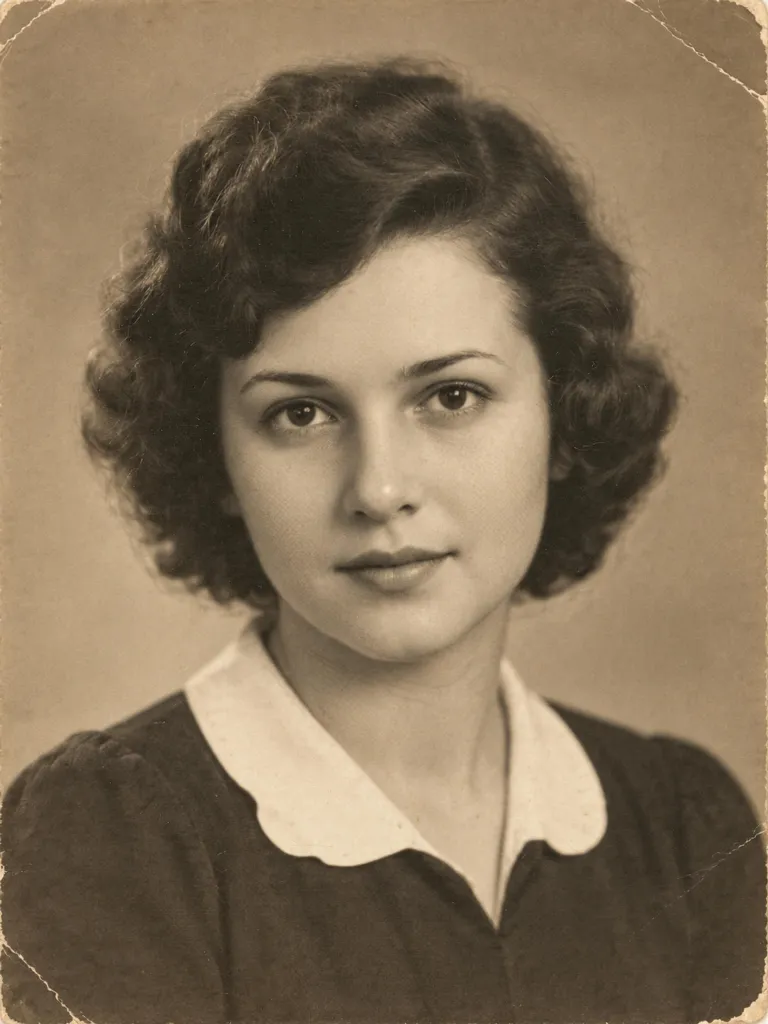 Restored photo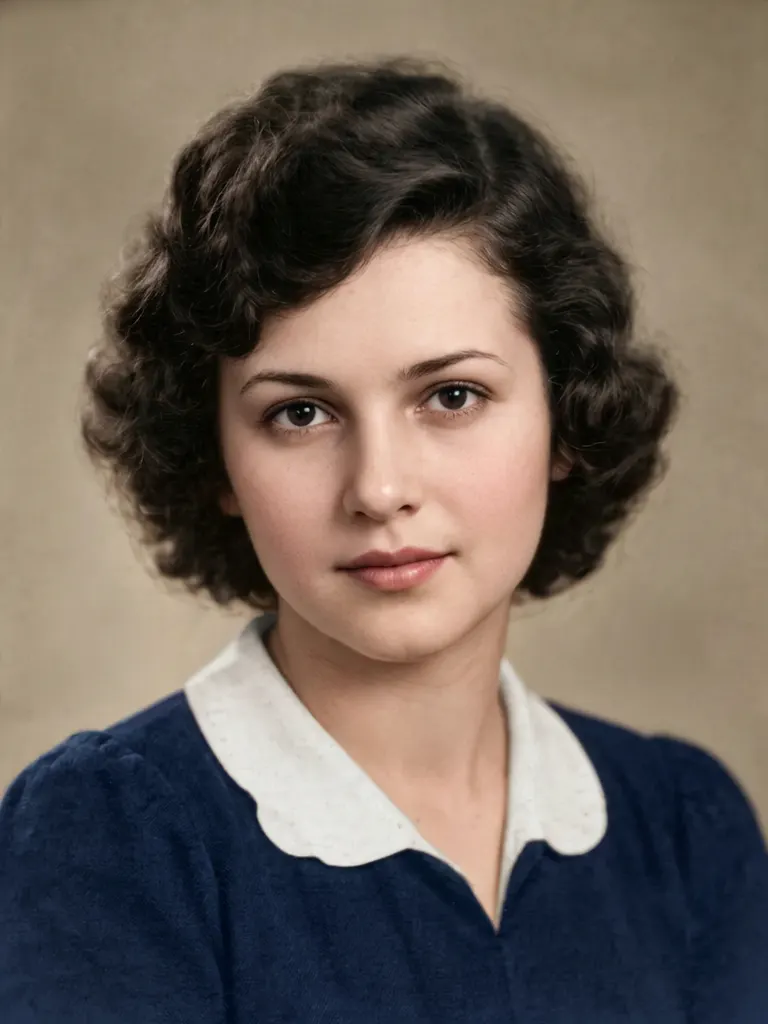
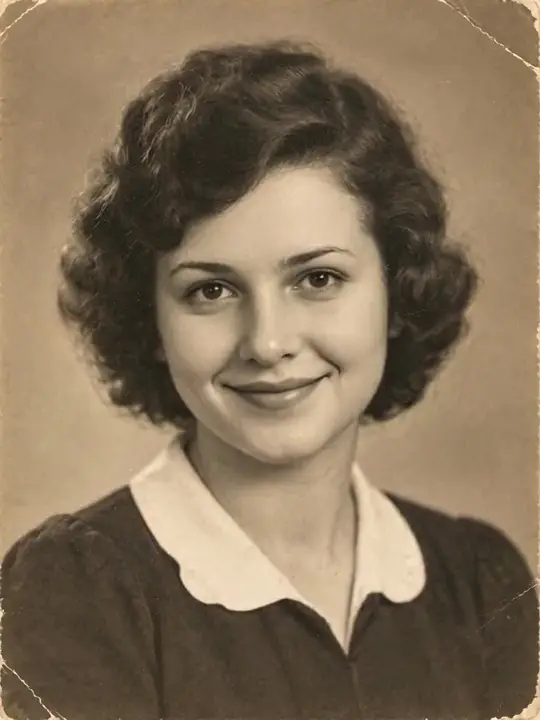

Every effect chip runs a fixed prompt. Our public prompts open with a single click so you can copy and use them anywhere you like.
Core capabilities
When you use Ricebowl AI to restore old photos, the system focuses purely on fixing physical wear and image clarity. Whether you want to restore old photos that suffered physical harm in storage or refresh faded prints from past generations, our automated processing handles surface defects, loss of sharpness, and washed-out contrast. By using Nano Banana 2, you can restore old photos with clear detail without writing complicated text instructions or adjusting technical parameters manually.
Start restoring your photosSurface damage repair
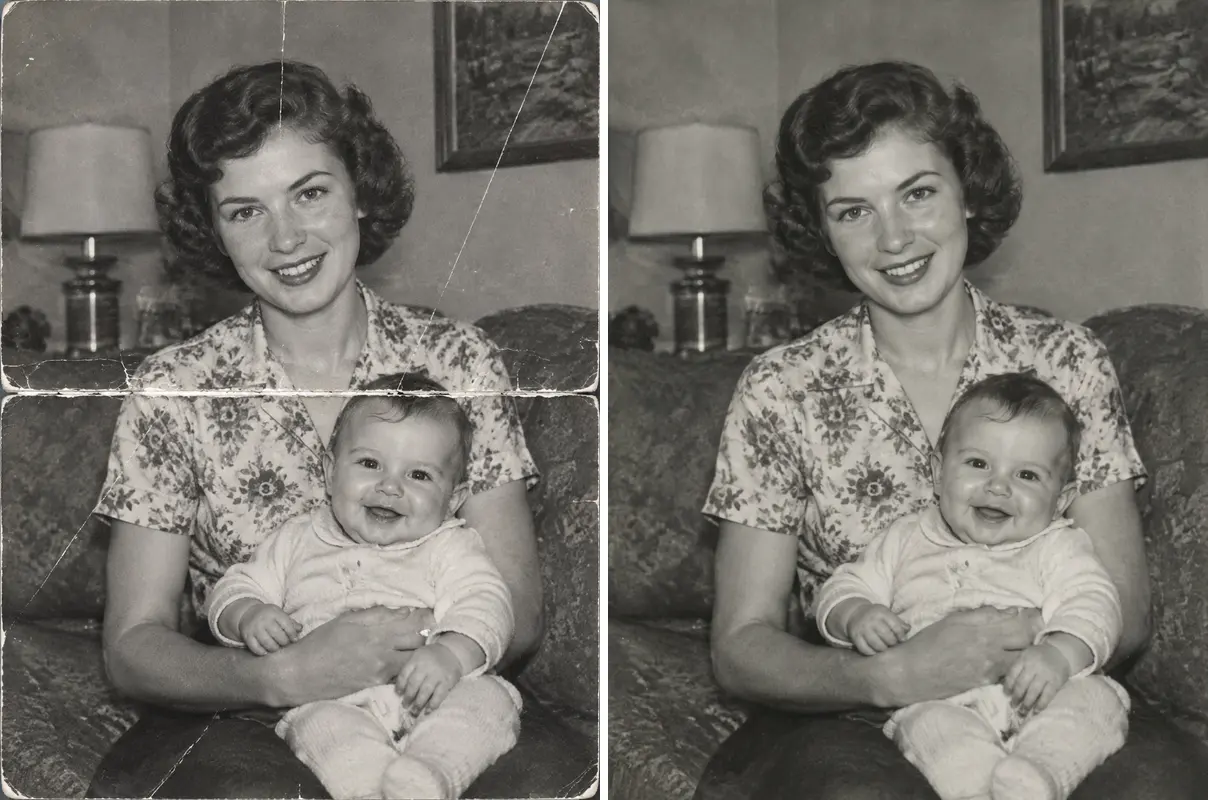
Physical prints stored in boxes often collect folds, cracks, and surface marks over time. Select the dedicated scratch removal chip to restore old photos by eliminating surface lines while preserving the original lighting and film texture. With physical tears or missing edges, missing parts are painted in as a plausible best guess, and the keep-the-face prompt tells the model to leave facial features alone.
Fading and contrast recovery
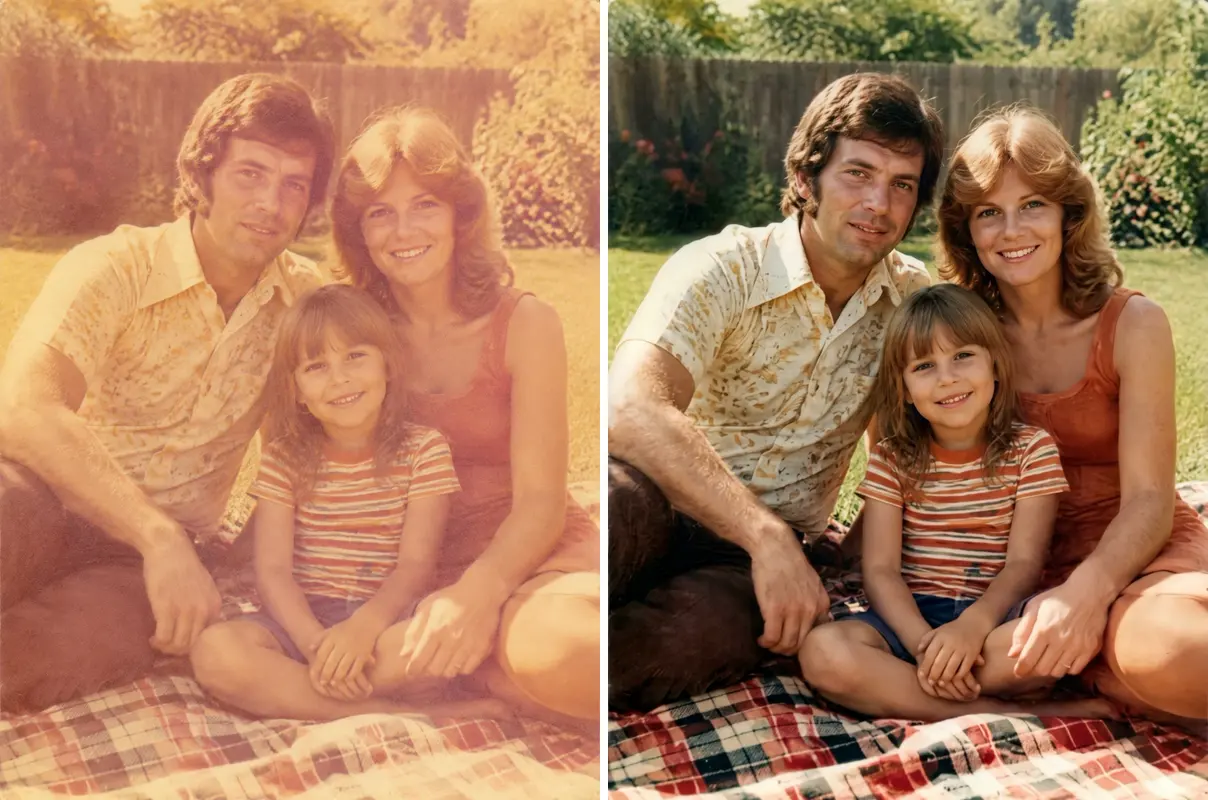
Bright sunlight and chemical aging cause prints to lose deep shadows and turn pale over time. The Restore option brings back contrast and detail, cleans stains and gray specks, keeps a black-and-white or sepia print in its original tone, and brings natural colors back to a faded color print. Results on yellowed prints vary, and the yellow tone is not promised to disappear completely.
Clarity enhancement
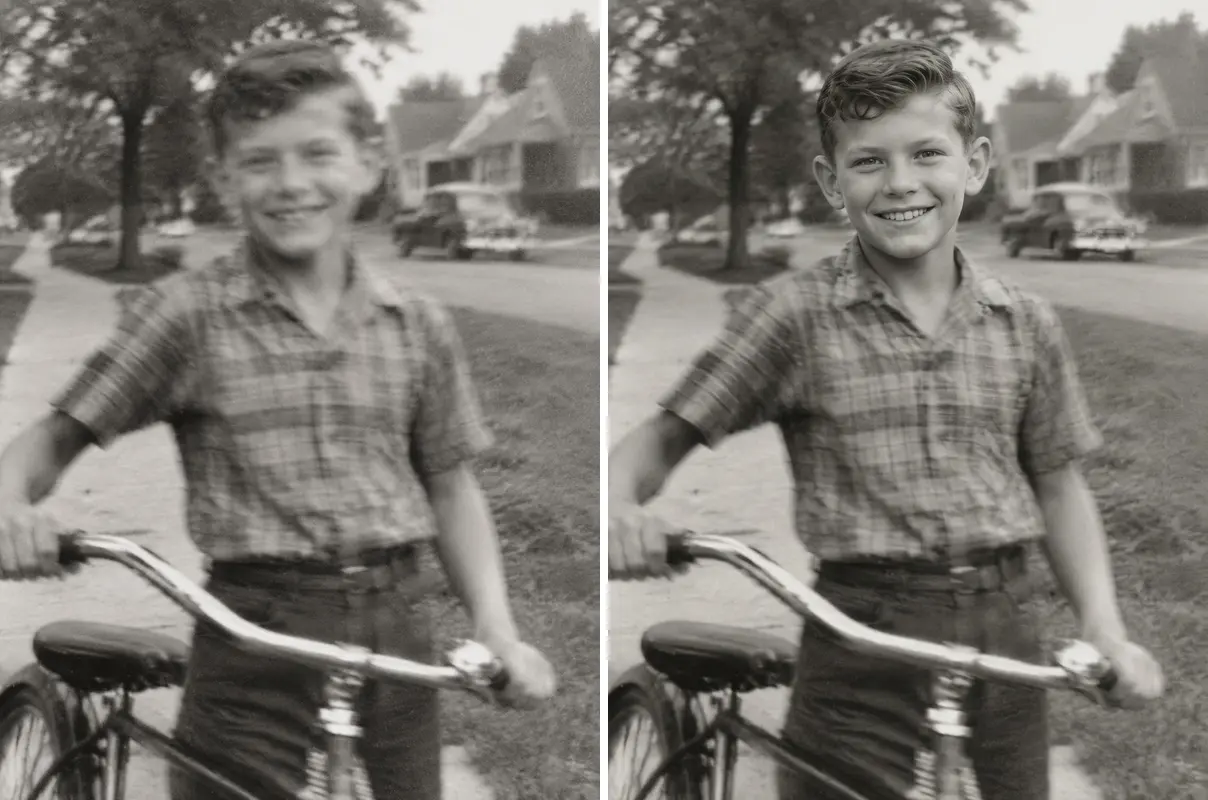
Early cameras often captured portraits with soft focus or blurred facial features. The facial sharpening chip focuses specifically on eyes, eyelashes, and skin details to clarify facial structures. Use this tool when you restore old photos to make blurry expressions readable while cleaning distracting image noise across the entire frame.
Realistic color addition
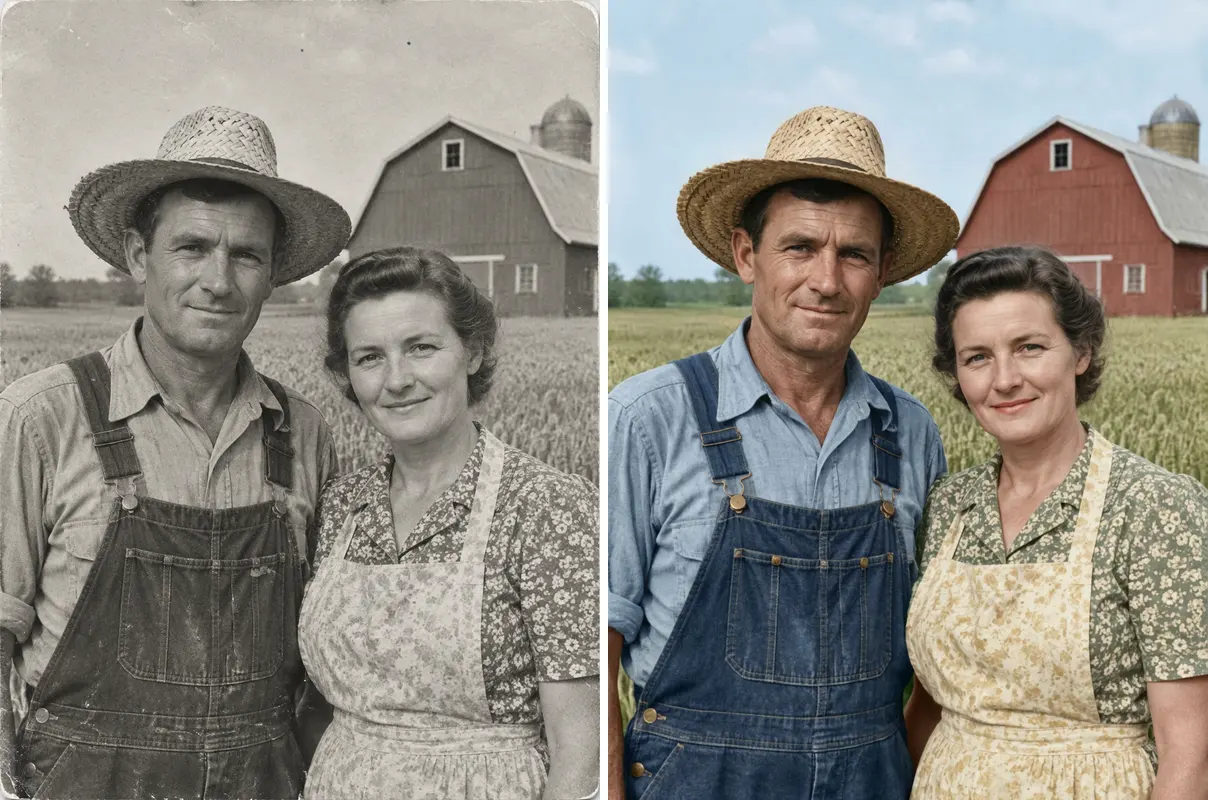
Turn monochrome heritage portraits into natural colored images. The tool repairs paper defects first, then adds natural, period-appropriate hues across clothing and backgrounds. The added colors are the AI's natural-looking guess, not the true colors from that day. It provides an easy way to restore old photos with realistic tints that bring family history into the present day.
Common practical uses
Repair scans of physical albums sitting in your attic before environmental aging damages them further. Our system helps you restore old photos quickly so your extended family can share clean digital copies.
Enhance faint portrait images attached to historical documents or archival records. Clean portrait pictures allow researchers to document ancestral branches clearly.
Prepare clear portrait images for memorial services or commemorative family gatherings. You can restore old photos so portraits look clear when shared with relatives.
Create thoughtful physical prints for parents or grandparents using restored files. Since output images are rendered at 1K resolution, you can restore old photos for small physical frames or digital displays.
Turn a static portrait into a moving clip after repairing damage. You can easily animate old photos using our dedicated video generation page.
Try this use case →Best practices
Faithful preservation
01
Every automated prompt ends with specific instructions that tell the model to keep each person's age, expression, hairstyle, and clothes unchanged. This guardrail tells the model to repair only damage without beautifying features or adding unwanted digital elements. However, small details can shift because it is an AI redraw, and the output is not guaranteed to match the person exactly.
02
We show you the exact English instructions sent to Nano Banana 2 so you know precisely how the system handles your photo. You can view, copy, and use these public prompts in other tools.
03
Instead of applying unpredictable filters, you select specifically whether to repair cracks, add color, or sharpen blurry features. This modular design helps you restore old photos based on the exact condition of your physical print.
04
If a section of your physical print is missing entirely, our model fills it in as a best guess. We clearly explain these limits so you can restore old photos with realistic expectations.
01
Select a scan or clear phone snapshot of your vintage print from your computer or mobile device.
02
Pick one of the four effect chips depending on whether you want to repair damage, colorize, or sharpen faces.
03
Press generate to process your image with Nano Banana 2. One image usually takes about 1 to 2 minutes.
04
Save your finished 1K image directly to your device. If you want a fresh variation, you can generate again for 8 credits.
Everything you need to know to restore old photos online with ease.
Start restoring your photosEvery new account receives 20 starter credits on signup (one gift per device and network), which covers your first 2 generations. Creating an account is required to generate images. If you need to restore old photos beyond your initial starter credits, you can upgrade to our Lite plan at $12.99/month for 400 credits to process up to 50 photos.
It can try to fill in tears and missing pieces, but areas that are completely missing are painted in as a best guess by an AI redraw, not recovered. With damaged edges or missing corners, the AI provides a plausible guess based on surrounding context. A severely damaged face may end up looking different from the real person.
Select the Colorize chip before clicking generate to transform monochrome pictures automatically. The system repairs surface wear first and then adds natural, era-appropriate colors to skin, hair, and clothing. Colors added by Colorize are the AI's natural-looking guess, not the true colors from that day.
Our processing prompts explicitly instruct the AI model to keep facial expressions, features, hairstyles, and ages unchanged. The tool fixes image quality and defects without adding cosmetic beautification filters. An AI redraw is not guaranteed to match the person exactly, and a badly damaged face may look different from the real person.
You do not need to install any mobile app or software to use this tool. The full service runs directly in the browser on a phone or a computer with no app to install. You can quickly restore old photos from your phone or computer browser with an active internet connection.
Yes, phone snapshots can be used as long as you capture them under good lighting conditions. Lay your physical print flat, avoid direct glare or flash reflections, and keep the whole print inside your camera frame. Taking a sharp snapshot allows you to restore old photos without needing a flatbed scanner.
Generating a single enhanced image usually takes between 1 and 2 minutes using Nano Banana 2. Your file keeps its original aspect ratio automatically without manual resizing steps. This streamlined process allows you to restore old photos without waiting for long manual editing queues.
Yes, after your image generation completes, you will see a Make it move link on the screen. Clicking this link opens the MiniMax H3 page, where you can upload your restored image to turn your portrait into a short video clip. It gives you an easy option after you restore old photos to bring static family history into motion.
An uploaded photo is used only to make your image. Results are never posted to any public page. This rule applies whenever you restore old photos on our platform.
Discover more options
Fix damaged family memories, sharpen soft facial features, or colorize monochrome portraits in minutes right from your browser when you restore old photos.
Restore old photos free with 20 creditsEach photo generation costs 8 credits. Results are an AI redraw keeping your original aspect ratio.
Ready to
Start restoring your photos