

AI Halloween Costume Generator

Upload one photo, pick a costume, and get an AI Halloween costume photo. You can turn it into a short video next.

Pick Your AI Halloween Costume Style
Select Image Size
Original photo before AI Halloween costume editWitch costume
Example result. Your result depends on your original photo and chosen costume style.

More to try with your photo

Copy & Paste AI Halloween Costume PromptsOpen Prompts for Every Style

Explore the exact prompts used to build every costume image on this page.

Real Examples

Real Photo In, Costume Out

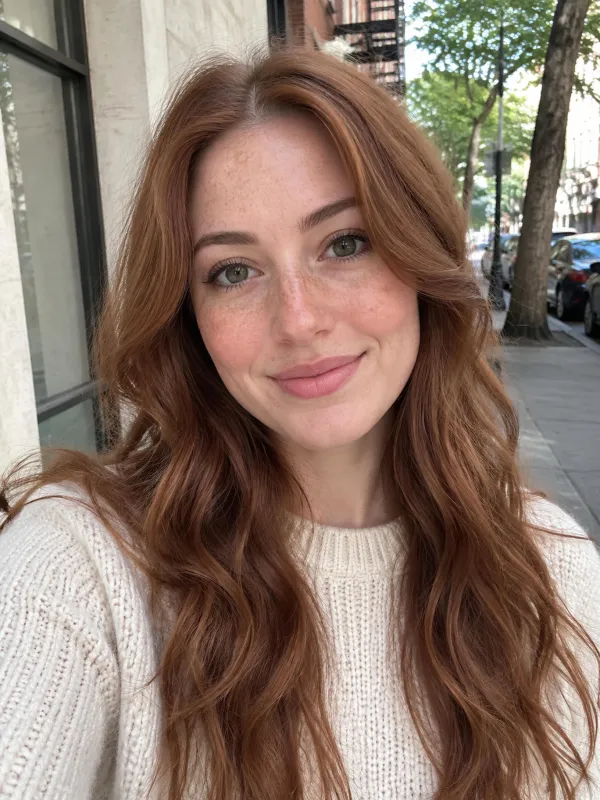
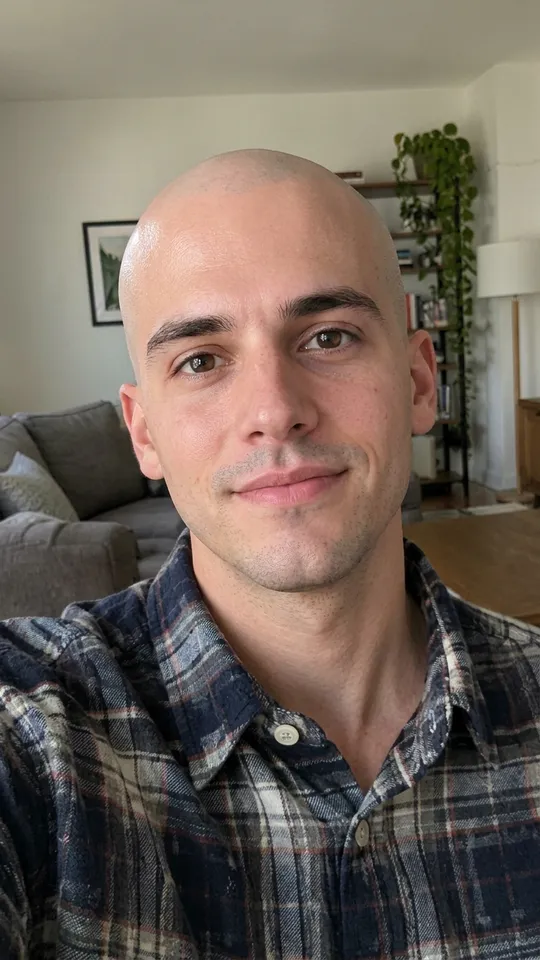
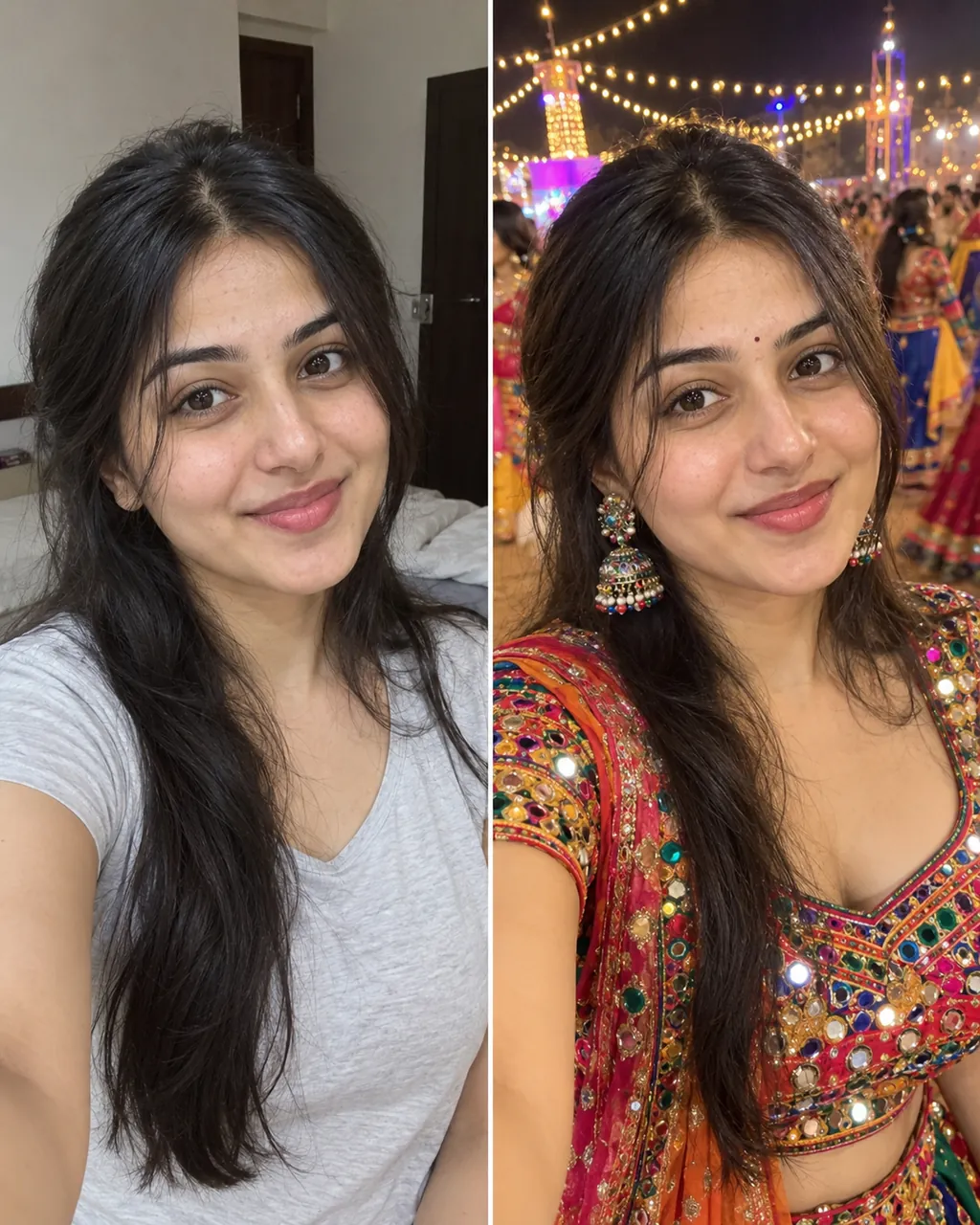
These are real outputs from this page, generated from one ordinary photo each. The people shown in the input pictures are fictional AI-generated people, demonstrating how the page replaces clothing, props, and background settings. Every generation is unique, so your own result will differ a little each time depending on your lighting, pose, and original uploaded photo.

Try AI Halloween Costume Free

Solo Photo

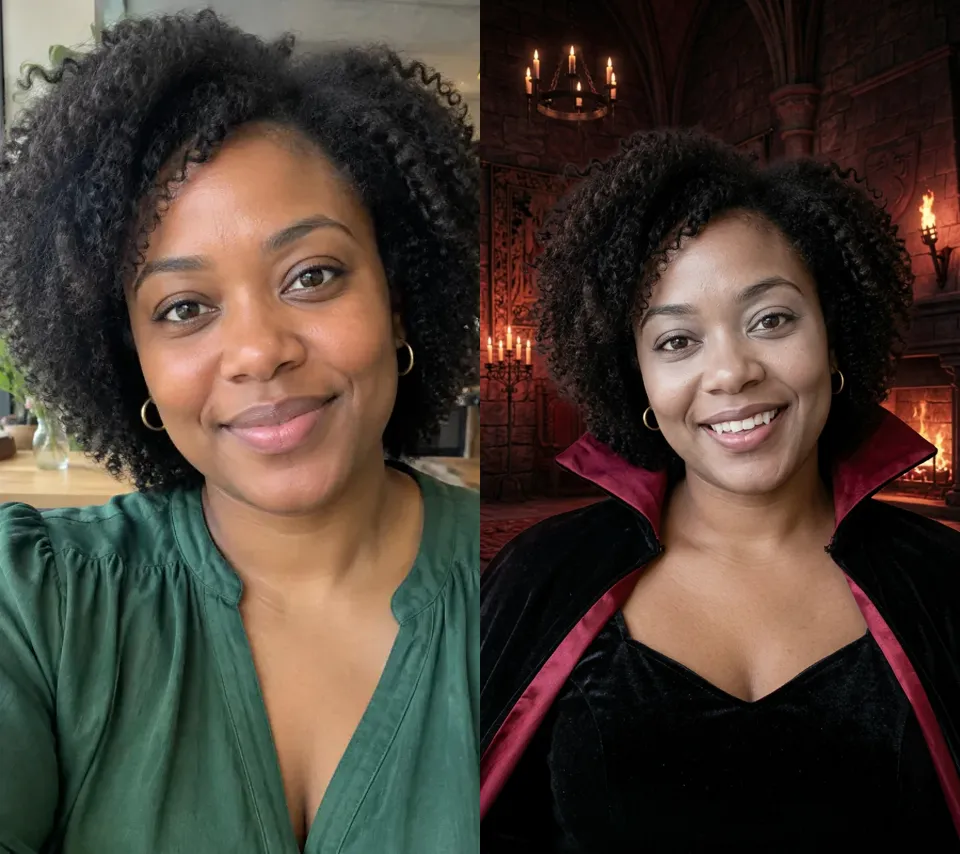
Transform a Selfie with an AI Halloween CostumeTurn a simple headshot into a dark vampire portrait.

Upload a basic portrait and let the generator convert your photo into a spooky vampire theme. The built-in prompt line asks the AI to keep the same face, skin tone, and hair while applying a matching outfit and dark background. Generating a photo this way lets you preview fun seasonal photos without manual editing.

  • Built-in face prompt protection
  • Matching themed outfit replacement
  • Matching thematic background scene
Original selfie transformed into a vampire photo

Group Photo

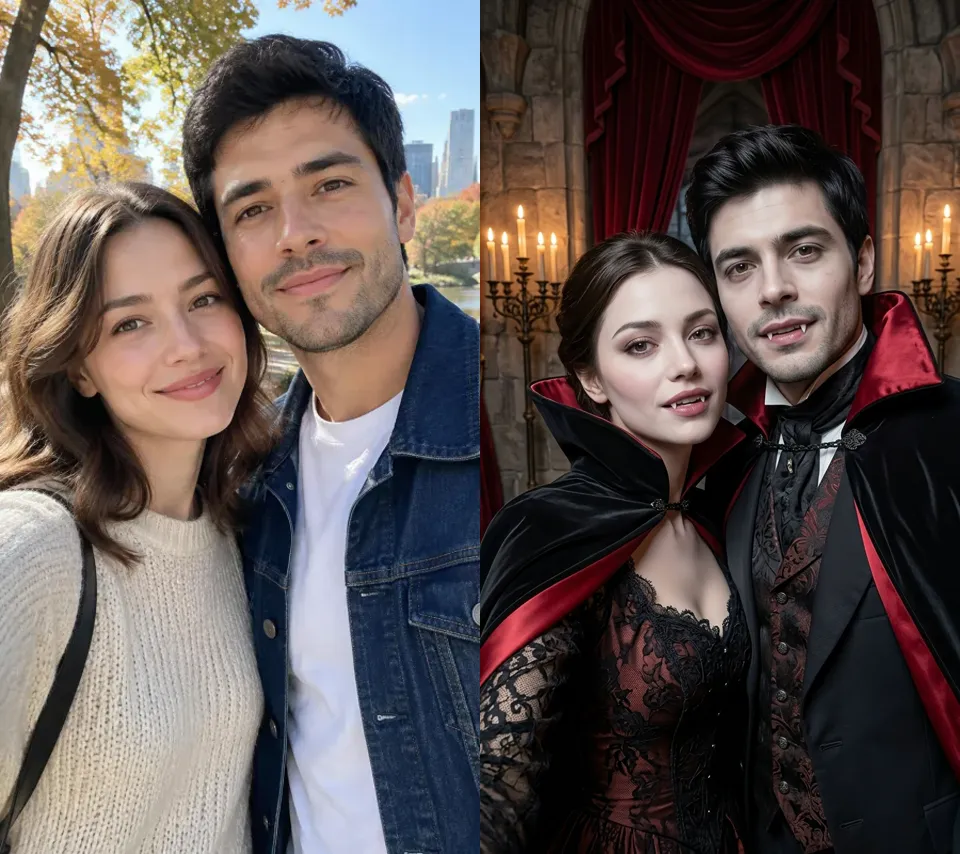
Couple AI Halloween Costume TransformationDress both people in matching Halloween styles from one picture.

You do not need individual uploads for partner or group photos. Upload a single picture containing two people, and our generator applies themed outfits to everyone present in the frame. Using an AI costume generator on multi-person shots creates a shared photo where both subjects receive matching wardrobe updates and background settings together.

  • Dresses multiple people together
  • Works with two or more people
  • One photo, everyone dressed
Couple transformed into matching vampires

Pet Photo

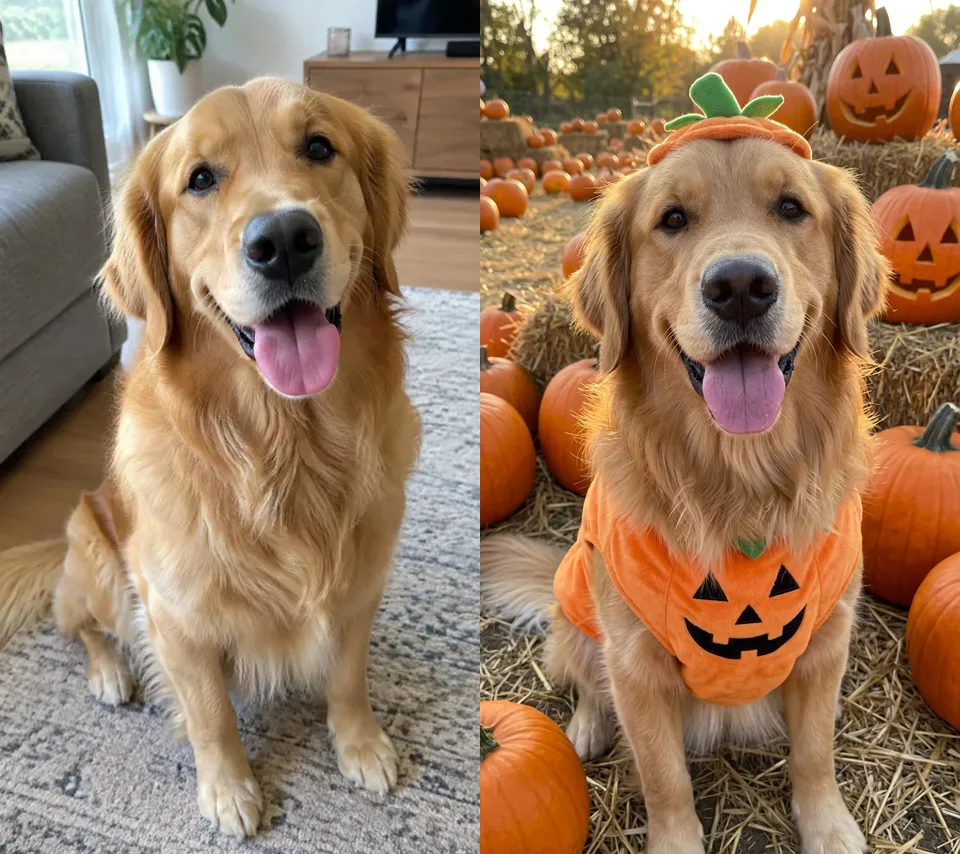
Pet AI Halloween Costume OutfitPut your dog or cat in a cute pumpkin outfit.

Your family pets can join the holiday pictures without wearing real clothes. Upload a clear picture of your dog or cat to get a pet Halloween costume image with scaled accessories. The built-in prompt line asks the AI to keep the same fur and face, placing a themed pumpkin outfit around your pet automatically.

  • Prompt asks AI to keep fur and face
  • Scales props for small pets
  • Adds cute themed environment
Golden retriever wearing a pumpkin costume

Video Result

Turn Your Costume Photo Into a Short Halloween VideoAnimate your static photo into an AI Halloween video.

You can turn a Skeleton costume photo into a 6-second video clip. Download your costume photo, then upload it on our MiniMax H3 page. The preview here plays muted on a loop, but generated videos come with sound for 20 credits (10 s = 40, 15 s = 60) as a separate step.

  • Adds movement to still images
  • Includes sound on H3 page
  • Uses 20 to 60 credits

Inspiration Guide

AI Halloween Costume Ideas for Your Photo

Solo Looks

A single portrait picture works with all nine available options. You can use our AI costume generator to preview yourself as a Vampire or Witch for a dark atmospheric style, or select the Astronaut option for a moon-surface scene. Generating an AI Halloween photo lets you test creative seasonal looks easily without purchasing physical clothes or applying heavy face makeup.

Couples, Friends and Groups

Upload a joint picture to create a shared holiday picture with your partner or friends. Selecting options like Pirate or Zombie applies themed outfits to all subjects in the frame simultaneously. Creating a group photo with an AI costume generator saves time and lets you share matching seasonal group pictures on social media in just a few steps.

Put Your Pet in a Halloween Costume

Get a seasonal pet Halloween costume picture without causing distress to your animals. Dressing up dogs or cats in physical garments can be difficult, but uploading a clear pet photo lets the tool generate miniature outfits like pumpkin suits or tiny witch hats. The prompt asks the AI to keep the same fur and face, creating a fun AI Halloween photo.

Kids and Family

Create festive family images for holiday greetings or social sharing. Selecting family-friendly options like the Pumpkin or Mummy styles creates charming seasonal portraits for kids and parents alike. Each costume photo usually takes about a minute, making it simple to produce multiple fun themed pictures without dealing with costume changes, fitting issues, or retail store visits.

Best Results

What Photos Work Best for Your AI Halloween Costume

Recommended Photos

  • Well-lit front-facing selfies
  • Clear photos of single pets
  • Sharp group or couple shots
  • Unobscured faces with natural lighting

Photos to Avoid

  • Blurry or dark room shots
  • Faces covered by heavy sunglasses
  • Extremely low resolution images
  • Cropped photos hiding head shape
Try AI Halloween Costume Free

Comparison

AI Halloween Costume Generator vs. Filter vs. Try-On

Understanding the differences between digital image generation, camera overlays, and retail fitting tools helps you choose the right solution for your needs. This page uses generative technology to recreate full scenes around your uploaded subject rather than just sticking 2D graphics over your screen or measuring apparel sizes for online purchases. It provides a creative photo generation service rather than an augmented reality mirror or store checkout aid.

AI Halloween Costume Generator (This Page)

This tool processes your original photo to construct a new image with themed outfits, makeup effects, and background settings. It yields a standalone still picture designed for holiday sharing and creative previews.

AI Halloween Filter

A camera filter places real-time 2D graphics over live video feeds inside mobile apps. It offers immediate entertainment on mobile screens but does not generate background scenes or full wardrobe transformations.

Virtual Try-On

Virtual try-on tools show a real piece of clothing from a shop on a photo or avatar of you, to help you pick a size or style before you buy. This page does not do that: it makes a new costume photo and does not sell clothes or tell you your size.

Your Face

How Your AI Halloween Costume Photo Still Looks Like You

01

Built-In Prompt Guardrails

Every option automatically attaches text instructions asking the model to retain faces, skin tone, hair, fur, and subject counts.

02

No Manual Prompt Writing

There is no prompt to write on this page. You simply select a costume style button and generate.

03

Expected Result Variations

Your photo will vary slightly on every run. If you want another attempt, you can regenerate for 8 credits.

04

Open Face Designs

All nine options keep faces completely exposed, such as the Pumpkin suit with a stem hat, the Mummy bandage wrap, or the Astronaut without a helmet.

Technology

Which AI Model Does This Page Use?

Costume photoShort video
ModelNano Banana 2MiniMax H3
What you upload1 uploaded photoYour costume photo
What you get1 still costume photoShort video with sound
Credits8 credits per photo20 credits (6s) / 40 (10s) / 60 (15s)
WhereThis pageMiniMax H3 page

Generate your still photo here first using Nano Banana 2 before making a video.

Try AI Halloween Costume Free

Simple Steps

How to Try On a Halloween Costume With AI

Try AI Halloween Costume Free

01

Upload One Photo

Sign in to your account, then upload one clear photo of yourself, a couple, a kid, or a pet.

02

Pick an AI Halloween Costume

Select one of our 9 classic styles and pick your preferred size (9:16 or 1:1).

03

Generate in About a Minute

Click generate to receive your finished photo. Photos usually take about a minute, sometimes a little longer.

Frequently Asked Questions About AI Halloween Costume Creation

Everything you need to know about generating your photo.

Try AI Halloween Costume Free
Is the AI Halloween costume generator free?

New accounts get 20 welcome credits once (one time per device and network). That is enough for 2 costume photos at 8 credits each, or exactly one 6-second H3 video. You sign in to generate, and after that you buy a plan or credits on the pricing page.

Do I only need one photo for the AI Halloween costume tool?

Yes, one photo is enough, whether it is a selfie, couple or group picture, kid photo, or pet photo. Your uploaded photo is only used to make your costume image and results are not posted on any public page. Generating your photo usually takes about a minute.

Can I choose which costume I get?

Yes, you manually select your outfit from our 9 available styles before generating. The options are Witch, Vampire, Werewolf, Skeleton, Mummy, Pumpkin, Zombie, Pirate, and Astronaut.

Can I put my dog or cat in an AI Halloween costume?

Yes, you can upload a photo of your dog or cat to get a tailored pet image. The system creates miniature outfits suited for animals, like tiny pumpkin suits or small witch hats.

Can I make a couple or group AI Halloween costume photo?

Yes, you can upload one picture featuring two or more people. The generator applies themed outfits and makeup to everyone present in the original photograph at the same time.

Can I turn my costume photo into an AI Halloween video, and how long is it?

Yes, after creating your photo, download it and open our MiniMax H3 page to upload it again. You can create a 6-second video for 20 credits, 10 seconds for 40 credits, or 15 seconds for 60 credits, complete with generated music and sound.

Can I dress up as a famous movie character with the AI Halloween costume generator?

No, famous movie, TV, or cartoon characters belong to other people, so this page only generates our 9 classic generic themes. If you want a specific style, pick the closest generic option like Witch, Vampire, or Pirate.

What is the difference between an AI Halloween filter and a costume generator?

An AI Halloween filter overlays a simple 2D effect onto a camera feed, whereas a costume generator builds a full photo with themed outfits and matching backgrounds. For more trend ideas, see how to do the AI Halloween costume trend and other AI trends.

Will my AI Halloween costume photo still look like me?

Our system appends instructions to preserve faces, skin tones, hair, and fur across every generation. AI outputs can vary slightly each time, so you can regenerate for 8 credits if you wish to try another version.

Can I use the AI Halloween costume generator on my phone?

Yes, you can open this page directly in your mobile web browser. You can upload an image from your camera roll, pick a costume style, select a 9:16 or 1:1 size, and click generate.

Explore More

Explore Related Tools and Trends

Create Your AI Halloween Costume Photo NowClassic Holiday Transformations

Upload your picture and get a Halloween photo. Photos usually take about a minute.

Try AI Halloween Costume Free

Each costume photo uses 8 credits. New accounts get 20 credits once.

Create Your AI Halloween Costume Photo Now

Try AI Halloween Costume Free