How to Make an AI Video of Yourself From a Selfie

Learning how to make an AI video of yourself takes just one selfie, an effect tap, and a few moments to render a 5 or 10 second clip. Everything runs right in your browser on phone or computer with no app to download. This is not a talking avatar that reads a script, but an action clip starring you.

Choose an Effect
Duration

By generating, you confirm you own the photos or have permission from everyone shown.

Input SelfieGenerated Video
Bring to Life example made from a close-up selfie of a fictional woman.

More to try with your photo

Real Results

Real Input, Real Output

Seeing how to make an AI video of yourself from everyday photos proves the model works without manual touch-ups. We ran two untouched inputs through MiniMax H3. A close-up selfie of a woman with dark wavy hair, gold hoops, and a mustard sweater by an apartment window produced the 5-second Bring to Life clip above for 20 credits. A dim mirror selfie of a man with curls and a beard, lit only by a bedside lamp, generated the 5-second Red Carpet clip for 20 credits, keeping his face, curls, and beard recognizable.

Start Generating Free

Example 01

Red Carpet From a Dark Mirror SelfiePremiere arrival from a bedroom mirror selfie.

The man with dark curls and a beard walks the red carpet in front of a dark backdrop as flashes go off. He stops with a hand on his hip and waves.

  • 5 seconds
  • One photo
  • 20 credits

Example 02

Money Rain in a Skyline PenthouseBanknotes falling around a night penthouse view.

A woman with curly hair in a green blouse stands in a dark penthouse at night with city lights behind her. Banknotes rain down around her as she looks up in surprise, throws both arms up, and laughs.

  • 5 seconds
  • One photo
  • 20 credits

Example 03

Main Character on a Golden Hour StreetGolden-hour street with warm sun flare.

A young man with short blond hair in a black T-shirt stands on an empty city street at golden hour with a warm sun flare behind him. He turns from looking down the street to the camera and gives a small smile in a close head-and-shoulders shot.

  • 5 seconds
  • One photo
  • 20 credits

Example 04

Superhero Rooftop Launch at SunsetRooftop launch into flight over city.

A man in a grey hoodie with a red cape crouches on a sunset rooftop, launches into the sky, and flies over the city. He holds one fist forward, grinning at the camera.

  • 5 seconds
  • One photo
  • 20 credits

Example 05

Bring to Life With a Kitchen Selfie FriendTwo photos combined into one duo video.

A woman with a dark bob takes a selfie in a kitchen, and her friend with a long dark ponytail pops into the frame beside her. Both smile, and the woman from Photo 1 waves.

  • 5 seconds
  • Two photos
  • 20 credits

Example 06

Red Carpet Walk With a PartnerCouple walks the carpet side by side.

A young man in a maroon T-shirt and a woman with curly hair in a green outfit walk the red carpet side by side. They stop together, and he waves and points at the camera while both smile.

  • 10 seconds
  • Two photos
  • 40 credits

Example 07

Superhero Flight With a Parent and SonMother and son flying side by side.

A grey-haired woman with glasses and a young man in a plaid shirt stand in red capes on a rooftop at sunset. They take off together and fly side by side over the city toward the camera.

  • 5 seconds
  • Two photos
  • 20 credits

Example 08

Bring to Life With a Pet on the StreetPet pops in beside a street photo.

A woman with long auburn hair stands on a tree-lined city street as a golden retriever pops into the frame beside her. She waves, and they end side by side facing the camera.

  • 5 seconds
  • Two photos
  • 20 credits

Example 09

Main Character Sunset Moment With a DogSunset street portrait shared with a dog.

A man in a navy T-shirt and the same golden retriever appear side by side on an empty city street at sunset with a warm sun flare. He turns to the camera and smiles, and the dog looks at the camera too.

  • 5 seconds
  • Two photos
  • 20 credits

Preset Effects

Effects You Can Make From One Photo

Bring to Life

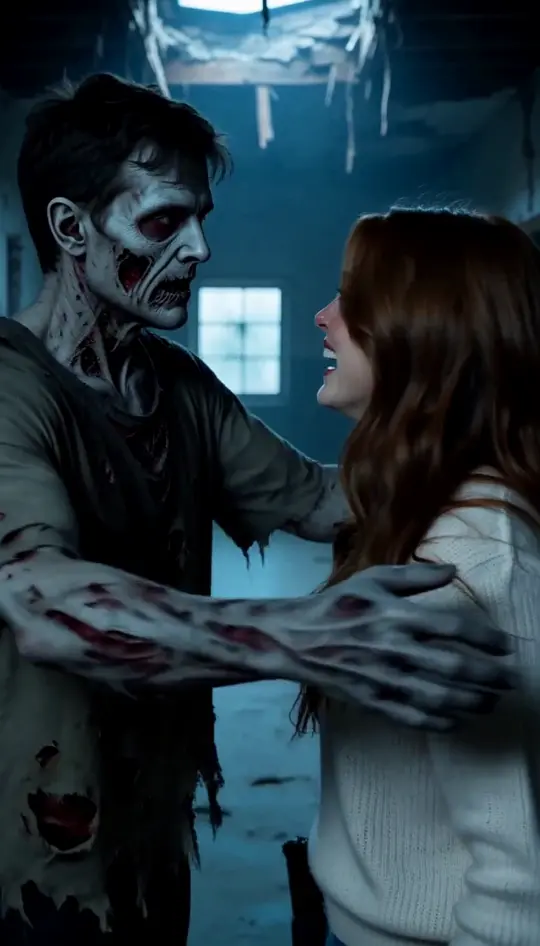
Learning how to make an AI video of yourself is easiest with an ai video of me style clip that starts moving in a spot like the one in your photo, framed like a phone selfie. You blink, smile, wave, and laugh, while adding Photo 2 brings a friend or pet right beside you.

Red Carpet

Walk a premiere red carpet in front of a dark backdrop as flashes go off, stop with a hand on your hip, and wave at the camera. With Photo 2, the two of you walk side by side and stop together.

Money Rain

Stand in a dark penthouse at night as banknotes rain down around you. You look up in surprise, throw both arms up, and laugh.

Main Character

A close shot frames your head and shoulders on an empty street at golden hour as you turn to the camera with a small smile. With Photo 2, your companion appears right beside you.

Superhero

Stand on a rooftop at sunset in a red cape, crouch, launch into the sky, and fly over the city grinning at the camera. With Photo 2, you both take off and fly side by side.

Earth Zoom Out

Starts on your photo and pulls back all the way out to Earth seen from space.

Try this use case →

More Effects

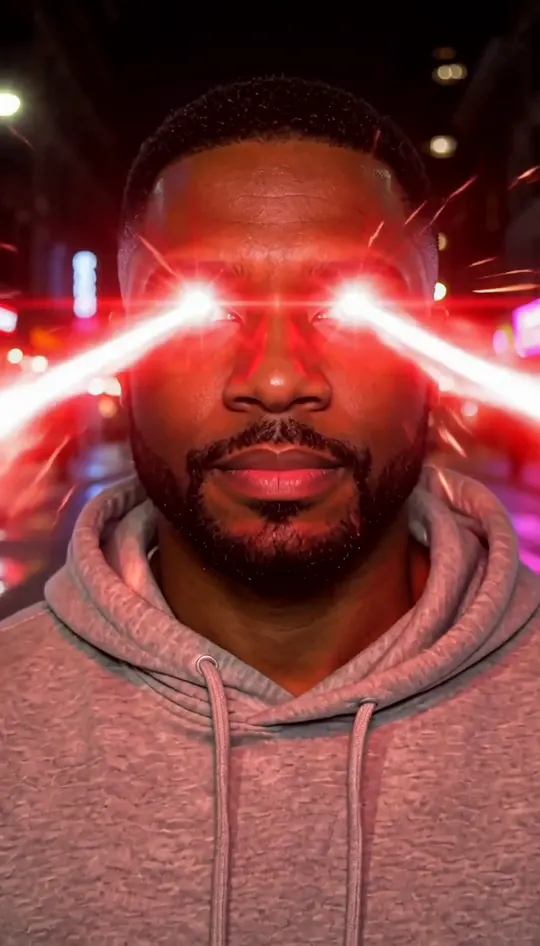
Laser eyes, backflip, car jump, dolly zoom and more effects from one photo on our AI Video Effects page.

Try this use case →

Photo TipsPicking the right picture shows you how to make an AI video of yourself with sharp facial detail and steady motion.

What Works Best

  • Clear lighting: Front-facing, natural lighting helps MiniMax H3 recognize your facial structure and eyes cleanly.
  • Direct camera angle: Looking straight ahead ensures your face stays recognizable when the action starts.
  • Chest-up framing: Standard selfies or portraits focused from the chest up give the model clear visual boundaries.
  • Single face in Photo 1: Clear single-person photos prevent confusion about who stars in the video.

Common Mistakes

  • Heavy blur and motion: Low-resolution, grainy shots make facial features drift across frames.
  • Extreme side angles: Profiles hiding half your face make it difficult to animate head turns naturally.
  • Obscured facial features: Sunglasses, pulled-down hats, or hands covering your mouth distort expression changes.
  • Crowded group shots: Group pictures in Photo 1 prevent the tool from identifying the primary subject.
Start Generating Free

Two-Person Scenes

Make One With a Friend, Partner or Pet

01

How Photo 2 Works

Seeing how to make an AI video of yourself with someone else is simple because every effect on this page uses Photo 2 when you upload one. The second person or pet appears directly in the scene next to you, while using only Photo 1 keeps you solo.

02

With a Friend

Add a friend to Bring to Life so they pop into the frame right beside you, and you end side by side facing the camera and waving.

03

With a Partner

We tested a partner with Red Carpet for 10 seconds where the two of you walk the carpet side by side, stop together, wave, and smile.

04

With a Pet

We tested a dog with Bring to Life and Main Character, where you wave and the dog pops in beside you or shares a golden-hour street close-up.

Start Generating Free

Comparison

AI Video of Yourself vs AI Clone vs Talking Avatar

Understanding how to make an AI video of yourself begins with knowing how it differs from clones and avatars.

AI Video of Yourself (This Page)

This tool turns your selfie into a 5 or 10 second action clip like flying or walking a red carpet. You pick an effect chip rather than writing a prompt, and there is no voice, script, or dialogue.

AI Clone Video

An AI clone video is a different kind of clip with its own preset scenes, made on our separate AI Clone Video page; this page puts you (and one optional friend, partner or pet) into one of five effects.

Talking Avatar

A corporate ai avatar video of yourself animates a static picture to speak words from a script with synthetic lip sync. This page does not create talking avatars, spoken audio, or lip sync.

Ethical Creation

Only Make Videos of People Who Said Yes

Learning how to make an AI video of yourself comes with the responsibility of respecting everyone who appears in your clips.

Your Own Photos

Always use your own selfies or photos that you have direct ownership of.

Ask Friends and Partners First

Always get clear permission from your friend, partner, or family member before uploading their picture to Photo 2.

Public Explore Visibility

Videos made by users without a subscription appear on the public Explore page, so only upload photos you are fine with others seeing.

At a Glance

Quick Specs

FeatureDetails
ModelMiniMax H3
ShapeVertical 9:16 (768p)
Lengths5 seconds or 10 seconds
PhotosPhoto 1 required; Photo 2 optional (friend, partner or pet)
PromptsHidden prompts on 5 preset chips (no prompt writing)
SpeedMost clips finish in under a minute; at busy times it can take a few minutes
SoundBackground music included; no lyrics, dialogue, or mute switch
WatermarkNone on downloaded MP4s
Credits for New Accounts20 credits, once per device and network
Cost Per Video20 credits for 5 seconds; 40 credits for 10 seconds
Paid PlansStart at $7.99 a month for 200 credits
VisibilityVideos made without a subscription appear on the public Explore page
Start Generating Free

How It Works

How to Make an AI Video of Yourself in 4 Steps

Start Generating Free

01

Upload your photo

Here is how to make an AI video of yourself by uploading one clear selfie to Photo 1, with an optional friend, partner, or pet in Photo 2.

02

Tap an effect

Choose one of the 5 preset chips: Bring to Life, Red Carpet, Money Rain, Main Character, or Superhero.

03

Pick your length

Select 5 seconds or 10 seconds in fixed vertical 9:16 format.

04

Generate and download

Click generate, keep the page open while it finishes, and download your clean MP4.

Is It Free? Credits per Video

One balance, every model. Credits work across all 20 video models — no watermark, no tier-locked models, commercial use on every paid plan.

Save 30% billed annually

Flexible monthly subscription.

Mini Monthly

The lowest price to get started. Every model, a monthly budget to try things out.

$7.99/mo

Renews monthly, cancel anytime.

200 credits

≈ 0–10 videos, depending on the model

≈ 14–66 images, depending on the model

4.00¢ / credit

  • 1080p · No watermark · Commercial use
  • Credits reset every billing month
  • Access to all models
  • Watermark-free outputs
  • Buy an add-on credit pack
  • Standard support

Lite Monthly

The cheapest way to start. Every model, a small monthly budget.

$12.99/mo

Renews monthly, cancel anytime.

400 credits

≈ 1–20 videos, depending on the model

≈ 28–133 images, depending on the model

3.25¢ / credit

  • 1080p · No watermark · Commercial use
  • Credits reset every billing month
  • Access to all models
  • Watermark-free outputs
  • Buy an add-on credit pack
  • Standard support

Starter Monthly

Enough credits to try every model and finish a few clips each month.

$29.9/mo

Renews monthly, cancel anytime.

1,000 credits

≈ 3–50 videos, depending on the model

≈ 71–333 images, depending on the model

2.99¢ / credit

2 parallel tasks

  • 1080p · No watermark · Commercial use
  • Credits reset every billing month
  • Access to all models
  • Watermark-free outputs
  • Buy an add-on credit pack
  • Standard support

Standard Monthly

Popular

Steady output for solo creators going pro — every model, a comfortable budget.

$49.9/mo

Renews monthly, cancel anytime.

2,000 credits

≈ 6–100 videos, depending on the model

≈ 142–666 images, depending on the model

2.50¢ / credit

3 parallel tasks

  • 1080p · No watermark · Commercial use
  • Credits reset every billing month
  • Access to all models
  • Watermark-free outputs
  • Buy an add-on credit pack
  • Priority support

Advanced Monthly

High-volume production for prolific creators and small teams.

$89.9/mo

Renews monthly, cancel anytime.

5,000 credits

≈ 15–250 videos, depending on the model

≈ 357–1666 images, depending on the model

1.80¢ / credit

5 parallel tasks

  • 1080p · No watermark · Commercial use
  • Credits reset every billing month
  • Access to all models
  • Watermark-free outputs
  • Buy an add-on credit pack
  • Priority support

Frequently Asked Questions

Everything you need to know about how to make an AI video of yourself, credit costs, and tool features.

Start Generating Free
How do I make an AI video of myself for free?

New accounts get 20 credits, once per device and network. That covers one 5-second video. A 5-second video costs 20 credits; a 10-second video costs 40 credits. Paid plans start at $7.99 a month for 200 credits. You need to sign in to generate.

Can I make an AI video of me from just one photo?

Yes, finding out how to make an AI video of yourself only requires a single photo in Photo 1 to make an ai video of me. Photo 2 is completely optional for when you want a second person or pet next to you. If you only provide Photo 1, only you appear in the video.

Can my AI video talk or lip-sync?

No, the tool does not generate speech, dialogue, or lip sync. MiniMax H3 always adds music to the clip, and there is no switch to turn sound off. The hidden prompt asks for an instrumental music style per effect with no lyrics and no dialogue, but you can swap the audio inside TikTok or Reels.

What's the difference between an AI video of yourself and an AI clone?

Discovering how to make an AI video of yourself here means placing your selfie into an action scene like flying or walking a red carpet. An AI clone video is a different kind of clip with its own preset scenes, made on our separate AI Clone Video page. This tool focuses strictly on turning one selfie and an optional second subject into five specific motion scenes.

How long does it take, and how many credits does it cost?

In our tests most clips finish in under a minute; at busy times it can take a few minutes. A 5-second video costs 20 credits, and a 10-second video costs 40 credits. Paid plans start at $7.99 a month for 200 credits.

Can I make one with a friend or my pet?

Yes, every effect incorporates Photo 2 when you upload one. We tested a friend with Bring to Life, a partner with Red Carpet for 10 seconds, a parent and son with Superhero, and a dog with Bring to Life and Main Character. We have not shown Money Rain with two photos.

Do I need to download an app?

No, exploring how to make an AI video of yourself happens entirely in your mobile or desktop web browser. You simply open the page, sign in, upload your photo, and generate your clip directly. There are no app store downloads or software installations required.

What if my selfie is dark or blurry?

Testing how to make an AI video of yourself with a dim photo can still work, as shown by our mirror selfie example lit only by a bedside lamp. However, faces can drift with very dark, blurry, side-on, or group photos. Clear lighting and direct angles will always produce the most recognizable results.

What can't this tool do yet?

Clips are limited to 5 or 10 seconds in vertical 9:16, with no custom prompt writing, horizontal formats, talking, voice, or lip sync. Each run is a new take where results vary, and videos made without a subscription appear on the public Explore page. For a full breakdown of social media tricks, check our guide on how to make an AI video of yourself to master viral trends.

Ready to Star in Your Own ClipGenerate Your Video Today

Find out how to make an AI video of yourself in minutes and share an action clip starring you.

Try Ricebowl Free

FROM 20 CREDITS - NO PROMPT NEEDED

Ready to Star in Your Own Clip

Start Generating Free