First meeting picture
Select the family portrait look in our AI baby generator to see a scene with both parents holding their baby. It makes a memorable image to keep or share with close family.
Upload one photo of each parent to try our AI baby generator and see an imagined preview of your future baby, not a genetic prediction.

 Imagined baby output

Every style on our AI baby generator shows the real prompt behind it. Copy any prompt or tap use to try it directly on this page.
Examples From This Page
Curious couples use this AI baby generator to turn two clear parent photos into a single imagined baby photo. These images are imagined previews meant purely for fun, not a medical test or genetic prediction. Every example below was created right here on this page using source photos of made-up AI people, with no manual retouching or photo editing afterward. Each generation produces one image, and every run varies slightly in facial details. Try the AI baby generator today to create your own imagined family preview, which usually takes under a minute.
Try AI Baby Generator NowMade on This Page 01
In this test of our AI baby generator, a brown-haired dad and a red-haired mom combined into a single newborn daughter. She is shown asleep, wrapped in a cream knit blanket with reddish-brown baby hair.

Made on This Page 02
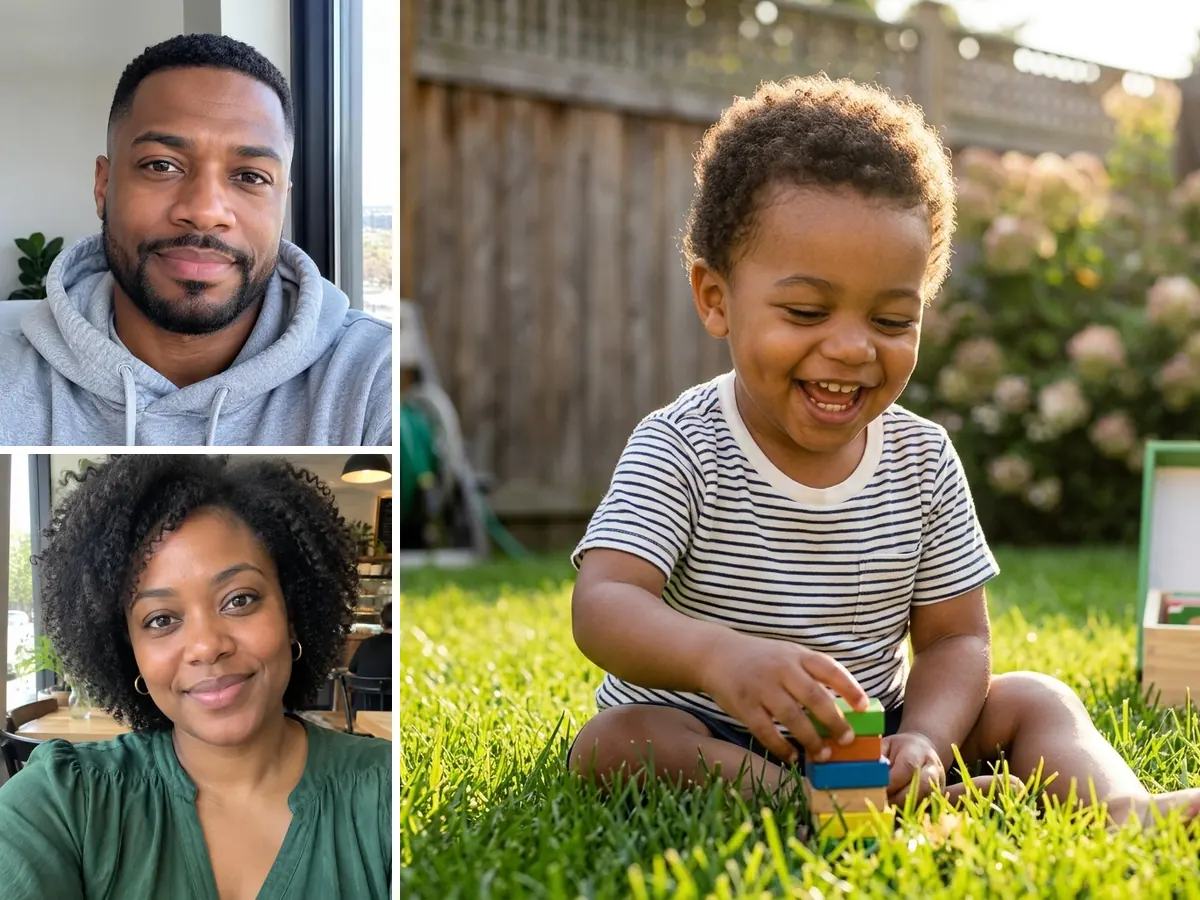
Using photos of a Black dad and a Black mom with curly hair, this AI baby generator created an image of a son around 2 years old. You can see him laughing on backyard grass.
Made on This Page 03
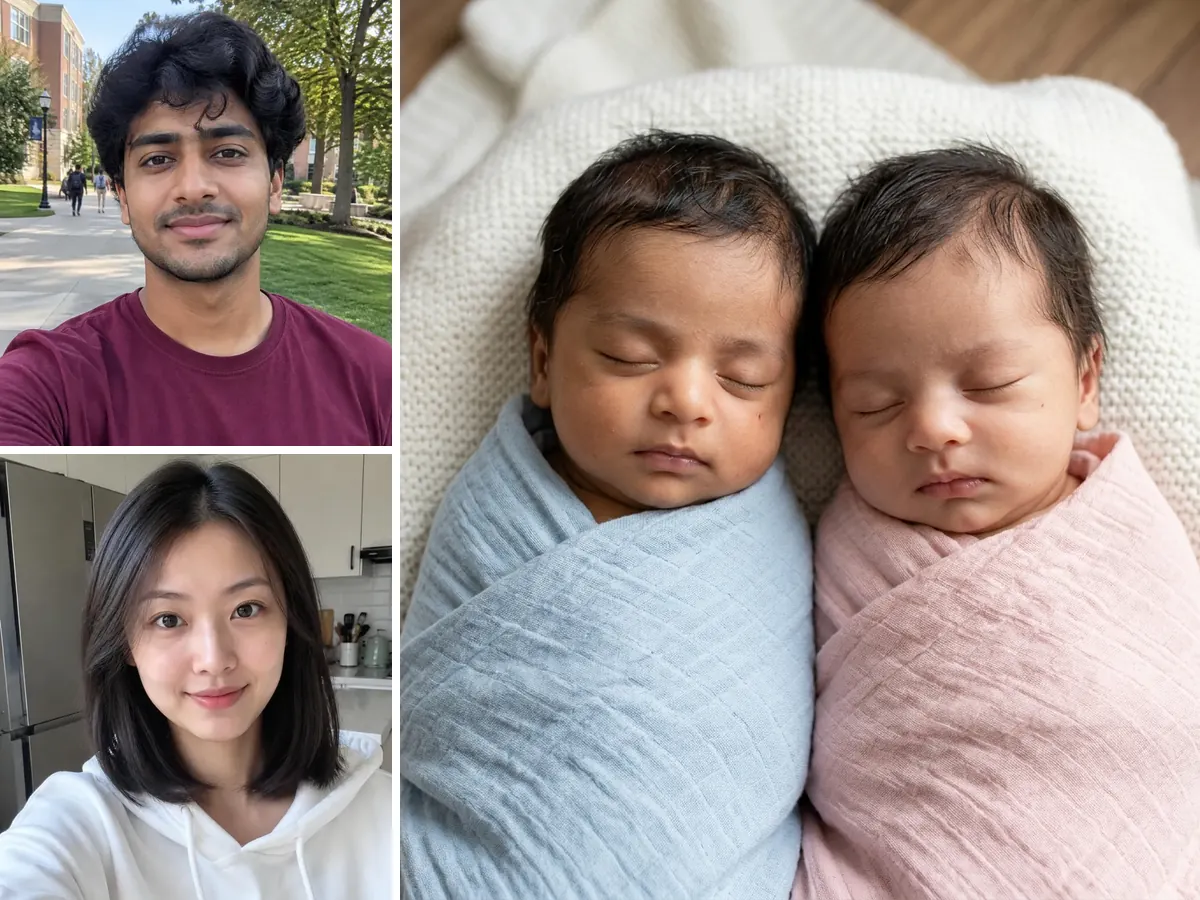
A South Asian dad and an East Asian mom uploaded individual photos to our AI baby generator. The tool produced an image of newborn twins, showing one boy and one girl in one picture.
Made on This Page 04
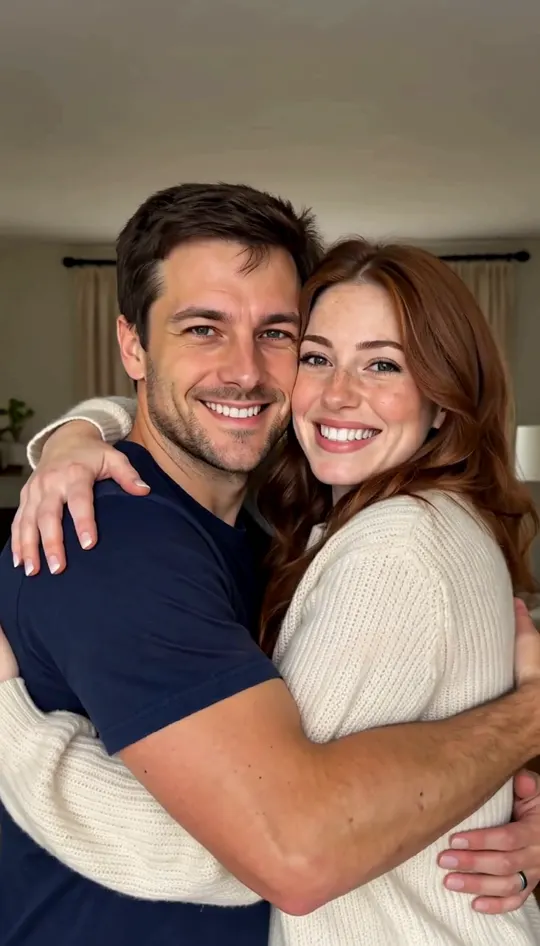
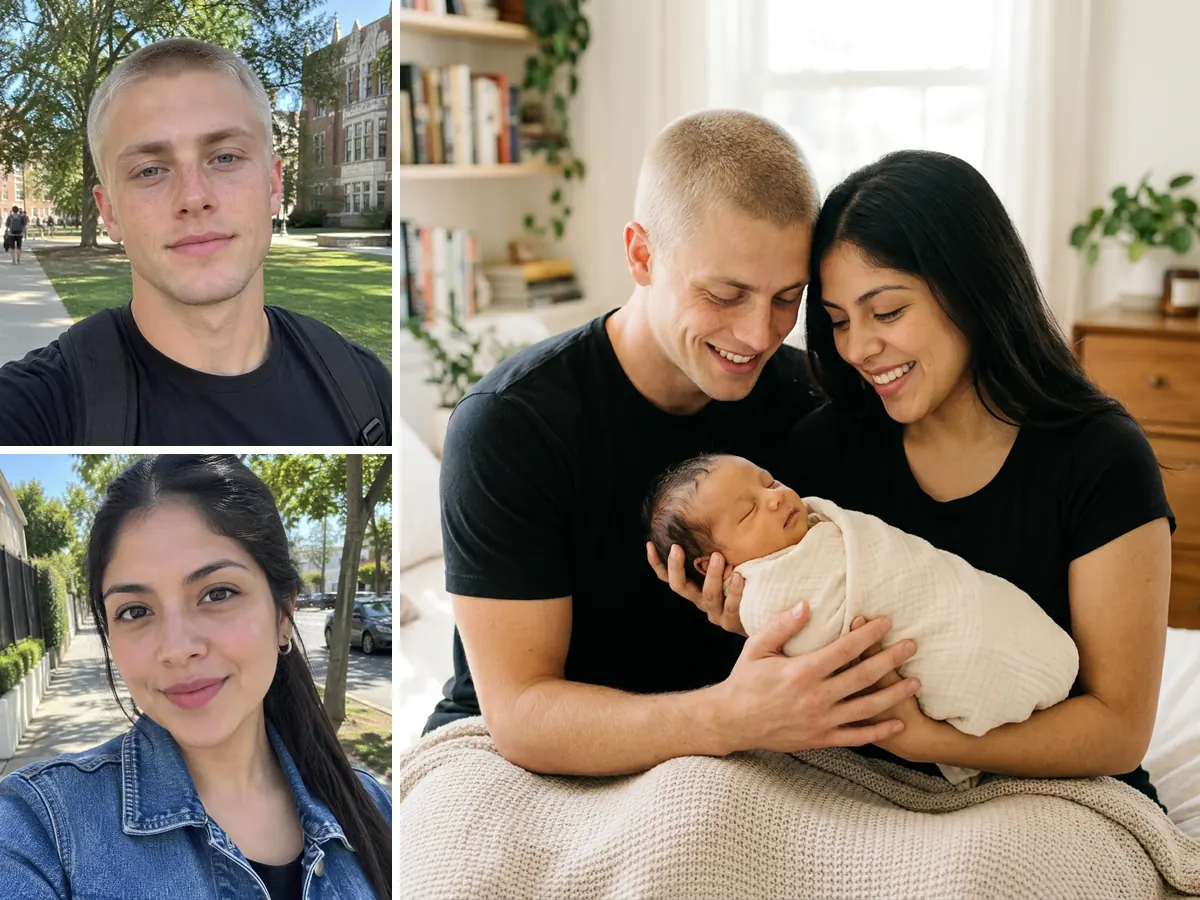
A blond dad and a Latina mom used the AI baby generator family setting to create a portrait holding their newborn child. The result renders a first meeting or first day home photo with all three visible together.
Select the family portrait look in our AI baby generator to see a scene with both parents holding their baby. It makes a memorable image to keep or share with close family.
Generate a cute preview image to share your big news with friends online. The vertical size option fits cleanly into your story posts.
Surprising your partner with an imagined preview card creates a fun moment together. You can pick between newborn and toddler styles to see different future stages.
Select the twins option to view an imagined pair of newborn babies together. It offers a fun twist when testing out different baby looks with your partner.
Text an imagined baby render straight to your partner to spark a playful chat. Creating and saving your final image usually takes under a minute.
01
Select the newborn girl, newborn boy, toddler girl, or toddler boy option before generating. The tool renders your preferred look based on the specific chip you select.
02
You can view a newborn of about 1 to 2 months or a toddler around two years old. We do not offer looks for older kids, teenagers, or adult ages.
03
Each run is a new imagined picture, so slight variations occur every time. If you want to try another rendering, each attempt costs 8 credits.
04
Photo clarity, lighting, and camera angles influence how features blend in the AI baby generator. No one can force or promise specific traits, as this is an imagined preview and not a genetic prediction.
05
If you are wondering what will our baby look like, upload two clear photos and pick any look chip to see a preview usually under a minute.
The AI baby generator analyzes both parent photos to detect key facial shapes and tone, then blends those traits into a single baby image. It builds a visual blend from your inputs rather than executing a genetic prediction. Every generation provides a fresh imagined preview.
Tries to match the overall skin tone from both uploaded parent photos. Tries to reflect combined hair color and hair type in the baby portrait. Tries to blend eye shape characteristics from both source images. Tries to capture underlying face shape traits from mom and dad.
Fills in the expression. Fills in the clothes. Fills in the background. Fills in the light.
This is a visual blend, not a genetic prediction, and every run can differ.
01
Upload separate photos of mom and dad to generate a single clear baby portrait.
02
Every run costs 8 credits, so you always know what you spend upfront.
03
The prompt it really uses for every look chip on this AI baby generator is public, so you can copy it or tap to run it.
04
Move from a still picture to a short clip by jumping directly to our MiniMax H3 video page.
At a glance
| What you want to know | This AI baby generator |
|---|---|
| Photos needed | Two photos required, one for each parent |
| Group photo allowed | No, single portraits of each person only |
| Looks to choose from | Six preset baby looks available |
| Aspect ratios | 1:1 Square and 9:16 Vertical |
| Images per tap | One single baby photo per generation |
| Price per photo | 8 credits per image |
| Credits for new accounts | 20 credits, enough for 2 baby photos |
| Wait time | Photo usually comes out under a minute |
| Model | Nano Banana 2 at 1K output resolution |
| Watermark | Downloaded image has no visible watermark |
| Failed run | Credits returned automatically on system error |
| Genetic prediction | No, it creates an imagined picture preview |
01
Add one clear front-facing photo of the dad and one of the mom into this AI baby generator.
02
Select one of six looks, from sleeping newborn girl to toddler boy or twins.
03
Choose 1:1 square format or 9:16 vertical ratio for social media sharing.
04
Tap generate and download your image, usually under a minute.
Common questions about using our AI baby generator tool.
Try AI Baby Generator NowAn AI baby generator analyzes facial features from two separate parent photos and blends them into a single baby photo. You pick a look chip, select a size, and generate an image that usually arrives in under a minute. Curious about other photo and video effects people are making? Here is how to do the AI trend, step by step.
Generating a photo requires credits and is not unlimited. Each photo costs 8 credits, and new accounts receive 20 credits once per device or network, which is enough for 2 photos. Paid plans start at $7.99/month for 200 credits, and an account is needed to generate.
No, you must upload two separate photos to use this tool. One photo of the dad and one photo of the mom are both required. A single photo showing both of you together will not work.
The AI baby generator creates an imagined preview of what your baby could look like. It is a visual blend for fun and not a genetic prediction. Results vary with each run, so we cannot promise a real child will look like the generated picture.
Yes, you can choose from six preset chips in this tool. Options include newborn girl, newborn boy, toddler girl, toddler boy, twins, and family portrait. There is no random gender option, and no styles exist for kids older than about 2 years.
You can select the newborn boy or toddler boy chip to preview a son, or the newborn girl or toddler girl chip to preview a daughter. The tool renders your chosen style using features from both uploaded parent photos.
No app download is required to use this tool. The tool runs directly inside your standard phone browser or web browser. You can upload photos, select styles, and download images on the web page.
Uploaded photos are only used to make your result. Generated images never appear on any public page. You can download your result and keep it on your own device.
Yes, a button under your result links to our MiniMax H3 video page. Download your baby photo first, then upload it on the video page, as images are not carried over automatically. Video credits are separate, costing 20 credits for a 6-second 768p clip.
Generating an image with this tool usually takes under a minute. Standard processing moves quickly across all six baby looks. Please keep your browser window open while the model finishes creating your photo.
You should only upload photos of people who have given their consent. Do not use photos of celebrities or strangers found online. If you want to use a picture of a friend or family member, make sure you have their OK first.
We add no visible watermark to the downloaded image. However, because the picture is created by AI, we suggest letting people know it is AI-generated when you share it online.
Each tap on the generate button on this page produces one image. If you want to try a different style or create another image, selecting another look chip and generating again costs 8 credits.
If your attempt fails due to a system error, your credits are returned automatically to your balance. You can then try uploading your parent photos again without losing credits.
Explore more
Upload two parent photos into our AI baby generator and get your imagined baby portrait, usually in under a minute.
Generate Baby Photo Now8 CREDITS PER PHOTO · NO PROMPT NEEDED
Try Our AI Baby Generator Today
Try AI Baby Generator Now