Editing footage for ads
Change the product color, the outfit, or the set of an existing spot with Aleph 2.0 instead of reshooting. This is where Runway AI is strongest.
Try this use case →Runway AI is not on Ricebowl yet. The generator above runs MiniMax H3 for now, so use it to get a similar result: write a prompt, add a first frame or references, and render a 6-second 768p clip for 20 credits. Below is what Runway AI does and what it costs.
Select video duration
Select resolution
Select aspect ratio
CAPABILITIES
Feature 01
Sequenced instructions, one continuous shot
Runway AI's current flagship, Gen-4.5, turns a text prompt into a 2 to 10-second clip at 720p. It is built for complex, sequenced prompts: camera choreography, several objects entering in order, and a change of light halfway through can all sit in one paragraph.
Feature 02
Your image is the first frame
Upload a still and Runway AI uses it as the opening frame, so the prompt only has to describe the motion. Gen-4 and Gen-4 Turbo require an input image; Gen-4.5 accepts one as an option. Runway AI itself recommends drafting in Turbo and switching to Gen-4 only when Turbo misses.
Feature 03
The brush is gone; the control moved into the prompt
Motion Brush let you paint the part of a frame that should move. It belonged to Gen-2, and Runway AI retired Gen-2 completely on May 11, 2025, taking Motion Brush with it. Runway AI now says the same results come from prompting the newer models directly, naming what moves, which way, and how fast.
Feature 04
Edit one frame, update the whole clip
Aleph 2.0 is Runway AI's in-context video editor. Describe a change, such as a product color, a hairstyle, or a piece of clothing, and it changes only that across the clip while the background and lighting stay put. It edits clips up to 30 seconds at 1080p, across multiple shots.
Feature 05
Your performance, a different character
Act-One started performance capture on Runway AI, and Act-Two now carries it: film yourself acting a scene, add a character image or video, and your movement, expression, and gestures transfer to that character. Act-Two runs up to 30 seconds and costs 5 credits per second.
Feature 06
The voice drives the mouth
On Runway AI, lip sync comes from performance: Act-Two takes the audio from your driving video along with the movement, so the character speaks your lines. Paid plans also include voice and sound effects generation, and Pro adds a custom voice clone.
Feature 07
Stills in, the motion between them out
Frame interpolation fills the motion between images you supply, which is how you build a transition or a timelapse from stills. Runway AI offers keyframes as a control mode and has said it is bringing Keyframes, Image to Video, and Video to Video to Gen-4.5, and a Retime editor adjusts speed after the render.
PROMPT EXAMPLES
Prompt
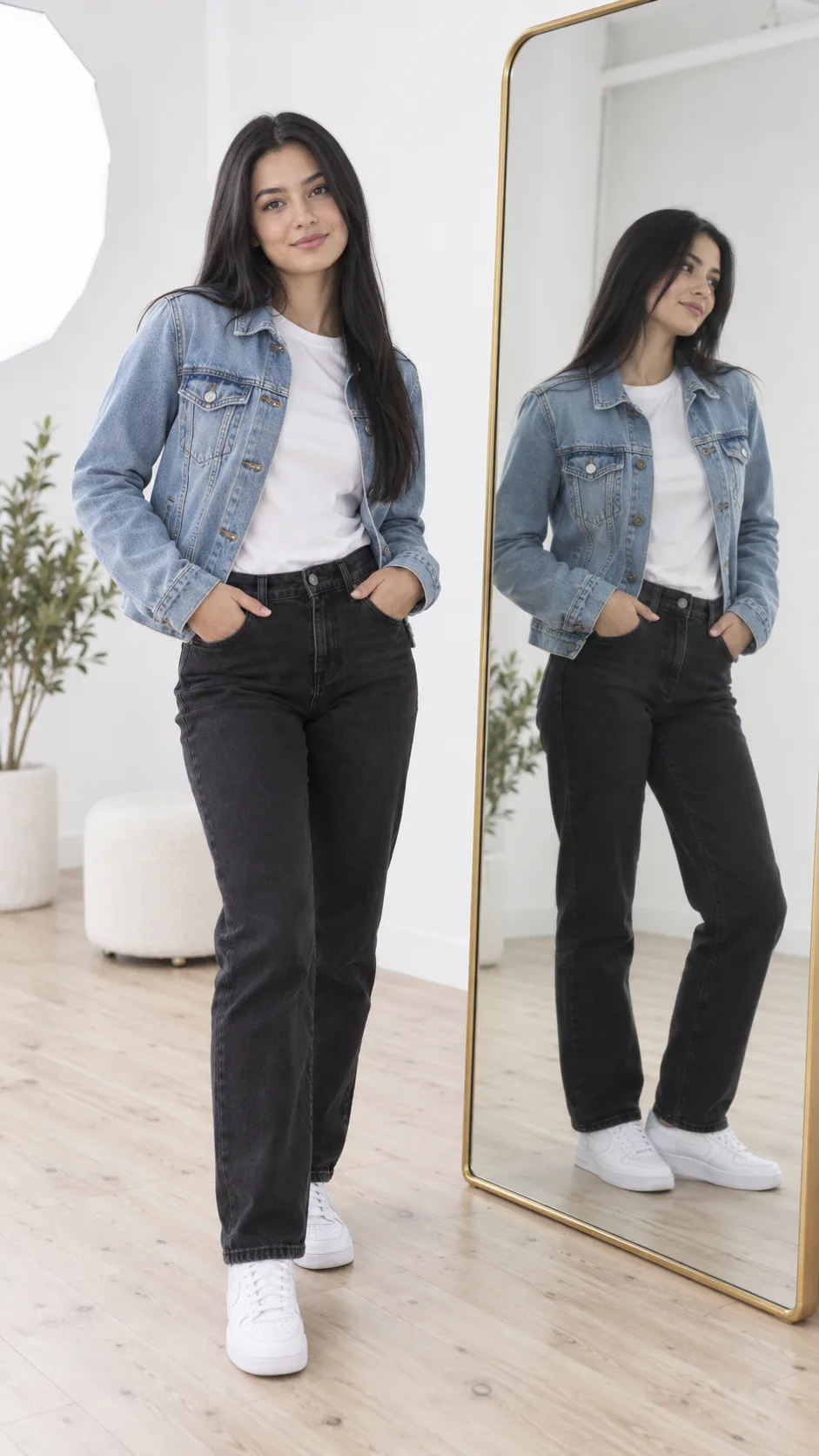
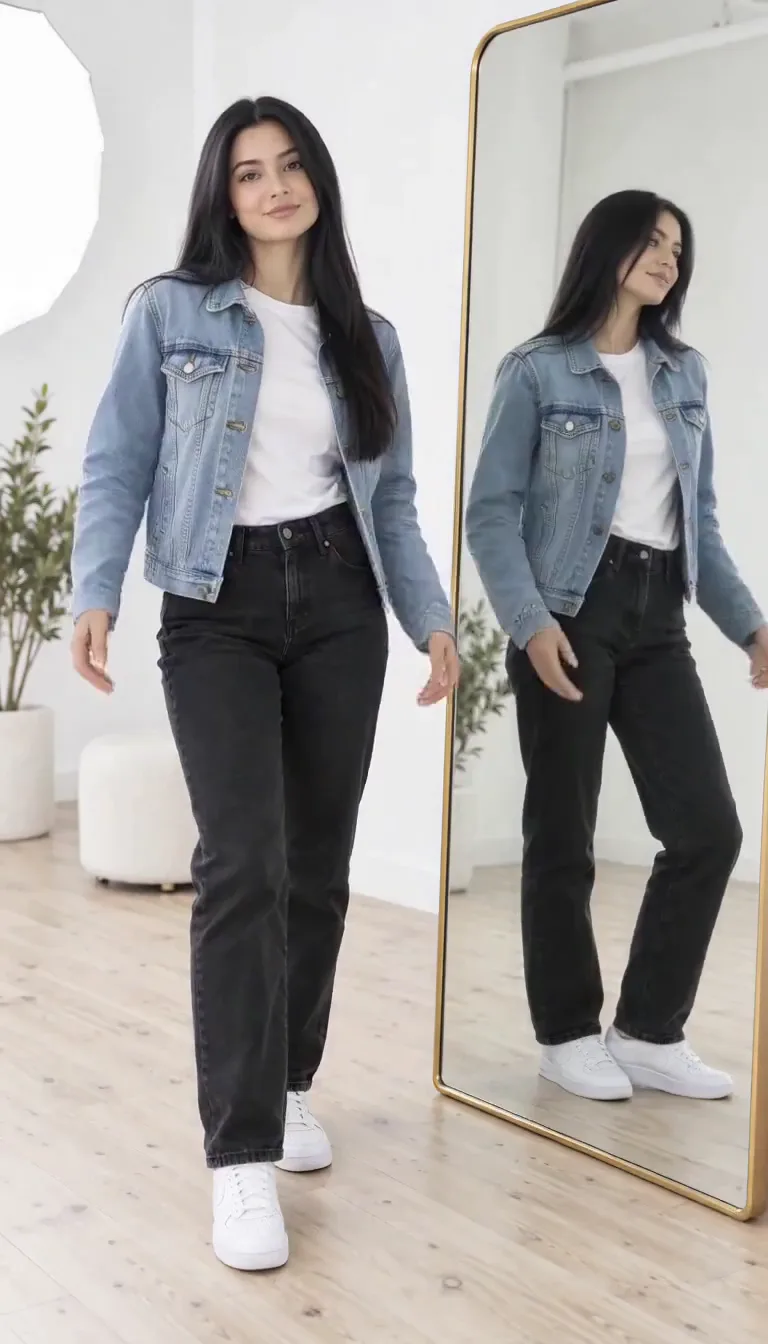
Use the reference photo as the first frame. The woman turns toward the mirror and her outfit changes in one smooth wipe from a denim jacket to a red evening dress, static camera, soft studio light, 9:16, 6 seconds.
Reference
Result
Prompt
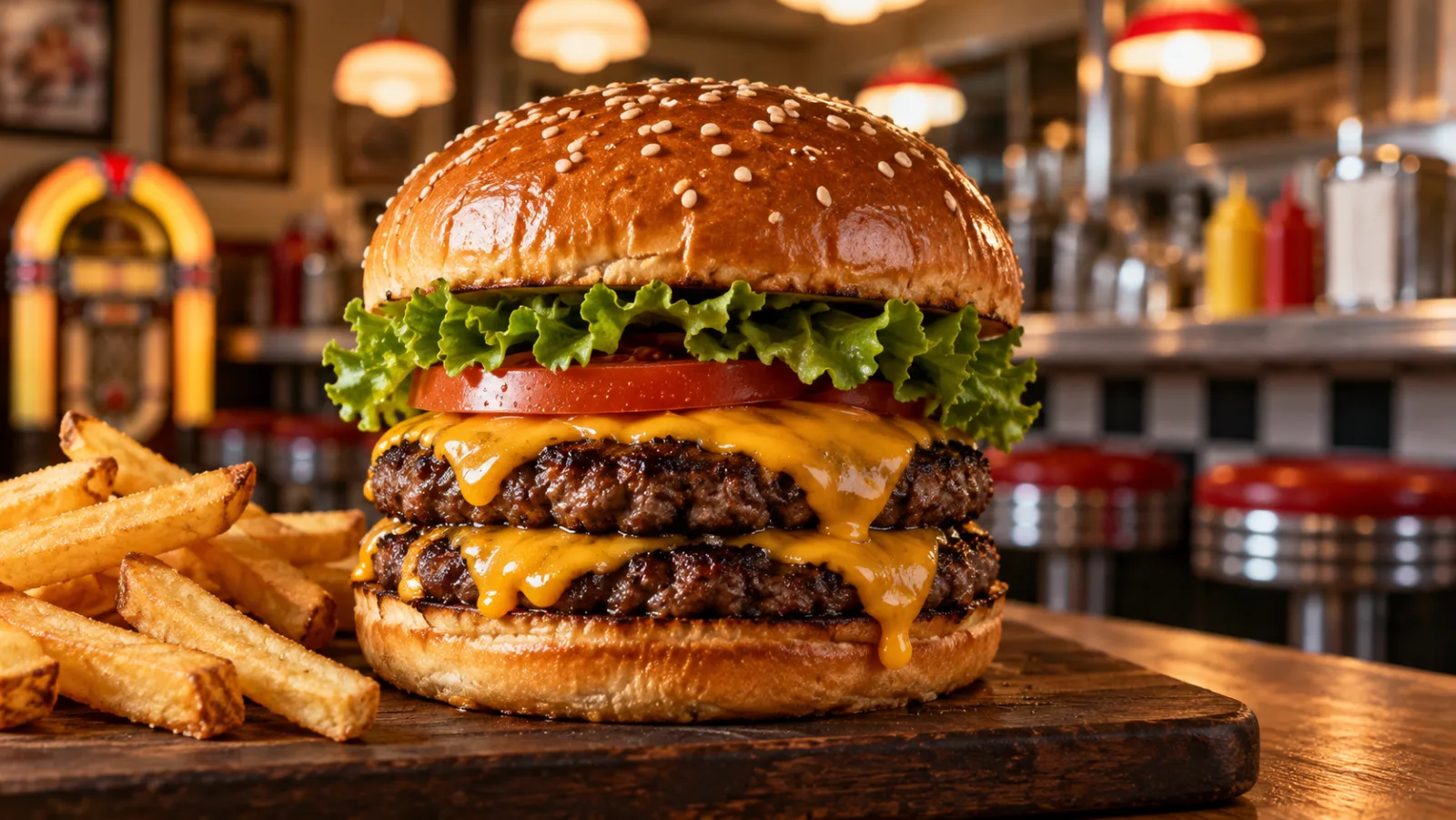
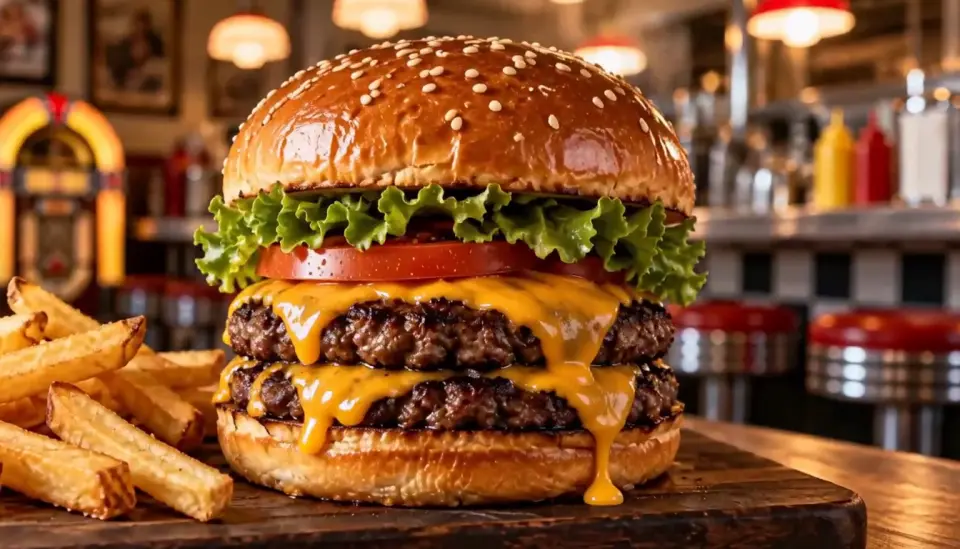
Start from the reference burger. Slow push-in as melted cheese drips down the side, steam rises, a hand lifts the top bun, warm diner lighting, sizzling sound, 16:9, 6 seconds.
Reference
Result
WHO IT IS FOR
Change the product color, the outfit, or the set of an existing spot with Aleph 2.0 instead of reshooting. This is where Runway AI is strongest.
Try this use case →Runway AI's Act-Two turns a phone recording of an actor into a performance by any character, which suits animated explainers, mascots, and short films.
Start from a product photo, animate it in Gen-4 Turbo, and finish the keeper in Gen-4.5. Runway AI's image-first workflow keeps the product exact.
Try this use case →Runway AI's Gen-4 keeps characters, locations, and objects consistent across scenes, so directors can rough out a sequence before a shoot.
Paid Runway AI plans run 5 to 20 generations in parallel and include brand kits on Pro, which suits teams producing many variants.
Try this use case →WHAT USERS SAY
01
Users who stay on Runway AI stay for Aleph and Act-Two. Changing footage you already have and transferring a performance are harder to find elsewhere.
02
Runway AI's $15 Standard plan gives 625 credits, enough for 52 seconds of Gen-4.5. People who generate every day hit the ceiling in the first week.
03
Gen-4.5 renders at 720p with no sound in its spec. For finished clips with audio, many creators now render elsewhere and use Runway AI to edit.
04
Long-time users still ask for Motion Brush. Runway AI's answer is prompting, and it works, but it takes more rewrites than painting an arrow did.
VERSIONS
Draft in Gen-4 Turbo, finish in Gen-4 or Gen-4.5, and edit with Aleph.
5 credits a second on Runway AI. It needs an input image and is the cheap way to test motion before you commit.
12 credits a second. Gen-4 animates an input image; Gen-4.5 also works from a text prompt alone.
140 credits per 5 seconds. Instead of making a new clip, it changes one you already have.
WHAT SETS IT APART
01
Paying per pack beats a Runway AI subscription for a 10-second clip. On Runway AI, 10 seconds of Gen-4.5 is 120 credits, about $2.88 on the $15 Standard plan. On Ricebowl, 10 seconds of MiniMax H3 at 768p is 40 credits, $2.00 from the one-time $49.90 pack or $1.20 on the $29.90 monthly plan, and it includes sound.
02
Only for editing. Choose Runway AI when you need Aleph 2.0 to change existing footage or Act-Two to transfer a performance. For plain text or image to video, newer models give you sound, higher resolution, or longer clips for fewer credits.
OUR TAKE
In generation. Runway AI's Gen-4.5 costs 12 credits a second, so the $15 Standard plan buys 52 seconds of it a month. Editing with Aleph costs even more per second, but there it replaces a reshoot, so it pays for itself.
Not Runway AI, which retired the brush in 2025. Today the control comes from first and last frames plus camera terms in the prompt, and MiniMax H3 on Ricebowl takes both, with up to nine reference images.
Veo 3.1. Gen-4 renders at 720p without sound, while Veo 3.1 on Ricebowl goes up to 4K and generates audio in the same pass. Runway AI's Gen-4.5 topped the Artificial Analysis text-to-video board in late 2025, but it is still 720p and silent.
COMPARISON
| Feature | Runway AI (Gen-4.5) | Veo 3.1 on Ricebowl | Sora AI |
|---|---|---|---|
| Status | Live on Runway AI's own platform | Live on Ricebowl | Discontinued: app closed April 26, 2026, API shut down September 24, 2026 |
| Output Resolution | 720p, 4K upscaling on paid plans | 720p, 1080p, 4K | Discontinued |
| Clip Length | 2 to 10 seconds | 6 s (Fast), 10 s (standard and Pro) | Discontinued |
| Native Audio | Not in the Gen-4.5 spec | Yes | Discontinued |
| Editing Existing Video | Aleph 2.0, up to 30 seconds | No | Discontinued |
| Performance Capture | Act-Two, up to 30 seconds | No | Discontinued |
| Free Credits | 125 one-time | 8 on sign-up, shared across models | Discontinued |
| Credits per 5 to 6-Second Clip | 60 (Gen-4.5, 5 s) | 60 (Veo 3.1 Fast) | Discontinued |
Runway AI is not on Ricebowl, and Sora has been shut down by OpenAI. The generator on this page runs MiniMax H3 (768p or 2K, up to 15 seconds, sound included); switch to Veo 3.1 in the model picker for a 4K shot.
Generate a video for free01
Runway AI is not on Ricebowl yet. The generator at the top of this page runs MiniMax H3, which covers the same text-to-video and image-to-video jobs. Sign up and 8 free credits land in your account; a 6-second 768p clip costs 20.
02
Start from an image if you have one and describe the motion, the camera, and the light. Add a last frame for a transition, or up to nine references to keep a face or product consistent.
03
Choose 6, 10, or 15 seconds and 768p or 2K, press Generate, and download the MP4 with sound from the feed below. Your prompts carry over when Runway AI joins the model picker.
REVIEWS
What people say about the Ricebowl video workbench.
 Chris B.
Every model sits in one picker, so I compare two takes of the same prompt before I commit.
Motion designer
 Hana Y.
Sound comes back with the clip. That removes a whole step from my drafts.
Social video producer
 Omar F.
First and last frames give me clean product reveals without a keyframe editor.
Agency creative
 Grace P.
I pay for a credit pack when I need it instead of keeping another monthly subscription.
Online store owner
 Leo D.
Fifteen seconds in one render is enough for most of my intros.
YouTuber
One balance, every model. Credits work across all 20 video models — no watermark, no tier-locked models, commercial use on every paid plan.
Save 30% billed annually
Flexible monthly subscription.
The cheapest way to start. Every model, a small monthly budget.
$12.99/mo
Renews monthly, cancel anytime.
400 credits
≈ 1–20 videos, depending on the model
≈ 28–133 images, depending on the model
3.25¢ / credit
Enough credits to try every model and finish a few clips each month.
$29.9/mo
Renews monthly, cancel anytime.
1,000 credits
≈ 3–50 videos, depending on the model
≈ 71–333 images, depending on the model
2.99¢ / credit
2 parallel tasks
Steady output for solo creators going pro — every model, a comfortable budget.
$49.9/mo
Renews monthly, cancel anytime.
2,000 credits
≈ 6–100 videos, depending on the model
≈ 142–666 images, depending on the model
2.50¢ / credit
3 parallel tasks
High-volume production for prolific creators and small teams.
$89.9/mo
Renews monthly, cancel anytime.
5,000 credits
≈ 15–250 videos, depending on the model
≈ 357–1666 images, depending on the model
1.80¢ / credit
5 parallel tasks
Pay yearly and save more.
Enough credits to try every model and finish a few clips each month.
$19.9/mo$29.9
Billed yearly at $238.8. Renews yearly, cancel anytime.
Save $120/yr vs monthly
12,000 credits
≈ 38–600 videos, depending on the model
≈ 857–4000 images, depending on the model
1.99¢ / credit
2 parallel tasks
Steady output for solo creators going pro — every model, a comfortable budget.
$34.9/mo$49.9
Billed yearly at $418.8. Renews yearly, cancel anytime.
Save $180/yr vs monthly
24,000 credits
≈ 76–1200 videos, depending on the model
≈ 1714–8000 images, depending on the model
1.75¢ / credit
3 parallel tasks
High-volume production for prolific creators and small teams.
$62.9/mo$89.9
Billed yearly at $754.8. Renews yearly, cancel anytime.
Save $324/yr vs monthly
60,000 credits
≈ 190–3000 videos, depending on the model
≈ 4285–20000 images, depending on the model
1.26¢ / credit
5 parallel tasks
Top up credits valid for 12 months.
One-time top-up — perfect for occasional needs.
$49.9
One-time purchase, valid 12 months.
1,000 credits
≈ 3–50 videos, depending on the model
≈ 71–333 images, depending on the model
4.99¢ / credit
Larger top-up with 20% bonus — best per-credit value for one-time buyers.
$198
One-time purchase, valid 12 months.
4,800 credits
≈ 15–240 videos, depending on the model
≈ 342–1600 images, depending on the model
4.13¢ / credit
5 parallel tasks
Browse all
Browse all
Your pet takes the mic
Get caught on the big screen
Hold up the red sign and jump
Take the cash, then hit the walk
Walk out to a crowd of fans
A ghost rises right behind them
Walked out by two officers, unbothered
Lean in, arms out, point on the beat
Serious game face, then the toy car
Snap the moon, reveal the witch
Ask the phone how to get rich, hear the answer
Your cat or dog stands up and dances
Wide squat, tiptoes, one-leg freeze
Swagger down the park path, point at the lens
Cup your ears and let the stadium roar
Walk the carpet, stop for the flashes
Bedroom horns, panels shut, night street
Tiny workers wash your truck until it shines
Fake the rabona, leave the defender on the floor
Rocket thrusters fire, your car lifts off

Set up a penny-farthing chase through a palace garden with a golden carriage.

Create a two-person autumn field bounce and finger-point dance.

Create a two-person autumn field reunion clip with a spoken beat and cheering.
Your partner turns zombie, then a warm memory
A loved one turns zombie, hugs you, then a warm memory
Turn your photo into the Ozil goal: dribble, strike, turn and celebrate.
Turn photos into phonk head bop trend videos in minutes.
One photo, a camera orbit around your subject
One or two photos into the vertical sidewalk singing clip
Chandelier party video from your selfie photos
Turn any photo into the tiptoe trend
Create scream-and-swap pet dance clips
Turn your selfie into an animatronic jumpscare
Make your photo lead the 1983 zombie dance in 9:16 vertical video.
Turn one adult photo into a trending 9:16 lip-sync clip in seconds.
Turn one group photo into a crew that steps in sync in 9:16 vertical video.
Turn your photo into a 1980s retro dance video with custom themes.
Pop the bottle from one photo and freeze it black and white.
Turn your photo into a Bulin 47 AI doorway clip.
Do the Layoo dance from one photo with two friends behind you.
Turn your photo into the viral lean, swing and low bounce, friend watching.
Black liquid rebuilds your car from its badge
Put your photo on the red stage doing the 2008 electro arm dance.
Sweep the 2 and 4 cards, reveal a car
Deadpan sway clip from one photo
Costume walk clip from one photo.
Make your pet or baby scold the camera
Make viral sneaky tiptoe videos from photos
Walk out with two officers
Two photos turned into a drill rap video clip.
Turn your pet into a tiny knight in a storm
Turn photos into the hop and knock dance
Switch wardrobe under spinning fan blades
Turn portrait photos into video
Make the viral video from two photos
Turn one pet photo into the stage meme
Dusk road-trip clip from your photos
You and a friend trading bars on one mic
Turn their photo into a funny birthday prank video
One photo zooms out to Earth, Moon or galaxy
Laser eyes, car jumps, hugs and more from one photo
Turn one photo into a video with copies of you
Hug the kid you were in a short video
Turn family photos into a short video clip.
Turn your photo into a cinematic video with effects
Share an imagined hug with someone who passed away
Turn one or two photos into a dance video
Two solo photos, one orange booth, one mic
Sit still while a car flies over you
Turn two photos into a hug video
Turn one or two photos into a gentle memorial clip
Make people in old photos smile, wave or hug
One or two photos into the zombie love story video
Two photos into the viral Hotel Lobby video
Partly. Runway AI's Free plan gives 125 one-time credits and a selection of models to test, but Gen-4.5 needs the Standard plan or higher, and the credits do not refill. On this page, new accounts get 8 credits, which is not enough for a 6-second MiniMax H3 clip at 20 credits.
Not yet. Runway AI is not on Ricebowl, and the generator above runs MiniMax H3 for now. It handles the same text-to-video and image-to-video jobs and adds native sound. When Runway AI is added, it will appear in the same model picker.
Runway AI, also known as RunwayML, is the company that released Gen-1, the first publicly available video generation model. Its web app bundles its own video models, Gen-4.5, Gen-4, and Aleph, with image, voice, and music tools, and it also offers third-party models such as Kling 3.0 and Seedance 2.5.
Ads, product videos, short films, music videos, character animation, and edits of existing footage. Gen-4.5 and Gen-4 generate new clips, Aleph 2.0 edits clips up to 30 seconds, and Act-Two animates a character from your own performance.
Runway AI's Gen-3 Alpha, released on June 17, 2024, was trained on new infrastructure and was a major step up from Gen-2 in fidelity, consistency, and motion. Gen-2 is gone now: Runway AI fully retired it on May 11, 2025, together with Motion Brush.
Runway AI's Gen-4 added world consistency: it keeps the same characters, locations, and objects across scenes from a reference, without fine-tuning. It renders 5 or 10-second clips from an input image. Gen-4.5, released on December 1, 2025, adds text-to-video and better motion and prompt adherence.
Runway AI has a Free plan with 125 one-time credits, Standard at $15 a month ($12 billed yearly) for 625 credits, Pro at $35 ($28 yearly) for 2,250 credits, and Max at $95 ($76 yearly) for 9,500 credits. On every Runway AI plan, Gen-4.5 uses 12 credits per second.
For generating new clips, the best Runway AI alternative is MiniMax H3 on Ricebowl: 2K, up to 15 seconds, sound in the same render, and 20 credits for a 6-second 768p clip. For a 4K hero shot, use Veo 3.1 on Ricebowl. Keep Runway AI for Aleph editing and Act-Two.
RELATED
MORE MODELS
on Ricebowl!
Runway AI is not on Ricebowl yet. The generator runs MiniMax H3 for now, so start there: 2K clips up to 15 seconds with sound, and 8 free credits on sign-up.
Generate a video for free8 FREE CREDITS · MINIMAX H3 · UP TO 15 SECONDS · SOUND INCLUDED
Try a Runway AI Alternative
Generate a video for free