
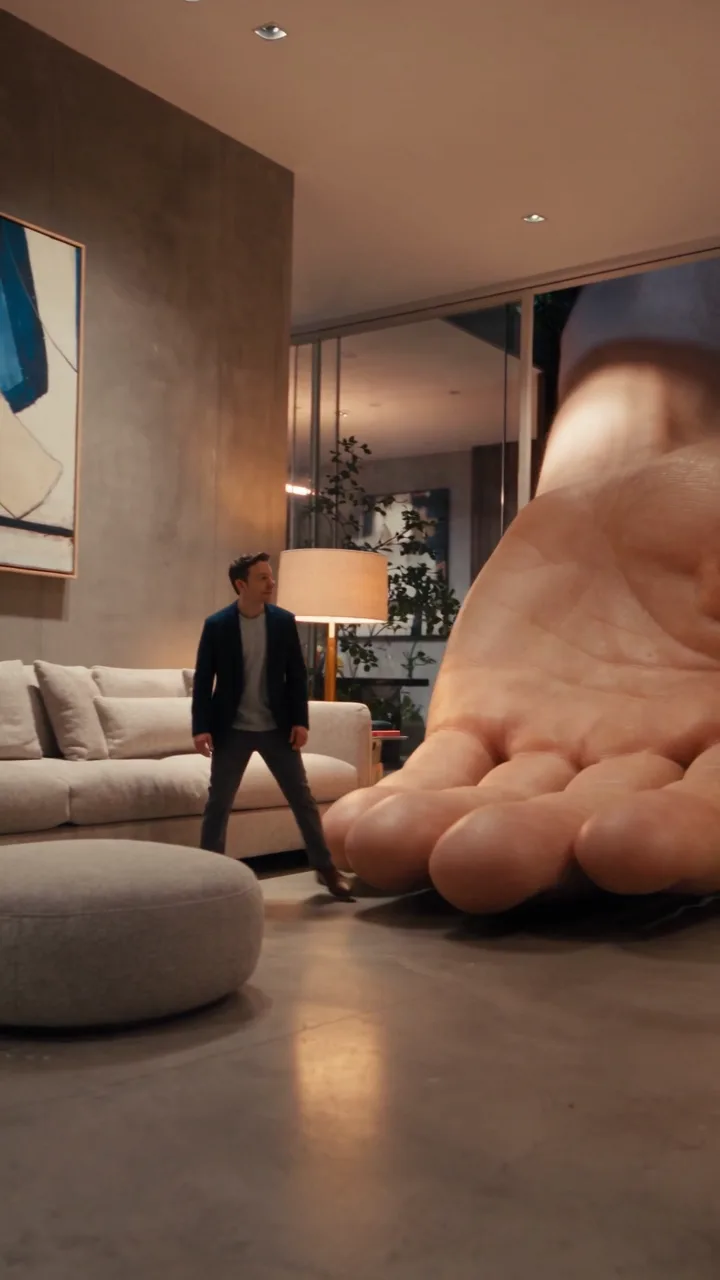
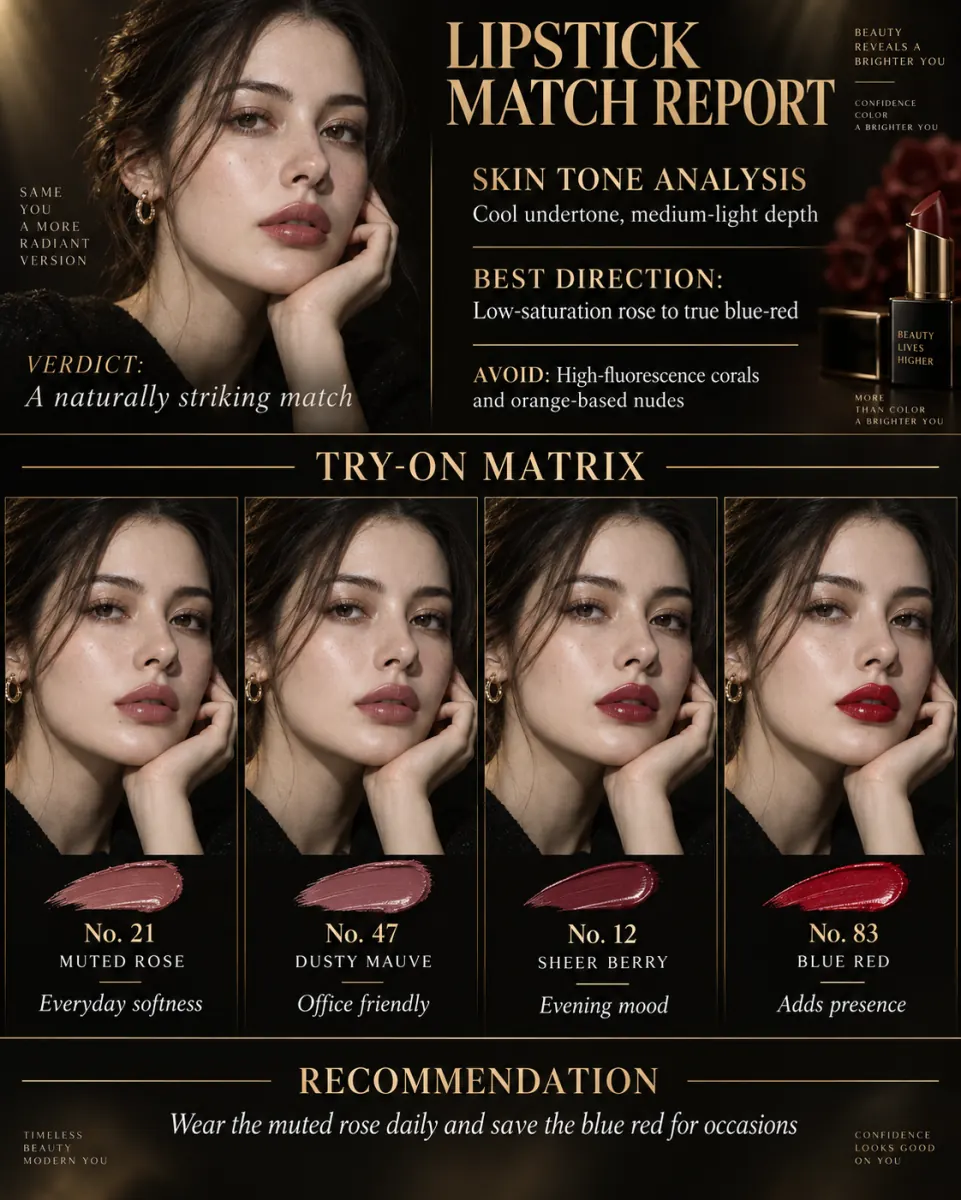
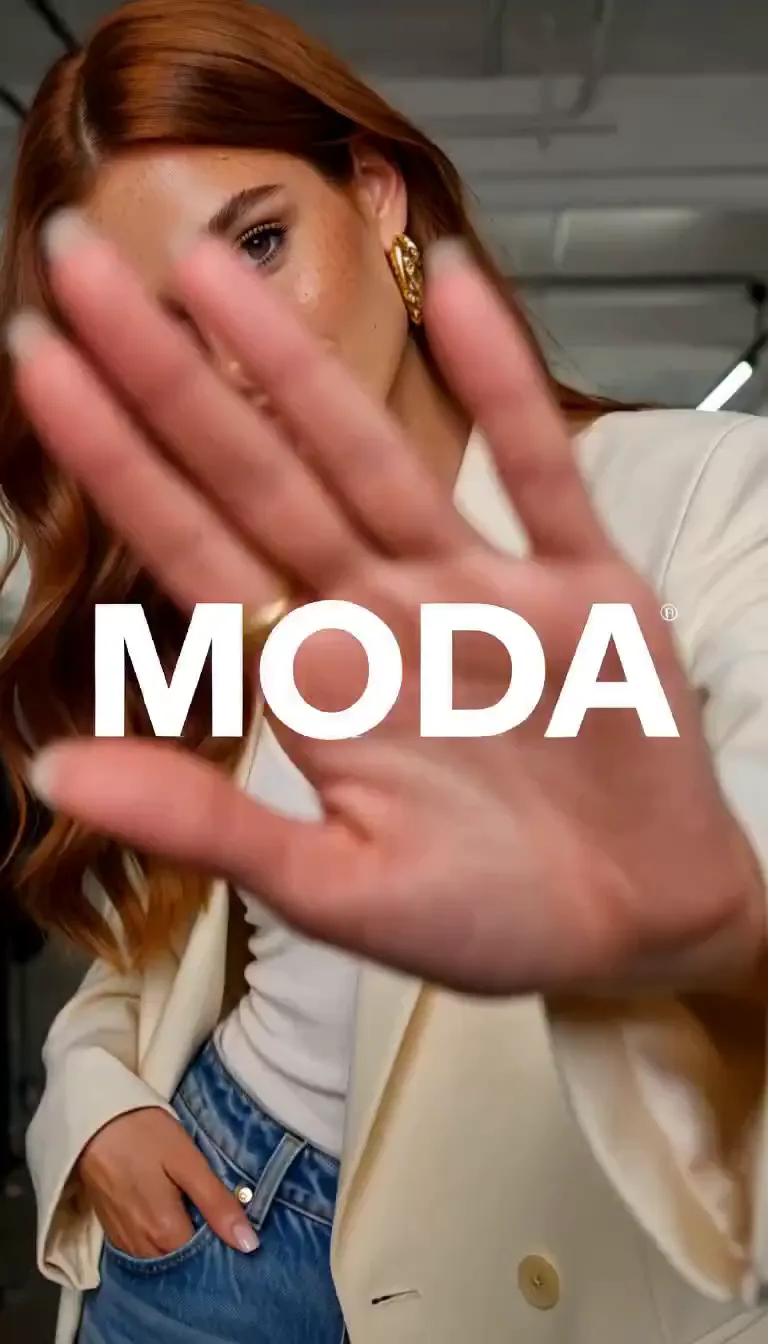
Seedance 2.5 AI Video Generator

Seedance 2.5 is ByteDance’s audio-video model built for 30-second storytelling. Write a scene, attach images, clips or audio as references, and render one continuous take with sound, from 5 to 30 seconds.

Estimated — credits

Feature 01

30-Second Native Video GenerationOne Take, Thirty Seconds

Seedance 2.5 renders up to 30 seconds in a single generation, twice the 15-second ceiling of Seedance 2.0. ByteDance built the model around that number: a 30-second take is long enough for a complete ad, a full product walkthrough or a short scene with a beginning, a middle and an end. Because the whole clip comes out of one pass, the character, the lighting and the camera path stay continuous; there is no seam where two clips were glued together and no drift in the face halfway through. Pick 5, 10, 15, 20, 25 or 30 seconds in the generator above. The price scales by the second, so a 30-second take costs exactly six times a 5-second one, and you only pay for length you actually use. Plan the take the way you would plan a real shot: where the camera starts, what happens in the middle, and what the final frame should hold. For most social ads, 15 to 20 seconds is the sweet spot; reach for the full 30 when the story genuinely needs the room.

  • Seedance 2.5 renders 5 to 30 seconds in one pass
  • Twice the maximum length of Seedance 2.0
  • Continuous character, light and camera path across the whole take
  • Priced per second, so length is a straight multiplier

Feature 02

Expanded 50-Reference CapacityImages, Clips and Audio in One Brief

Seedance 2.5 accepts up to 50 multimodal references in one request: images, video clips and audio, alongside the text prompt. The provider we run it through splits that into up to 30 images, 10 video clips and 10 audio files. In practice that means a whole brand kit fits into one generation: the presenter’s face from three angles, the product from every side, the logo, the location, a reference clip for the camera move and a voice or music track for timing. Seedance 2.5 uses those inputs to keep characters, products, colors and styles consistent through the full 30 seconds. Seedance 2.0 on this site takes up to 9 images, so the jump is not incremental; it is the difference between hinting at a brand and handing over the whole style guide. Start with five to ten Seedance 2.5 references that define identity and product, then add more only when a detail keeps drifting.

  • Up to 50 references across image, video and audio
  • Up to 30 images in the Ricebowl generator
  • Reference clips for camera moves, audio for timing and voice
  • Brand assets stay consistent across the whole take

Feature 03

Flexible AI Video EditingFix a Detail Without Losing the Take

ByteDance says Seedance 2.5 reads reference videos more precisely, capturing their intention, framing and cinematic language, and that it responds to a wider range of audio and visual editing requests than Seedance 2.0. The headline capability is local editing: when one detail in a 30-second clip is wrong, such as a hair color, a prop or a background sign, you change that area instead of regenerating everything. That matters more at 30 seconds than at 5, because the take you are fixing may hold a performance, an expression or a lighting setup you will not get again. Seedance 2.5 also supports white-model control and green-screen editing, the tools a production team uses to block a scene and composite it later. On Ricebowl, upload the clip as a reference video and describe the change in the prompt. Seedance 2.5 keeps the untouched part of the frame stable, so the edit reads as a correction rather than a new take.

  • Local edits change one area and keep the rest of the take
  • Reference videos are read for framing and camera language
  • White-model control and green-screen editing for production work
  • Audio edits as well as visual ones

Feature 04

Native 4K ResolutionWhat the Model Can Do and What Runs Here Today

Seedance 2.5 supports native 4K output, which means the model renders at 4K instead of upscaling a smaller frame, so fine detail such as fabric weave, product labels and skin texture holds up on a large screen. That is the capability the model ships with. On Ricebowl today the generator offers 480p and 720p for Seedance 2.5, and higher resolutions will be switched on as they become available through our provider. For social feeds 720p is already the working resolution. If a project needs 1080p right now, render it on Seedance 2.0, which runs at 1080p in the same picker, and keep Seedance 2.5 for the long, reference-heavy takes where its real advantage lies. When 1080p and 4K open for Seedance 2.5 here, the same prompt and references will carry over unchanged.

  • Seedance 2.5 renders natively at 4K at the model level
  • Ricebowl currently offers 480p and 720p
  • Seedance 2.0 covers 1080p today in the same picker
  • Resolution picked before generation, not upscaled after

Feature 05

Better Prompt AccuracyLong Briefs, Followed in Order

A 30-second prompt carries more instructions than a 5-second one: several actions, a camera path, lines of dialogue, a change of mood. Seedance 2.5 is built to hold that much direction. ByteDance describes smoother, more consistent motion and more realistic visuals than the previous generation, and Seedance 2.5 plans the scene before generating, which is why a long brief comes back in the right order instead of collapsing into its loudest noun. Write the prompt the way a director briefs a crew: who is in the shot, what they do, how the camera moves and what the audience should hear. Seedance 2.5 accepts prompts up to 30,000 characters, so you do not have to cut the brief to fit a box.

  • Multi-step actions come back in the order written
  • Camera direction and dialogue read as separate instructions
  • Prompts up to 30,000 characters
  • Smoother, more consistent motion than Seedance 2.0

Feature 06

Seamless Video ExtensionLonger Than Thirty Seconds

ByteDance lets Seedance 2.5 extend a clip twice after the first 30-second generation, carrying the motion and story forward so the continuation does not restart the scene. Reports ahead of launch also described a beta long-video mode reaching three minutes. On Ricebowl the generator currently renders single takes of up to 30 seconds; extension is not yet exposed here. The practical approach for a longer piece today is to plan it as a sequence of 30-second takes, use the last frame of one take as a reference image for the next, and keep the same character references in every request so the cast stays the same across the cut. Using the last frame of one take as the reference for the next makes the cut easier to hide.

  • Two extensions after the first 30-second take at the model level
  • Beta long-video mode reported up to three minutes
  • Single takes up to 30 seconds on Ricebowl today
  • Reuse the last frame and the same references to chain takes

Feature 07

Precise Negative PromptingSay What Should Not Appear

Long takes give unwanted elements more time to sneak in: a stray caption, a second character who wanders through, a logo you did not license, a sudden cut. The fix is to say what must not happen, in plain sentences, right in the prompt. Write rules like no on-screen text, no jump cuts, keep the background empty or do not show the product box, and put them at the end of the brief where they read as constraints rather than as part of the scene. With Seedance 2.5 this is worth doing on every 30-second render, because a rule that saves one reroll saves the full cost of the take. Keep the list to three or four exclusions.

  • Plain-language exclusions: no text, no cuts, no extra people
  • Constraints at the end of the prompt, separated from the scene
  • Keeps unlicensed logos and props out of commercial clips
  • Fewer rerolls on long, expensive takes

Feature 08

Timestamp & Multilingual AccuracyDirect the Timeline in Any Language

The most reliable way to direct a 30-second take is to write it as a timeline: 0 to 5 seconds the establishing shot, 5 to 15 seconds the presenter picks up the product, 15 to 30 seconds the close-up and the closing line. Time ranges tell Seedance 2.5 where each beat belongs, so the reveal does not land in the first second or the tagline get cut off. Prompts and dialogue do not have to be in English. Write the brief in your own language and put spoken lines in quotes, and the synchronized audio carries the voice in that language. For multilingual campaigns, keep the timeline and the references identical and swap only the dialogue, so every language version matches shot for shot. Keep each time range at least a few seconds long so the motion has room.

  • Time ranges place each beat in the 30-second take
  • Prompts and dialogue in languages other than English
  • Synchronized audio carries the spoken line
  • Same timeline, different language, for localized versions

Feature 09

Commercial Compliance & Defect ReductionBuilt for Work You Can Publish

Seedance 2.0 went viral in February 2026 for photorealistic clips of famous actors and characters, and drew cease-and-desist letters from Disney and Paramount. ByteDance responded by strengthening its safeguards, and Seedance 2.5 adds support for licensed film IP creation with revenue sharing, so platforms can offer authorized characters under clear rules. For your own work the rule is simple: use references you own or have licensed, and do not ask Seedance 2.5 for real celebrities or protected characters. On the quality side, ByteDance reports smoother, more consistent motion and more realistic visuals, which means fewer warped hands and fewer frames you have to cut before a clip can run as an ad.

  • Stronger IP safeguards after the Seedance 2.0 controversy
  • Licensed film IP creation with revenue sharing at the model level
  • Smoother motion and fewer visual defects than Seedance 2.0
  • Use owned or licensed references for commercial clips

PROMPT EXAMPLES

Seedance 2.5 Prompts

Prompt

0-8s: slow drone push toward a glass house at golden hour. 8-20s: inside, the agent from the reference walks through the living room and says "Every room faces the sunset." 20-30s: close-up on the keys placed in a buyer’s hand. Soft piano, no on-screen text.

Reference

Reference input, placeholder

Result

Generated output, placeholder

Prompt

Portrait framing. 0-10s: the woman from the reference stands at a mirror in pajamas. 10-12s: finger snap, hard cut to a tailored cream suit. 12-30s: she walks out the door onto a sunny street. Upbeat pop beat, snap sound on the change, no jump cuts after the change.

Reference

Reference input, placeholder

Result

Generated output, placeholder

USE CASES

Seedance 2.5's Target Audience & Use Cases

Brand and performance marketers

A 30-second slot is the length of a classic TV spot and a full paid social ad. Load the product shots, the logo and the presenter as references, write the script as a timeline, and Seedance 2.5 renders the whole ad in one take with voice and music. Swap only the opening line to test hooks against each other.


E-commerce teams

Turn product photos into lifestyle clips that show the item in use, from unboxing to the final beauty shot. Thirty reference images cover every angle, color variant and packaging detail, so the product that appears in the video is the one you actually sell.

Short drama and series creators

Recurring characters need the same face every episode. Keep a fixed reference set for each character and reuse it across takes; Seedance 2.5 holds identity through 30 seconds, long enough for a full dialogue exchange instead of a single reaction shot.

Virtual influencer studios

A virtual creator lives or dies on consistency. Seedance 2.5 takes face, body, outfit and voice references in the same request, so a weekly batch of 30-second posts looks and sounds like one person rather than a lookalike series.

Filmmakers and previs artists

Block a scene with white-model control, test a camera path with a reference clip, and see a 30-second pass with temp audio before anyone books a set. It is the cheapest way to show a producer what a sequence will feel like.

Product and SaaS launches

A launch video has to explain one idea clearly in half a minute. Script it as a timeline, reference the interface screenshots and brand colors, and render a teaser for the landing page, the launch post and the ad set from the same brief.

Agencies producing localized campaigns

One master brief, many markets. Keep the Seedance 2.5 timeline, the product references and the presenter fixed, then swap only the spoken lines for each language. Every version matches shot for shot, so client review covers the script instead of re-approving the visuals ten times.

WHAT USERS SAY

What Creators Keep Pointing Out

01

Thirty seconds changes what you can plan

The length is what people mention first. At 30 seconds a clip stops being a moment and becomes a scene, so the unit of planning moves from a single shot to a full ad or a full exchange of dialogue. With Seedance 2.5 the brief gets written as a script, not a caption.

02

Local edits protect the good take

Being able to fix one detail without regenerating the whole clip matters most to people who have lost a great performance to a wrong prop. At 30 seconds, rerolling everything is expensive and the new take rarely matches the old one.

03

Realism is the family trait

Seedance 2.0 went viral for how photoreal it looked, and creators expect the same from Seedance 2.5, now with smoother, more consistent motion across a longer clip.

04

The IP rules are tighter

After the Seedance 2.0 copyright fight, prompts built around famous faces and studio characters get refused more often. Creators working with original characters and licensed assets are not affected; people trying to recreate film scenes are.

Create a Seedance 2.5 Video

VERSIONS

Seedance 2.5 vs Seedance 2.0: Should You Switch

Switch for anything longer than 15 seconds or anything that needs more than 9 references, because Seedance 2.0 cannot do either. Stay on Seedance 2.0 for clips of 15 seconds or less at 720p: it costs 41 credits a second there against 63 for Seedance 2.5, and it is the only one of the two with 1080p on Ricebowl today.

Length: 30 Seconds Against 15

Seedance 2.5 renders up to 30 seconds in one take. Seedance 2.0 stops at 15, so anything longer has to be two clips joined in an edit.

References: 30 Images Against 9

Seedance 2.5 takes up to 30 reference images plus video and audio references in the Ricebowl generator. Seedance 2.0 takes up to 9 images.

Price at 720p: 63 Credits a Second Against 41

Seedance 2.5 costs 63 credits a second at 720p and Seedance 2.0 costs 41. For a short clip that fits inside both models, Seedance 2.0 is the cheaper render.

WHAT SETS IT APART

What Makes Seedance 2.5 Stand Out

01

One 30-second take vs two 15-second clips

The price is identical: 1,890 credits at 720p either way, because Seedance 2.5 is billed per second. So decide by the shot. If the camera, the character and the light must stay continuous, render one 30-second take. If the story changes location, render two 15-second clips; a failed reroll then costs half as much.

02

Use Seedance 2.5 outside China

You do not need a Volcano Engine account, a Dreamina account or a developer API key. Sign in to Ricebowl with Google or email, pick Seedance 2.5 in the model picker and generate from wherever you are, paying in credits instead of a platform subscription.

OUR TAKE

Our Verdict on Seedance 2.5

What does 2.5 do better than 2.0, and should existing users switch?

Seedance 2.5 wins on length (30 seconds against 15), references (30 images against 9, plus video and audio) and editing. Switch for long or reference-heavy work; keep Seedance 2.0 for short clips, where it is cheaper per second.

One 30-second take or two 15-second clips: which costs less?

Neither; both cost 1,890 credits at 720p. Render one take when continuity matters and two clips when the scene changes, because splitting halves the cost of a reroll.

Should people who need 1080p wait?

No. Seedance 2.5 runs at 480p and 720p on Ricebowl today. If the deliverable must be 1080p, render it now on Seedance 2.0 at 102 credits a second and keep Seedance 2.5 for the takes that need 30 seconds or a full reference set.

COMPARISON

Comparison: Seedance 2.5 vs. Sora 2 vs. Kling 3.0

FeatureSeedance 2.5Sora 2Kling 3.0
Status on RicebowlRuns directlyDiscontinued by OpenAI; the Sora 2 entry runs MiniMax H3Runs directly
Longest single take30 s15 s (via MiniMax H3)15 s (Kling 3.0 Turbo)
Resolution on Ricebowl480p, 720p (4K at model level)Up to 2K (via MiniMax H3)720p to 4K
ReferencesUp to 30 images plus video and audioUp to 9 images (via MiniMax H3)Up to 2 images
Native audioYes, included in priceYes (via MiniMax H3)Optional, priced separately
Price example315 credits (5 s, 720p)20 credits (6 s, 768p, MiniMax H3)130 credits (Kling 3 Omni, 5 s, 1080p, audio)
Best forLong single takes with a full brand kitShort cinematic one-shotsMulti-shot sequences and 4K

Sora 2 is no longer available from OpenAI. Selecting Sora 2 in the Ricebowl picker switches the job to MiniMax H3, so the Sora 2 column shows what that route actually delivers. Credit prices come from the live pricing table and may change.

Create a Seedance 2.5 Video

HOW IT WORKS

How to Use Seedance 2.5 on Ricebowl for Free

Create a Seedance 2.5 Video

01

Sign up and open Seedance 2.5

The generator at the top of this page already has Seedance 2.5 selected. Signing up is free and adds 20 credits to your account; a Seedance 2.5 clip starts at 140 credits for 5 seconds at 480p, so a credit pack covers your first full render.

02

Write the timeline and add references

Describe the take as a timeline with dialogue in quotes and the sounds you want. Attach images of your characters and products, a reference clip for the camera move or an audio track for timing, then choose the length and 480p or 720p.

03

Generate, review and download

Press generate. The clip arrives in your feed with synchronized audio and downloads as an MP4. If one detail is wrong, adjust that part of the prompt or add a reference instead of rewriting the whole brief.

1,200+ creators this month4.8 average rating

REVIEWS

Loved by Creators and Marketers Globally

Feedback from people who make video on Ricebowl.

Elena Petrova

Thirty seconds in one take is a whole ad. I stopped stitching three clips and fixing the seams.

Brand marketer

Rahul Mehta

I load every angle of the product as a reference and the label stays right for the full clip.

E-commerce lead

Chloe Martin

Same character references every episode, same face every episode. That is what made a series possible.

Short drama creator

Tomás García

Writing the prompt as a timeline was the trick. The reveal lands where I put it.

Freelance editor

Hana Kim

Face, outfit and voice references in one request. The weekly batch finally looks like one person.

Virtual influencer studio

AI Video Generator Pricing

One balance, every model. Credits work across all 20 video models — no watermark, no tier-locked models, commercial use on every paid plan.

Save 30% billed annually

Flexible monthly subscription.

Lite Monthly

The cheapest way to start. Every model, a small monthly budget.

$12.99/mo

Renews monthly, cancel anytime.

400 credits

≈ 1–20 videos, depending on the model

≈ 28–133 images, depending on the model

3.25¢ / credit

  • 1080p · No watermark · Commercial use
  • Credits reset every billing month
  • Access to all models
  • Watermark-free outputs
  • Buy an add-on credit pack
  • Standard support

Starter Monthly

Enough credits to try every model and finish a few clips each month.

$29.9/mo

Renews monthly, cancel anytime.

1,000 credits

≈ 3–50 videos, depending on the model

≈ 71–333 images, depending on the model

2.99¢ / credit

2 parallel tasks

  • 1080p · No watermark · Commercial use
  • Credits reset every billing month
  • Access to all models
  • Watermark-free outputs
  • Buy an add-on credit pack
  • Standard support

Standard Monthly

Popular

Steady output for solo creators going pro — every model, a comfortable budget.

$49.9/mo

Renews monthly, cancel anytime.

2,000 credits

≈ 6–100 videos, depending on the model

≈ 142–666 images, depending on the model

2.50¢ / credit

3 parallel tasks

  • 1080p · No watermark · Commercial use
  • Credits reset every billing month
  • Access to all models
  • Watermark-free outputs
  • Buy an add-on credit pack
  • Priority support

Advanced Monthly

High-volume production for prolific creators and small teams.

$89.9/mo

Renews monthly, cancel anytime.

5,000 credits

≈ 15–250 videos, depending on the model

≈ 357–1666 images, depending on the model

1.80¢ / credit

5 parallel tasks

  • 1080p · No watermark · Commercial use
  • Credits reset every billing month
  • Access to all models
  • Watermark-free outputs
  • Buy an add-on credit pack
  • Priority support

FAQs

What Seedance 2.5 is, what it costs here, and how to direct a 30-second take.

Create a Seedance 2.5 Video
Is Seedance 2.5 free to use?

Signing up is free, but a full Seedance 2.5 render is not. New Ricebowl accounts get 20 credits, enough for a MiniMax H3 trial clip, while the shortest Seedance 2.5 clip costs 140 credits (5 seconds at 480p). Try the workflow with the free credits on a cheaper model, then buy a credit pack for your first Seedance 2.5 take. There is no subscription required.

What is the Seedance 2.5 video model?

Seedance 2.5 is ByteDance’s audio-video joint generation model, released in July 2026 after being introduced at the Volcano Engine FORCE conference. It generates up to 30 seconds of video with synchronized audio in one pass, accepts up to 50 multimodal references, supports local editing of existing clips and renders natively at 4K at the model level. It follows Seedance 2.0 from February 2026.

What is new in Seedance 2.5 compared with Seedance 2.0?

Four things. Length doubles from 15 to 30 seconds per generation. References grow to 50 across images, video and audio, against 9 images for Seedance 2.0 on Ricebowl. Editing becomes local, so you can fix one area of a clip without regenerating it. And the model plans the scene before generating, which ByteDance says gives smoother, more consistent motion and more realistic visuals.

Why choose the Seedance 2.5 model?

Choose it when the video has to be longer than a single short shot, or when a brand kit, a cast of characters or a product line has to stay consistent through the whole clip. No other model in the Ricebowl picker renders 30 seconds in one take or takes 30 reference images. For clips of 10 seconds or less without heavy references, a cheaper model will do the same job.

How long can a Seedance 2.5 video be?

Up to 30 seconds per generation. In the Ricebowl generator you can choose 5, 10, 15, 20, 25 or 30 seconds. At the model level ByteDance allows two extensions after the first take, and a beta long-video mode has been reported at up to three minutes; extension is not yet available here, so chain 30-second takes with shared references for longer pieces. Longer Seedance 2.5 takes cost proportionally more, so render a 5-second test before committing to 30.

How many reference images can Seedance 2.5 take?

Up to 30 images per request in the Ricebowl generator, plus video and audio references. The model’s overall limit is 50 multimodal references, which the provider splits into 30 images, 10 video clips and 10 audio files. More references are not automatically better: use the ones that define what must stay fixed, such as a face, a product or a logo.

What is the benefit of Seedance 2.5's 50-asset input?

It lets one request carry an entire brief. Instead of choosing between the face, the outfit and the product, you give Seedance 2.5 all of them, plus a clip that shows the camera move and a track that sets the rhythm. The result is a 30-second take in which characters, products, colors and logos stay consistent from the first frame to the last, which is what brand and series work needs.

Does Seedance 2.5 generate sound?

Yes. Seedance 2.5 generates audio and video together, so dialogue, effects and music come out synchronized with the picture. Audio is on by default in the generator and included in the per-second price. You can also attach your own audio as a reference to set timing or voice. If you want a silent Seedance 2.5 clip for your own soundtrack, say so in the prompt and add no music as a constraint.

What resolution does Seedance 2.5 output?

The model supports native 4K. On Ricebowl today you can render at 480p (28 credits per second) or 720p (63 credits per second). If you need 1080p now, use Seedance 2.0 in the same picker, which offers 1080p at 102 credits per second.

What types of videos can I generate with Seedance 2.5 AI video generator?

Anything that benefits from 30 continuous seconds: product ads and launch teasers, e-commerce lifestyle clips, short drama scenes with dialogue, virtual influencer posts, music-driven edits, explainers and previs for film. Portrait and landscape framing are both available, so the same brief can serve a vertical feed and a horizontal player.

Do I need prompt engineering skills to use Seedance 2.5?

No. Plain sentences work. What helps most is structure: write the take as a timeline with time ranges, put dialogue in quotes, name the sounds you want and end with the things that must not appear. That is a habit, not a skill, and it pays off quickly on long takes where every reroll costs the full clip.

How do I put my own character in a video with AI?

Upload clear images of the character as references: a front-facing portrait, a full-body shot and, if the outfit matters, a separate image of the outfit. Then describe what the character does in the prompt. Seedance 2.5 keeps the face and outfit consistent through the take; reuse the same reference set in every request to keep the character across a series.

Where is the cheapest place to use Seedance 2.5?

Wherever you pay only for the seconds you render. On Ricebowl that is 28 credits a second at 480p and 63 at 720p, with no monthly plan. Draft at 480p, lock the timeline and references, then render the final at 720p. The same credits also run Seedance 2.0, Kling 3.0, Veo 3.1 and Gemini Omni, so switching models for a shot never means a second subscription.

RELATED

Explore Other ByteDance AI Models

Experience Unprecedented Video Creationwith Seedance 2.5!

Thirty-second takes, synchronized audio, up to 30 reference images plus video and audio references, paid by the second.

Create a Seedance 2.5 Video

FREE SIGN-UP · 30-SECOND TAKES · NATIVE AUDIO · 50 REFERENCES

Experience Unprecedented Video Creation

Create a Seedance 2.5 Video