Turning My Mom Into Me AI: Mom Returns in Your Look

Make a turning my mom into me ai video with one photo and the reference reel: your mom follows the reel’s walk, camera, and timing. The uploaded photo guides her appearance in the reveal. The 15-second vertical clip has instrumental sound and no voice.

1Add two photos

2Quality & length480p · 15s · 9:16120 credits

No subscription · Ready in about 3 minutes · Not charged if it fails

Only upload photos of yourself or adults who have given permission. Do not use a person’s photo without their consent.

From the Feed

The Original Hallway Outfit Reveal

The reference for this turning my mom into me ai video is a hallway walk with a clear before-and-after outfit change. The original reel shows a mother in a blue cardigan and jeans, then returning in an open-back cream knit top and black trousers. Your generated clip uses the same action, camera, and rhythm with your supplied photos. The case shown here represents the reference reel, not a claim that the people in it appear in your result.

Make the Outfit Reveal

Three Steps

How to Make the Turning My Mom Into Me AI Video

  1. 1

    Upload Your Mom’s Photo

    Choose a clear photo of your mom with her face visible. Use a photo of an adult who has agreed to appear in the result. This first image identifies the person who follows the reference reel’s hallway walk.

  2. 2

    Select the Reference Reel

    Use the provided hallway reel as the reference for the scene, movement, camera, and timing. The tool supports one photo, and the reel supplies the outfit-change sequence.

  3. 3

    Generate and Review the Clip

    Start the generation to make a 15-second vertical video with instrumental sound and no voice. Review the result before sharing it. The movement, camera, and timing follow the reference, so the tool does not offer custom scene directions.

Reference Reel · Hallway Outfit Reveal

A Hallway Walk, Then a New Outfit

Blue cardigan and jeans, then cream knit and black trousers.

In the reference reel, a mother walks down a hallway in a blue cardigan and jeans. She leaves the frame and returns wearing an open-back cream knit top with black trousers. This case follows that specific sequence, using the reference for the action, camera, and timing while your uploaded photos supply the people and outfit.

  • Blue cardigan and jeans in the first look
  • Open-back cream knit top and black trousers in the return look
  • The reference sets the walk, camera, and timing

Straight Answers

What This Outfit Reveal Includes

The turning my mom into me ai page makes a fixed 15-second clip from one photo and a reference reel. The reference controls the scene and motion, while the photo guides your mom’s appearance. Here is what to expect before you upload.

What You Get

  • One photo guides your mom’s appearance, while the reference reel supplies the hallway scene, outfit-change sequence, and movement.
  • The original reel supplies the action, camera position, and timing, so you do not need to film a hallway scene or plan the movement.
  • The result is a 15-second vertical 9:16 video with instrumental sound and no voice.
  • The reference is one specific outfit reveal: the mother walks in, exits, and returns in a different look. Your video follows its sequence.

Known Limits

  • You cannot choose a different scene or ask for a custom setting; the clip follows the reference reel’s action and camera.
  • The video is fixed at 15 seconds and 9:16, so you cannot set a different length or aspect ratio here.
  • The included sound is instrumental and has no voice. You cannot upload your own song for the generation.
  • The result depends on one photo and the reference sequence. It is an outfit reveal, not a face morph or a freely directed transformation.
Make the Outfit Reveal

The Trend Explained

What Is the Turning My Mom Into Me AI Trend?

The turning my mom into me ai trend is an outfit reveal: a mother appears in her own clothes, walks out of view, and returns wearing a look associated with her child. This page makes that format from one photo and a reference reel. The reference supplies the walk, camera, and timing; the photo guides your mom’s appearance. The finished video lasts 15 seconds, uses a 9:16 vertical frame, and includes instrumental sound without a voice. It does not let you pick a new scene or upload a song.

Two Photos Set the People and Outfit

Upload one clear photo of your mom, with her face visible, and use the reference reel for the hallway sequence and outfit change. The turning my mom into me ai video follows the reel’s fixed movement and timing. Choose a photo you have permission to use. The reference determines how she walks into view, leaves the frame, and returns, while your photo guides her appearance. This mom wears my outfit format uses the supplied reference rather than a custom scene. The phrase “mom wears my outfit” describes this outfit reveal.
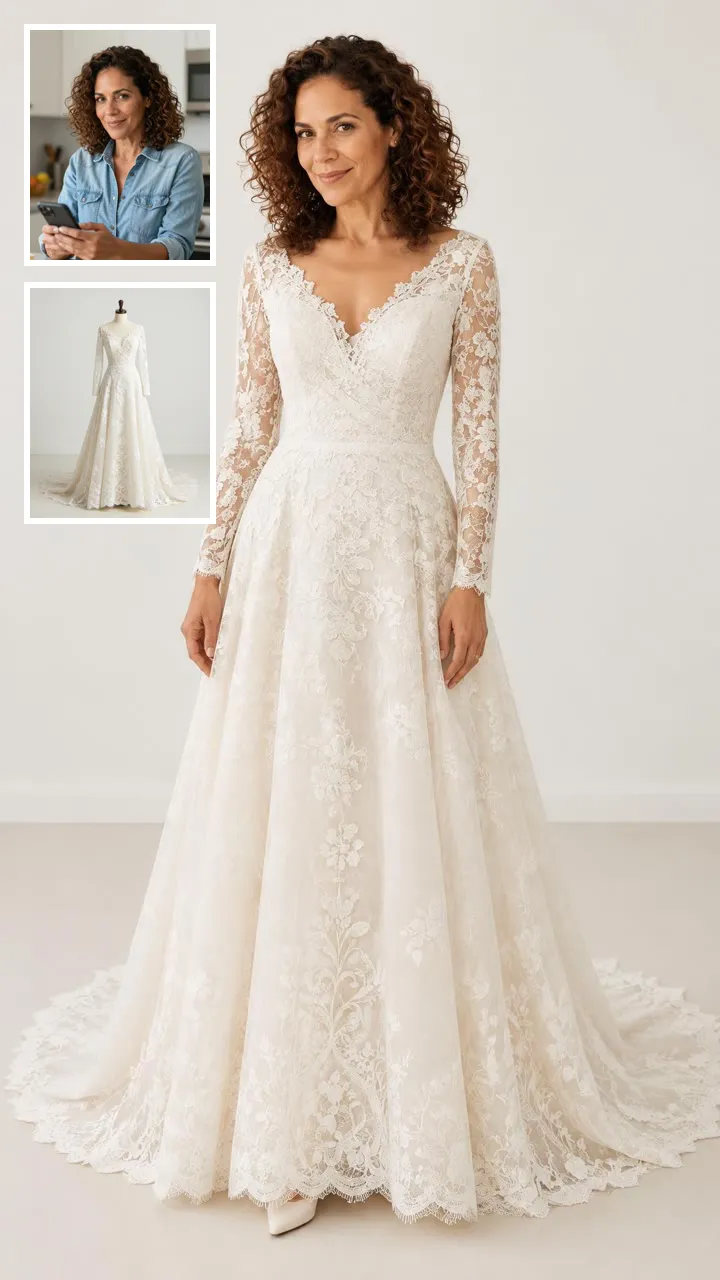

The Reference Sets the Walk and Camera

The original hallway reel provides the movement, viewpoint, and pace. The mother walks into the scene, leaves, and returns in a different outfit. You cannot enter a custom location or change the action, so the result stays within that reference format. This mom outfit change video follows the same hallway walk and camera. The reference also sets the timing for the return, while your photo guides your mom’s appearance. This two photo outfit video uses one photo and the provided reel. The phrase “two photo outfit video” refers to those two inputs.

A Fixed Vertical Clip With Instrumental Sound

Each result is 15 seconds in a 9:16 vertical format. Instrumental sound is included, but there is no voice, and you cannot add your own song during generation. If you want a particular track, add it separately when you post, subject to the posting app’s controls. This AI mom transformation video follows the reference walk and outfit change.

More to try with your photo

Turning My Mom Into Me AI FAQ

Answers about the two photos, the reference reel, the video format, sound, and sharing.

Make the Outfit Reveal
What does the turning my mom into me ai video show?

It shows your mom following the original hallway reel’s walk and returning in the outfit from your photo. The reference sets the action, camera, and timing. The result is a 15-second vertical video with instrumental sound and no voice.

How many photos do I need for the mom outfit change video?

You need one photo of your mom; the reference reel supplies the scene and movement. Choose an image you have permission to use, with her face clearly visible. The mom outfit change video follows the reference for the action and timing. The reel determines the hallway walk and camera, while the photo guides your mom’s appearance in the result. This setup does not let you choose a new location or direct a different sequence.

Can I choose a different scene or camera angle?

No. The clip follows the original hallway reference, including its action, camera, and timing. You cannot set a new location or direct a different sequence, so consider whether that fixed format suits the video you want before uploading.

Can my mom wear the outfit in my photo?

The uploaded photo guides your mom’s appearance, and the reference reel supplies the hallway walk and camera. The result follows that fixed outfit-change sequence rather than creating a custom try-on scene. This mother daughter outfit reveal uses the original hallway sequence. The reel sets the action and timing, while your photo supplies the appearance reference. The AI mom transformation video does not provide controls for a different scene, camera angle, or movement.

Is this a face morph between mother and daughter?

No. This is a mother-daughter outfit reveal, not a gradual face transformation. Your mom follows the reference reel’s walk and returns in the outfit represented by your photo. The page does not offer a face-morph effect or a custom scene prompt.

Does the video include a song or spoken audio?

The video includes instrumental sound and no voice. You cannot upload your own song during generation. If you want a particular track, you can add it separately when posting, depending on the audio options available in that app.

What format and length is the outfit reveal?

The generated clip is 15 seconds in a vertical 9:16 format. Its reference-based camera and timing stay fixed, and the page does not offer another duration or aspect ratio. Review the finished clip before sharing it.

Can I use a photo of my mom without asking her?

No. Only use your own photos or photos of adults who have agreed to be included. Ask your mom before uploading her image, and share the generated clip only if the people shown are comfortable with it.

Where can I find steps for making the turning my mom into me ai trend?

Use one permitted photo of your mom and follow the page’s fixed reference sequence. Review the finished 15-second vertical clip before posting. The guide to [how to do the AI trend] explains the general workflow and preparation tips for this format.

Give the Hallway Walk

Your Own Outfit Reveal

Upload one permitted photo and make a turning my mom into me ai video that follows the reference reel’s action, camera, and timing. It is 15 seconds, vertical, and has instrumental sound with no voice.

Make the Outfit Reveal

Two photos • 15 seconds • 9:16 vertical

Give the Hallway Walk

Make the Outfit Reveal