Kiat Jud Dai Kitten Parade: Your Pet Leads the Kitten Line

Make a kiat jud dai kitten parade from one pet photo: choose a scene, then watch your pet lead a line of kittens in a 15-second vertical video with instrumental music and ambient sound.

1Add your photo

Choose a Parade Scene

2Quality & length768p · 15s · 9:1660 credits

No subscription · Ready in about 3 minutes · Not charged if it fails

Only upload a photo of your own pet, or a photo you have permission to use. For people in photos, use only yourself or adults who have agreed.

From the Feed

Four Scenes for Your Pet’s Kitten Parade

The scene chips set the location and arrangement for your kiat jud dai kitten parade: Living Room Line uses a simple white wall, Bedroom Parade puts the lead pet on a bed, Window Parade moves the group beside a parked car, and Cozy Cat Party gathers kittens in a softly lit room. Each option starts from the same one-photo setup. Choose the setting that makes your pet’s place at the front easiest to picture.

Make My Pet Parade

Three Steps

How to Make a Kiat Jud Dai Kitten Parade

  1. 1

    Choose a Scene Chip

    Select Kitten Parade for the default cozy pink bedroom scene, or choose Living Room Line, Bedroom Parade, Window Parade, or Cozy Cat Party. Each chip supplies a prepared setting for the kittens and your pet.

  2. 2

    Upload One Pet Photo

    Add one clear photo of your pet with the face visible. This page takes one image, so choose the pet you want leading the line before you upload. Use only a photo you own or have permission to use.

  3. 3

    Generate and Share the Clip

    Press Make My Pet Parade to create the 15-second 9:16 video. The clip includes ambient sound and instrumental music, but no voice or user-supplied song. Download it, then add a track through a posting platform’s sound library if you want different music.

Scene 01 · Living Room Line

A Kitten Line Against a White Wall

Your pet takes the front spot at home.

Living Room Line places your pet in the center against a simple white living room wall, with a row of kittens gathering behind. The plain backdrop keeps attention on the procession and your pet’s place at its head. Choose this scene when you want the parade to read clearly without a busy room competing for the frame.

  • Simple white living room wall
  • A row of kittens gathers behind
  • Choose Living Room Line for this setting

Scene 02 · Bedroom Parade

The Parade Takes the Bed

A warm bedroom, with kittens by the pillows.

Bedroom Parade puts your pet on a neatly made bed while kittens wait near the pillows. The bedroom setting gives the parade a relaxed, domestic feel, and the bed creates a clear stage for the lead pet. Pick this scene when you want the group to feel as if it has gathered for an impromptu room-side parade.

  • Neatly made bed in a warm bedroom
  • Kittens wait near the pillows
  • Choose Bedroom Parade for this setting

Scene 03 · Window Parade

A Kitten Line Beside the Car Window

Your pet leads a sidewalk gathering.

Window Parade places your pet beside a parked car window as a few kittens gather along the sidewalk. The car window gives the scene a recognizable edge, while the line of kittens turns the everyday setting into a small procession. Choose this option for an outdoor variation on the indoor bedroom and living room scenes.

  • Parked car window beside your pet
  • Kittens gather along the sidewalk
  • Choose Window Parade for this setting

Scene 04 · Cozy Cat Party

A Small Parade in a Softly Lit Room

A cozy gathering, arranged behind your pet.

Cozy Cat Party places your pet in a softly lit room with a small group of kittens arranged in a line behind. This scene keeps the group compact and the setting gentle, so the visual joke stays focused on your pet leading a miniature parade. Pick it when you want a warm room atmosphere without adding extra objects or a larger crowd.

  • Softly lit room
  • Small group of kittens in a line
  • Choose Cozy Cat Party for this setting

Straight Answers

What This Pet Parade Includes

The setup is deliberately simple: one pet photo, one scene chip, and a short vertical clip. Here is what that means before you generate.

What You Get

  • One uploaded pet photo supplies the lead animal for the kitten parade; the scene choice sets its surroundings.
  • Five scene chips offer distinct settings: a cozy pink bedroom, a white living room wall, a bedroom bed, a parked car window, or a softly lit room.
  • The output is a 15-second 9:16 video with ambient sound and instrumental music, and no human voice.
  • The prompt is already set up for this page, so you choose a scene instead of writing a custom prompt.

Known Limits

  • The clip has no spoken voice, and you cannot upload your own song. Add music separately from a platform sound library if desired.
  • Each video uses one photo. You cannot combine multiple pet photos in the same generation.
  • You must choose from the available scene chips; you cannot type a custom location or scene here.
  • The video is 15 seconds long. The page does not offer a longer duration for this format.
Make My Pet Parade

The Trend Explained

What Is the Kiat Jud Dai Kitten Parade?

The kiat jud dai kitten parade is a playful pet-video idea built around a simple visual gag: your pet appears at the front of a line of kittens in a chosen setting. This page turns one uploaded pet photo into a 15-second 9:16 video using MiniMax H3. You select one of the scene chips, and the generated clip adds ambient sound and instrumental music without a human voice. The result is a short parade scene centered on your pet, rather than footage you need to film or assemble yourself.

One Pet Photo Leads the Line

Upload one photo of a single pet with its face visible and enough light to make the animal easy to identify. The generator uses that image as the lead subject and builds the kitten parade around it. A clear, unobstructed photo gives the system a more useful reference than a distant or heavily covered subject.
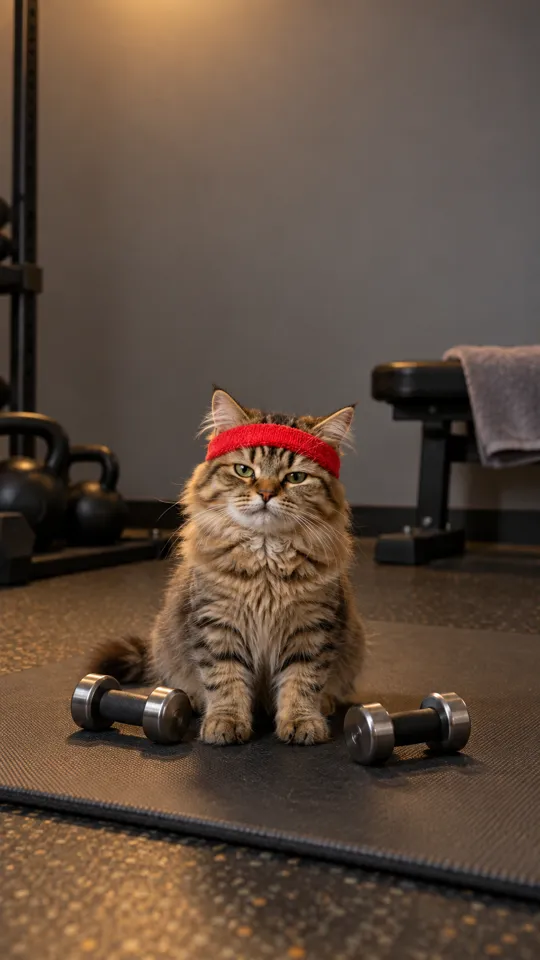
Five Scene Chips Set the Location

Choose Kitten Parade, Living Room Line, Bedroom Dance, Window Parade, or Cozy Cat Party from the scene selector. The first chip, Kitten Parade, is selected by default. The four example cases below correspond to Living Room Line, Bedroom Dance, Window Parade, and Cozy Cat Party.

Bedroom Parade

MiniMax H3 creates a 15-second vertical 9:16 video with ambient sound and instrumental music. The clip has no human voice, and the tool does not accept a song upload. If you want a specific track, add it separately when posting through a platform that offers a sound library.

More to try with your photo

Kiat Jud Dai Kitten Parade FAQ

Answers about the photo, scene choices, sound, duration, and sharing your pet video.

Make My Pet Parade
Can you turn a photo of my pet into a Kiat Jud Dai kitten parade video?

Yes. Upload one pet photo, choose a scene chip, and generate a 15-second vertical video with your pet leading a kitten line. MiniMax H3 adds ambient sound and instrumental music, but the clip has no human voice. You cannot upload a song of your own.

How do I make my pet look like it is joining the kitten parade?

Upload one clear photo of your pet and select a scene such as Living Room Line or Bedroom Parade. The scene chip supplies the setting and kitten arrangement, while the uploaded pet photo provides the lead animal. Generate the clip to get a 15-second 9:16 result.

Which scenes can I choose for the pet parade video?

There are five scene chips: Kitten Parade, Living Room Line, Bedroom Parade, Window Parade, and Cozy Cat Party. Kitten Parade is the first chip and the default selection. The four case examples on this page match the other four chips in that same order.

Can I use a dog photo for the Kiat Jud Dai kitten parade?

The page accepts one pet photo, and the scene prompt places the reference pet at the front of a kitten line. The result may vary with the uploaded animal and image, so use a clear photo where your pet is easy to see. The generated scene still follows the selected kitten-parade setting.

Does the kitten parade video include the Kiat Jud Dai song?

The video includes ambient sound and instrumental music, but it does not include a human voice or a user-uploaded song. If you want a particular track, add it separately through a posting platform’s sound library. Check that platform’s audio options before publishing.

How long is the pet kitten parade video?

Each generated clip is 15 seconds long and uses a vertical 9:16 format. The page is set up for this fixed duration, so you cannot select a longer clip here. The short format gives the parade one compact scene built around your pet and the selected setting.

Can I upload more than one pet photo?

No. Each generation takes one photo. Choose a single image of the pet you want to lead the parade, with its face visible and good lighting. The scene chip provides the kittens and setting; you do not upload separate kitten or background images.

Can I write my own prompt or add a custom parade scene?

No. This page uses prepared scene chips rather than a custom prompt field. Choose from Kitten Parade, Living Room Line, Bedroom Parade, Window Parade, or Cozy Cat Party. Each option supplies a defined location and arrangement for the generated clip.

What happens to my photo and generated video?

Your uploaded photo is used to create the video. Videos made without a subscription may appear in Ricebowl AI’s public Explore feed, so do not upload anything you do not want others to see. Use a photo you own or have permission to use, and check the site’s current privacy terms for account and retention details.

How much does one Kiat Jud Dai kitten parade cost?

One 15-second clip costs 60 credits. You can also choose a one-time pack for 1, 3, or 5 videos, or review monthly plans. The current amounts are shown on the pricing page, so check there before buying.

How do I make and share a Kiat Jud Dai kitten parade?

Choose a scene, upload one pet photo, and generate the 15-second clip. The video has ambient sound and instrumental music without a voice, so add a platform-library track separately if you want one. For guidance on preparing and sharing an AI trend video, read the guide to AI trends.

Explore More

More One-Photo Video Ideas

Put Your Pet at the Front of a

Kiat Jud Dai Kitten Parade

Choose a scene and use one pet photo to make a kiat jud dai kitten parade: a 15-second vertical clip with instrumental music and ambient sound.

Make My Pet Parade

One pet photo • 15 seconds • 9:16 video

Put Your Pet at the Front of a

Make My Pet Parade