Solar Eclipse Drake AI Video Generator: Put Your Photo in the Dark

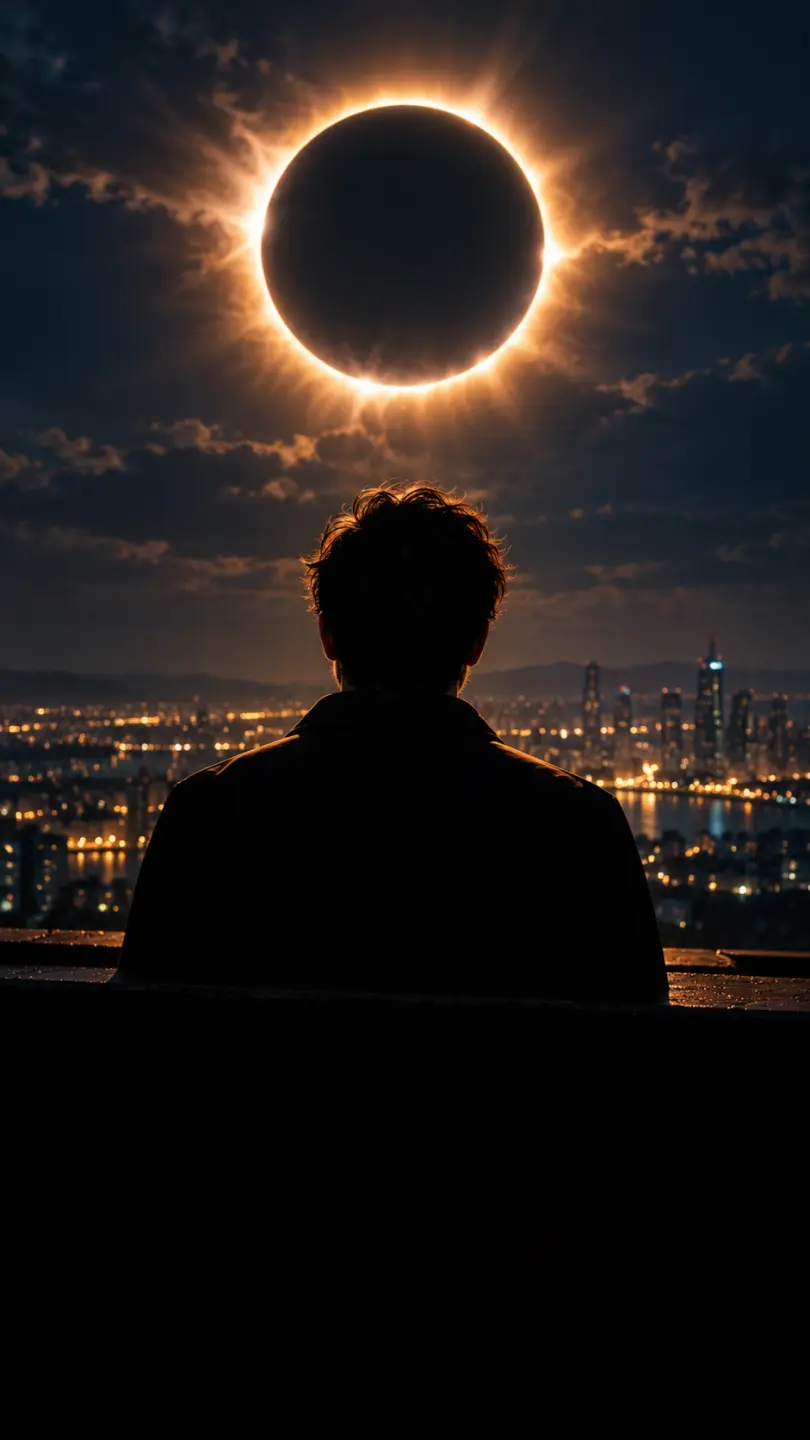
Upload one photo and this solar eclipse drake ai video generator puts that person in a dark scene with a total eclipse burning behind them: a black disc, a white corona, a slow push toward the face and 15 seconds of vertical MP4 to post. Nothing to prompt, nothing to edit. The clip carries its own instrumental beat and no voice, so the track from the trend goes on top when you publish. This is an independent tool, not affiliated with the artists or their label, and it does not recreate any official video.

1Add your photo

Direction

2Quality & length768p · 15s · 9:1660 credits

No subscription · Ready in about 3 minutes · Not charged if it fails

Only upload photos of yourself, or of adults who said yes. The eclipse, the scene and the camera move are generated from your photo.

The Look

What a Solar Eclipse Drake AI Video Generator Gives You

Strip the trend back and the shot is three things stacked on a dark frame: a face lit from the front, a black disc with a white corona burning behind the shoulders, and a camera that creeps closer instead of cutting. That is the whole recipe, and it is why the look survives being watched on a phone at arm's length. The eclipse does the work a set designer would normally do. It gives the background one bright shape, throws a rim of light along the hair and shoulders, and leaves the rest of the frame almost black so the face is the only thing competing for attention. Every direction inside the solar eclipse drake ai video generator keeps that balance, and none of them asks you to write a prompt.

Create My Eclipse Clip

Three Steps

Make the Clip in Three Steps With the Solar Eclipse Drake AI Video Generator

  1. 1

    Pick the Portrait

    Choose one photo of one adult, chest-up or waist-up, with the face clearly lit and nothing covering the eyes. A plain background and even daylight give the cleanest result, because the page replaces the background with a dark sky anyway. The solar eclipse drake ai video keeps the face, hairstyle and skin tone from this photo, so the better the picture, the closer the clip stays to how that person looks.

  2. 2

    Choose a Direction

    Pick the rooftop for the full eclipse, the studio for a warm close-up, the window for a city glow, or the stage for a darker performance shot. Each one is a solar eclipse drake ai video prompt that is already set up, so there is nothing to write and no reference clip to upload. Length and shape are fixed at 15 seconds and vertical 9:16, which leaves the credit price on the create button as the only other number on the screen.

  3. 3

    Create, Watch, Download

    Press create and keep the tab open for a few minutes. Watch the result once at phone size: check that the eyes stay sharp, that the eclipse sits behind the shoulders rather than across the face, and that the hands are not drifting. Then download the MP4, add the trend's track in the app you publish from, and turn on the AI label before you share your solar eclipse drake ai video.

Honest Limits

What This Page Does, and Where a Dark Eclipse Clip Stops

You do not need a stage, a light rig or a black sky to make a solar eclipse drake ai video. Here is what one upload gets you, and what it will not do.

What You Get

  • One upload and nothing else: the eclipse, the night scene, the light on the face and the camera move already sit inside each direction, so the solar eclipse drake ai video generator needs no prompt box and no reference clip.
  • A 15-second vertical 9:16 MP4 at 768p, downloaded without a watermark on the frame.
  • The face, hairstyle and skin tone stay locked to your photo in every frame, so the person in the clip still reads as the person in the picture.
  • A built-in instrumental beat with sub-bass and soft hi-hats, so the file has sound the moment it lands on your phone and the trending track can sit on top later.
  • Four directions in one place: a rooftop under the eclipse, a warm studio close-up, a night window, and a dim stage. Same tool, same price, four different moods for a solar eclipse drake ai video.

Known Limits

  • One person per clip. There is one upload slot on this page, so a couple or a duo needs two separate runs.
  • The body stays still. The camera and the eclipse carry the motion, so no direction includes dancing, choreography or a mouth forming words, which is also what keeps the face in your solar eclipse drake ai video close to the photo.
  • 15 seconds at 9:16 is fixed. A longer edit means joining two clips in an editor afterwards.
  • The audio is newly generated, not the original recording: no vocals and no lyrics, so the trend's own track is added when you post.
Create My Eclipse Clip

Why It Works

Why the Solar Eclipse Drake AI Video Generator Reads as Cinematic on a Phone

A dark frame with one bright ring in it is an old trick, and the drake solar eclipse look works for the same reason it works on a film poster: your eye goes to the brightest edge in the frame and then to the face nearest to it. The corona puts a soft white line behind the head, the key light keeps the eyes readable, and everything else falls away into near-black, so a clip shot on a phone still looks like it came off a set. Every direction is a solar eclipse drake ai video prompt that has already been written and tested, so the four presets move the same light around the same idea: rooftop, studio, window, stage.

One Bright Shape, One Readable Face

The eclipse ring is the only hard light source in the background, so it acts as a rim light instead of a backdrop. The face stays lit from the front and the shoulders pick up a thin white edge from the corona, which is exactly how a night music video is lit. Take the ring away and the same shot becomes a dark portrait; add a second bright shape and the eye stops knowing where to land, which is why every direction keeps a single eclipse in place.

A Push, Not a Cut

Nothing in the clip cuts. The camera creeps a few centimetres closer over fifteen seconds and the person holds the frame, so the movement a viewer feels comes from the lens rather than from an edit. That is also why the last frame lands close to the first: a solar eclipse drake ai video that ends where it started loops without a visible seam, and a loop is what makes a fifteen second clip feel longer than it is.

Stillness Beats Choreography

Asked for a dance, an image-to-video model usually produces loose limbs and drifting hands. A head turn, a slow nod and one open hand that rises and falls are moves the model can hold while the face stays intact. The eclipse is doing the drama anyway, so the person only has to be present in the frame, and a restrained performance is far easier to hand back in one take.

More to try with your photo

Solar Eclipse Drake AI Video Generator Questions

Short answers about the photo, the eclipse, the missing song and the price of a clip.

Create My Eclipse Clip
How do I make a solar eclipse drake ai video from one photo?

Upload one portrait, choose one of the four directions and press create. The tool returns a 15-second vertical clip of that person in a dark scene with a glowing eclipse ring behind them. There is no prompt to write and no reference video to supply, so the photo is the whole input.

Is the solar eclipse drake ai video generator connected to the official video?

No. This page makes an original clip from your own photo: a dark night scene, a corona ring, a slow camera push and a still performance. It does not copy any official video shot for shot, and it is not affiliated with the artists, their label or their management, so the reveal is that this is an AI clip rather than a leaked scene.

Can I get a dark music video with an eclipse in the background from a selfie?

Yes, as long as the face is clear in the picture. A selfie taken in daylight works, because the tool relights the face and drops the background into night. A selfie shot in a dark room is harder: if the eyes and the jaw line are lost in shadow, the face in the solar eclipse ai video will look soft however good the eclipse is.

What photo works best for a solar eclipse ai video?

One adult, chest-up or waist-up, evenly lit, eyes visible, no sunglasses and no hat pulled low. A plain wall behind you helps, because the background is replaced. Straight-on angles hold up better than a heavy side profile, and a photo where the hairline is clear gives the corona a clean edge to sit behind. If the eyes are lost in shadow, the face in the solar eclipse drake ai video will look soft however good the eclipse is.

Which direction should I pick first?

Start with the rooftop if you want the full drake solar eclipse frame, since that is the look most people picture when they read the phrase. Pick the studio close-up when you want the face larger in frame, the night window when you want city lights behind you, and the dim stage when you want something closer to a performance shot. All four keep the same 15-second length and the same vertical shape.

Will the clip include the track from the trend?

No. Naming a trend in your head does not bring the recording with it, and there is no audio upload on this page. Every clip comes back with a newly generated instrumental beat and no voice, so you add the track from the app's own library when you post, the same way you would add music to any vertical video.

Can the person in the clip dance or sing along?

Not on this page. The directions use a head turn, a slow nod and one small hand movement, because that is what an image-to-video model can hold while keeping the face intact. A full dance or a mouth forming words tends to drag the face away from your photo, so the eclipse and the camera carry the drama instead.

Is there a free solar eclipse drake ai video tool here?

Every clip costs credits, and the price is on the create button before you press it. Credits come as a one-time pack or on a monthly plan, so a single clip does not lock you into a longer term, and a run that fails because of a system error returns the credits automatically.

How much does one solar eclipse drake ai video cost, and how do I get it?

One 15-second clip costs 60 credits, and packs of one, three or five clips are cheaper per clip than buying them one at a time. When the run finishes, the MP4 downloads straight to your phone. If the result is unusable because of a fault on our side, the credits come back without a support ticket.

What should I check before posting the clip?

Four things: the photo is yours or the other person agreed to it, the platform's AI label is switched on, the caption does not present the clip as official, and the trending track is added inside the app rather than assumed. Our guide to the AI trend workflow walks through the caption and the timing in more detail.

Put One Photo Under the Eclipse With the

Solar Eclipse Drake AI Video Generator

One portrait, a dark sky and a ring of light behind the shoulders. The solar eclipse drake ai video generator returns a vertical clip in a few minutes, with an instrumental beat you can replace with the track from the trend.

Create My Eclipse Clip

15 seconds · 9:16 · From 60 credits

Put One Photo Under the Eclipse With the

Create My Eclipse Clip