


HappyHorse AI Video Generator

HappyHorse 1.1 is Alibaba's video model that renders picture, sound, and lip-synced dialogue in one pass. Write a prompt or upload up to 9 reference images and get a 5 to 15 second clip at 720p or 1080p. HappyHorse 1.0 is one click away in the same picker.

Estimated — credits

Feature 01

Synchronized Audio-Visual Synthesis

Picture and Sound From One Prompt

HappyHorse generates the video and its audio together. Alibaba says the model outputs lip-synced dialogue, ambient soundscapes, and expressive vocal performances in the same pass, so a clip arrives with voices and room tone instead of silence. Put spoken lines in quotes in your prompt and it times the mouth movement to them. Version 1.1 also tightened the audio-visual sync over 1.0.

  • Dialogue, sound effects, and ambience rendered with the picture
  • Spoken lines in quotes become lip-synced speech
  • No separate dubbing step before you post

Feature 02

Superior Image to Video Animation

One Photo or Nine References

Upload one photo and HappyHorse animates it, or upload up to 9 reference images and the model combines the people, products, and places from them into one scene. Alibaba's main goal for version 1.1 was reference consistency: the upgrade makes a product, a face, or an outfit from your reference hold up much better in the output. On the Artificial Analysis image-to-video arena, HappyHorse 1.1 ranks seventh at 1104.

  • Single-image animation or reference mode with up to 9 images
  • Version 1.1 improves identity and product fidelity from references
  • Refer to each image in the prompt as [Image 1], [Image 2], and so on
Superior Image to Video Animation

Feature 03

Professional Motion Modeling

Action That Holds Together

Alibaba rebuilt motion modeling and temporal consistency for HappyHorse 1.1, and the result shows in fast action: a fight, a dance, or a sprint keeps its limbs and props intact from frame to frame. The model also keeps physical cause and effect believable, which is why Alibaba pitches it for game trailers and action-heavy ads.

  • Smoother, more coherent movement in complex action sequences
  • Stable bodies and props across the whole clip
  • Built for ads, short dramas, and CG trailers

Feature 04

Advanced Multi-Lingual Understanding

Prompt in the Language You Think In

Alibaba's API documentation says HappyHorse accepts prompts in any language, up to 5,000 characters (2,500 for Chinese). You can write the scene in Spanish, Japanese, or Chinese and the model follows it. Third-party sites claim it lip-syncs seven languages; Alibaba has not published a language list for speech, so test your language with a short clip before a long render.

  • Prompts in any language, per Alibaba's API docs
  • Up to 5,000 characters of direction per prompt
  • Test spoken lines in your language on a 5-second clip first

Feature 05

Rapid 8-Step Generation

What the Speed Claim Means

The 8-step figure comes from community write-ups that say HappyHorse uses distillation to cut denoising to eight steps. Alibaba has not confirmed it, and its own API guide says a render takes several minutes. In practice, plan on a short wait per clip, and draft at 720p with 5 seconds, which is the fastest and cheapest setting on Ricebowl.

  • Eight-step denoising is a community claim, not an Alibaba spec
  • Expect a few minutes per clip, like other top video models
  • Draft at 5 seconds and 720p, then render the final at 1080p

Feature 06

Ultra-Low WER Lip-Sync

Clear Speech, Matched Mouths

WER, or word error rate, measures how many spoken words come out wrong. Alibaba has not published a WER number for HappyHorse, so treat any specific figure you see elsewhere as unverified. What Alibaba does state is that the model delivers lip-synced dialogue, and its launch demo has two actors trading full sentences in a café. For clean speech, keep each line short, name who says it, and give one speaker per shot.

  • Lip-synced dialogue is an official feature
  • No official WER figure yet; ignore unsourced numbers
  • Short lines and one speaker per shot give the cleanest sync

Feature 07

Multi-Shot Cinematic Narratives

Several Shots in One 15-Second Render

HappyHorse can cut one prompt into several shots inside a single clip of up to 15 seconds at 1080p. Alibaba highlights multi-shot consistency: characters stay in position across frequent cuts, which suits short dramas built on tension and close-ups. Describe the shots in order, such as a wide on the café, a close-up on her, then him, and the model edits the scene for you.

  • Several cuts inside one clip
  • Characters keep position and look across cuts
  • Up to 15 seconds at 1080p per render

Feature 08

Prompt-Based Camera Control

Direct the Lens in Words

There are no camera sliders in HappyHorse; you direct the lens in the prompt. The model is tuned for cinematic framing with wide apertures, shallow depth of field, and film-like texture, so words like 'slow dolly-in', '35mm look', and 'rack focus to the cup' change the shot. Choose from nine aspect ratios on the official API, and landscape or portrait on Ricebowl.

  • Dolly, orbit, crane, and rack focus by description
  • Strong at shallow depth of field and film texture
  • Landscape or portrait output for every platform

Feature 09

Championing the Open-Source Video Revolution

What Is Actually Open Today

HappyHorse is not open weights today. When the model first appeared, an unofficial site described it as fully open source with GitHub and Hugging Face links marked 'coming soon'; WaveSpeed checked on April 8, 2026 and found no repository, weights, or license. Alibaba now offers it through its Model Studio API, happyhorse.com, and the Qwen App. If you need weights you can download, MiniMax H3 is open weights and runs in the same Ricebowl picker.

  • No public weights, code, or license as of this writing
  • Official access: Alibaba Model Studio API, happyhorse.com, Qwen App
  • Open-weights alternative in the same workspace: MiniMax H3

PROMPT EXAMPLES

HappyHorse Prompts

Prompt

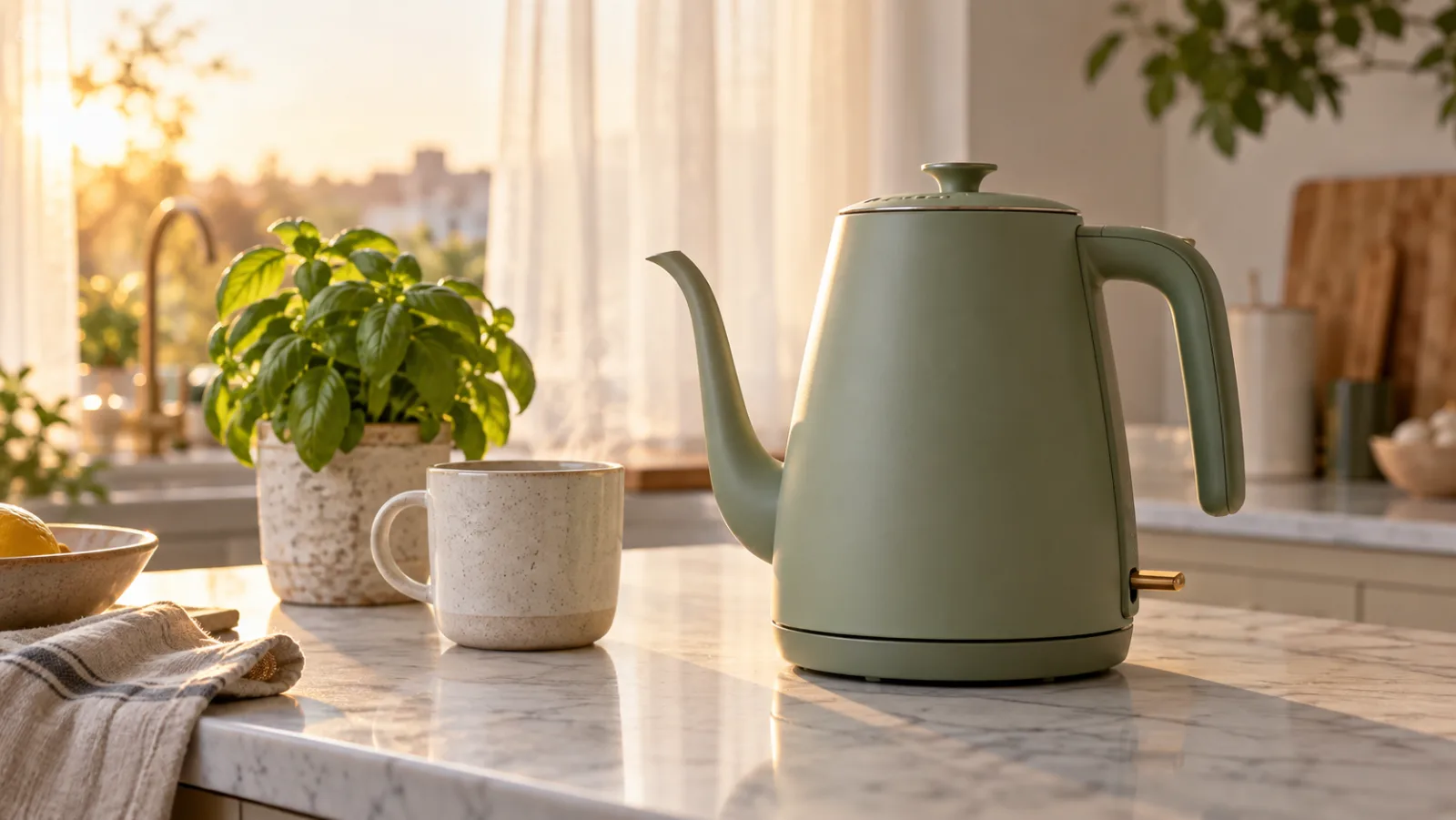
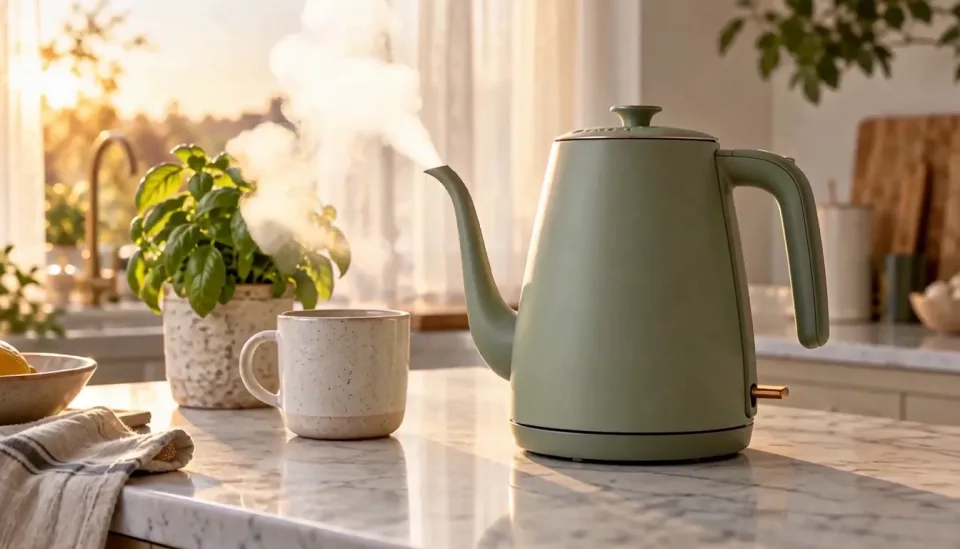
The kettle in [Image 1] sits on a marble counter at sunrise. Slow push-in as steam curls from the spout, soft window light, the rising whistle and a gentle click as the switch flips off, 16:9, 5 seconds.

Reference

Reference

Result

Result

Prompt

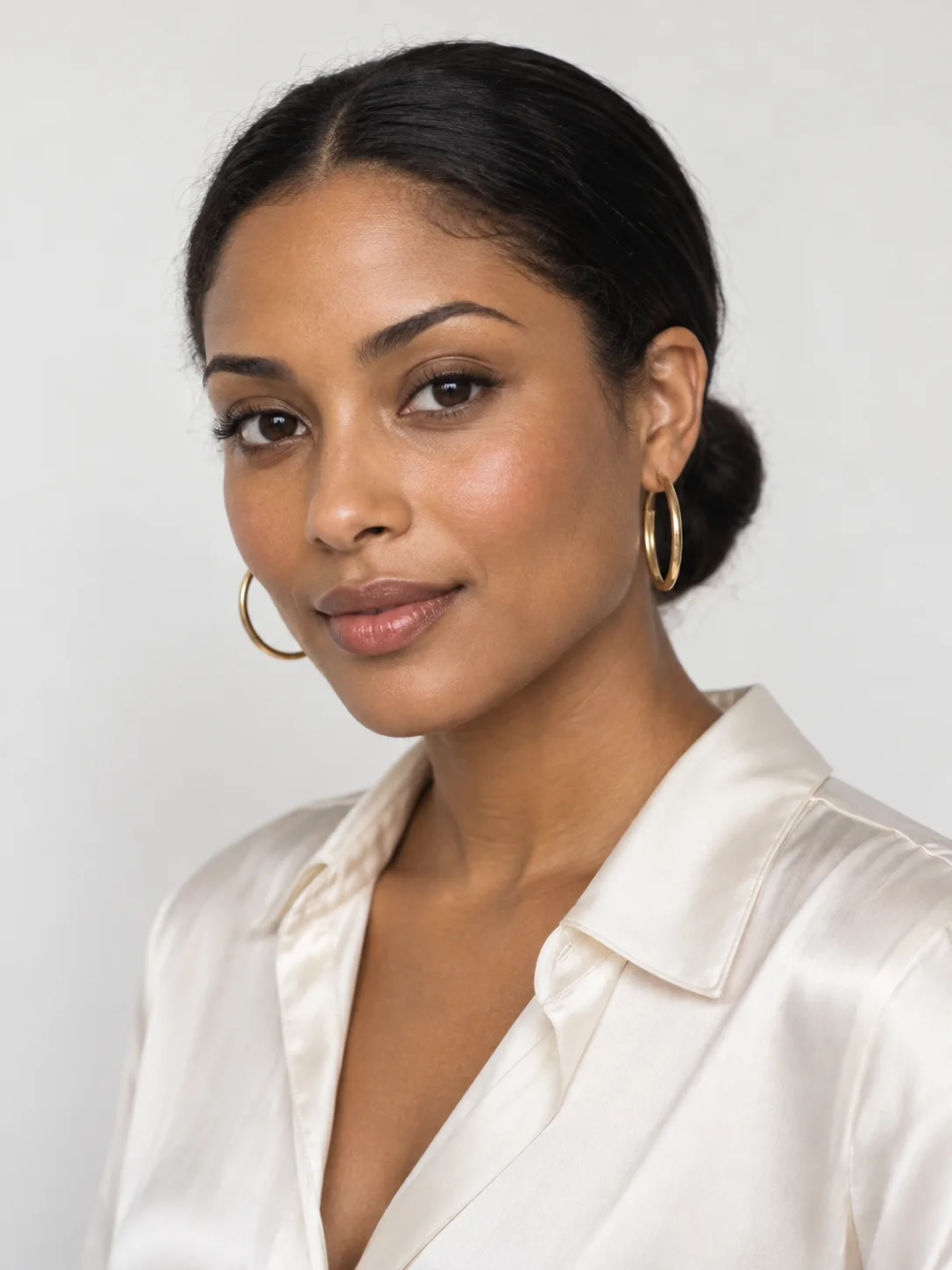
A young woman pours water from the kettle in [Image 1] into a mug, looks at camera and says: "Ninety seconds. That's all my morning needs." Warm kitchen, handheld medium shot, then a close-up of the mug, 9:16, 10 seconds.

Reference

Reference

Result

Result

USE CASES

Who Uses HappyHorse 1.1

Short-drama studios

Alibaba reports the model is already used in short-form dramas, e-commerce advertising, brand marketing, and CG game trailers. For dramas, multi-shot scenes with lip-synced dialogue let one render cover a full exchange between two characters.


E-commerce and ad teams

Upload product shots as references and the model keeps the label and shape intact, with sound already in the clip.

Try this use case →

Brand and social marketers

A 1080p clip in portrait costs 145 credits for 5 seconds, cheap enough to test several hooks per campaign.

Try this use case →

Game and CG trailer makers

HappyHorse 1.1's improved action motion suits fights, chases, and reveals for pitch trailers.

MARKET CONTEXT

HappyHorse's Position in the AI Video Ecosystem

Current T2V and I2V leaderboard context

Where HappyHorse stands

  • Alibaba's second video line: HappyHorse comes from Alibaba's ATH unit, separate from the Wan models. Wan 3.0 sits at 1229 on text-to-video, ahead of HappyHorse 1.1.
  • Text-to-video: HappyHorse 1.1 is eighth on Artificial Analysis at 1147 Elo (September 2026), HappyHorse 1.0 ninth at 1119.
  • Image-to-video: HappyHorse 1.1 is seventh at 1104, HappyHorse 1.0 tenth at 1082.
  • Price: a 5-second 1080p HappyHorse 1.1 clip costs 145 credits on Ricebowl, against 240 for HappyHorse 1.0 and 510 for Seedance 2.0.

Who ranks above HappyHorse

  • Gemini Omni Flash, Wan 3.0, MiniMax H3, and Seedance 2.0, among others, score higher on text-to-video.
  • MiniMax H3 and Seedance 2.0 also lead HappyHorse on image-to-video.
  • HappyHorse caps at 15 seconds and 1080p; Kling 3 Omni and Veo 3.1 go to 4K.
Try HappyHorse Now

WHAT USERS SAY

What Creators Keep Pointing Out

01

The dialogue is the reason to pick it

Creators keep coming back to HappyHorse for scenes where people talk. Getting speech and lip movement in one HappyHorse render saves a dubbing pass.

02

The open-source label was premature

Builders who went looking for HappyHorse weights found only 'coming soon' links. HappyHorse is an API and app product, not a local model.

03

1.1 fixed the reference drift

Product and character fidelity was the main complaint about HappyHorse 1.0; Alibaba targeted it directly in HappyHorse 1.1.

04

No longer the leaderboard king

HappyHorse debuted at the top of the arena in April; newer models from Google, Alibaba's Wan team, and MiniMax have since passed it.

Try HappyHorse Now

VERSIONS

HappyHorse 1.1 vs 1.0

HappyHorse 1.1 succeeded HappyHorse 1.0 in June 2026, and on Ricebowl it is both better and cheaper. HappyHorse 1.1 scores 1147 on the Artificial Analysis text-to-video arena against 1119 for HappyHorse 1.0, and 1104 against 1082 on image-to-video. A 5-second 720p HappyHorse 1.1 clip costs 115 credits here; the same HappyHorse 1.0 clip costs 140, and at 1080p it is 145 against 240. There is no reason to pick HappyHorse 1.0 on this site unless you are matching an old project.

Text-to-video: 1147 against 1119

Version 1.1 leads 1.0 by 28 Elo points on the Artificial Analysis text-to-video arena (September 2026).

Image-to-video: 1104 against 1082

From a photo the gap is 22 points, with 1.1 in seventh place and 1.0 in tenth.

Price: 115 and 145 against 140 and 240 credits

A 5-second clip costs 115 credits at 720p and 145 at 1080p on 1.1, against 140 and 240 on 1.0. The newer version is cheaper at every length.

WHAT SETS IT APART

What Makes HappyHorse 1.1 Stand Out

01

Why HappyHorse Topped the Video Leaderboard

HappyHorse entered the Artificial Analysis arena anonymously in early April 2026 and took first place on both text-to-video and image-to-video before Alibaba claimed it. In June, Arena.ai still ranked HappyHorse 1.0 second across its three video boards. Those were blind side-by-side votes, not a vendor benchmark. HappyHorse is no longer first, but that is why the name spread.

02

Nine references with sound

HappyHorse accepts up to 9 reference images and still renders audio in the same pass, a combination few models here offer at 115 credits.

03

1080p for less

HappyHorse 1.1 at 1080p costs 145 credits for 5 seconds on Ricebowl, well below Seedance 2.0 at 510 for the same length and resolution.

OUR TAKE

Our Verdict on HappyHorse 1.1

Is 1.1 better than 1.0, and is it worth more credits?

HappyHorse 1.1 is better and it costs fewer credits here, so the question answers itself. It leads HappyHorse 1.0 on both arena boards and is cheaper at every length: 115 against 140 credits for 5 seconds at 720p. Always pick HappyHorse 1.1.

It ranked high, but does it beat Seedance 2.5 in practice?

Not on quality. Seedance 2.0 already outscores HappyHorse 1.1 on both boards (1210 against 1147 on text-to-video), and Seedance 2.5 is not ranked yet. HappyHorse wins on cost and resolution: 115 credits for 5 seconds at 720p against 315 for Seedance 2.5, plus 1080p, which Seedance 2.5 does not offer here. Pick HappyHorse for affordable 1080p with dialogue; pick Seedance 2.5 for clips longer than 15 seconds or more than 9 references.

What is it good for, and what is it not?

HappyHorse is good for dialogue-driven short dramas, product ads from reference photos, and 1080p social clips on a budget. It is not the pick for 4K, clips over 15 seconds, the single most realistic frame (use MiniMax H3 or Seedance 2.0), or running a model on your own hardware.

COMPARISON

Comparison: HappyHorse vs. Seedance 2.0 vs. Kling 3.0 vs. Wan 2.6

FeatureHappyHorse 1.1Seedance 2.0Kling 3.0Wan 2.6
Text-to-video arena Elo11471210 (720p)1095 (1080p Pro)1030
Image-to-video arena Elo11041175 (720p)1054 (1080p Pro)889
Clip length on Ricebowl5, 10 or 15 s5, 10 or 15 s5, 10 or 15 s (15 s on Kling 3.0 Turbo)Not on Ricebowl
Max resolution on Ricebowl1080p1080p4K (Omni)Not on Ricebowl
SoundBuilt inBuilt inOptional, costs extraNot on Ricebowl
Reference images992Not on Ricebowl
Cheapest clip on Ricebowl115 credits95 credits (480p)70 credits (Fast, no sound)Not on Ricebowl
Best for1080p dialogue scenes on a budgetHighest quality of the four4K product shotsOlder Alibaba baseline

Arena scores are from the Artificial Analysis text-to-video and image-to-video leaderboards, September 2026. Credit prices are Ricebowl's current rates.

Try HappyHorse Now

HOW IT WORKS

How To Use HappyHorse on Ricebowl

Try HappyHorse Now

01

Open the HappyHorse generator

The generator at the top of this page already has HappyHorse 1.1 selected. Sign up with email or Google to start.

02

Write the scene, add references

Describe the action, the camera, and any spoken lines in quotes. Add one photo to animate it, or up to 9 reference images and refer to them as [Image 1], [Image 2].

03

Choose length and resolution, then generate

Pick 5, 10, or 15 seconds, 720p or 1080p, landscape or portrait, and press generate. The HappyHorse clip lands in your feed with its sound.

REVIEWS

Chosen by Creators and Marketers Worldwide

Feedback from people who use HappyHorse on Ricebowl for real work.

Wei C.

Two characters, three cuts, real dialogue, one render. HappyHorse replaced my dubbing step.

Short-drama director

Rachel P.

Our product references finally stay on-model. The label reads correctly in every take.

E-commerce manager

Diego M.

1080p with sound at 145 credits means I can pitch three versions instead of one.

Social ads freelancer

Yuki T.

Fight choreography holds together. HappyHorse 1.1 is my go-to for action beats.

Game trailer editor

Amara O.

We write prompts in French and the scenes come back right. No translation pass.

Brand content lead

AI Video Generator Pricing

One balance, every model. Credits work across all 20 video models — no watermark, no tier-locked models, commercial use on every paid plan.

Save 30% billed annually

Flexible monthly subscription.

Lite Monthly

The cheapest way to start. Every model, a small monthly budget.

$12.99/mo

Renews monthly, cancel anytime.

400 credits

≈ 1–20 videos, depending on the model

≈ 28–133 images, depending on the model

3.25¢ / credit

  • 1080p · No watermark · Commercial use
  • Credits reset every billing month
  • Access to all models
  • Watermark-free outputs
  • Buy an add-on credit pack
  • Standard support

Starter Monthly

Enough credits to try every model and finish a few clips each month.

$29.9/mo

Renews monthly, cancel anytime.

1,000 credits

≈ 3–50 videos, depending on the model

≈ 71–333 images, depending on the model

2.99¢ / credit

2 parallel tasks

  • 1080p · No watermark · Commercial use
  • Credits reset every billing month
  • Access to all models
  • Watermark-free outputs
  • Buy an add-on credit pack
  • Standard support

Standard Monthly

Popular

Steady output for solo creators going pro — every model, a comfortable budget.

$49.9/mo

Renews monthly, cancel anytime.

2,000 credits

≈ 6–100 videos, depending on the model

≈ 142–666 images, depending on the model

2.50¢ / credit

3 parallel tasks

  • 1080p · No watermark · Commercial use
  • Credits reset every billing month
  • Access to all models
  • Watermark-free outputs
  • Buy an add-on credit pack
  • Priority support

Advanced Monthly

High-volume production for prolific creators and small teams.

$89.9/mo

Renews monthly, cancel anytime.

5,000 credits

≈ 15–250 videos, depending on the model

≈ 357–1666 images, depending on the model

1.80¢ / credit

5 parallel tasks

  • 1080p · No watermark · Commercial use
  • Credits reset every billing month
  • Access to all models
  • Watermark-free outputs
  • Buy an add-on credit pack
  • Priority support

Make something with HappyHorse

More AI video tools

FAQs

What HappyHorse is, what it costs here, and how it compares.

Try HappyHorse Now
Is HappyHorse AI free?

Joining Ricebowl is free and gives you 8 credits with no card, but that is not enough for any video here: the cheapest HappyHorse 1.1 render is 115 credits (5 seconds at 720p), and even a 6-second MiniMax H3 clip costs 20. Choose a credit pack or plan to render HappyHorse clips.

What is the HappyHorse video model?

HappyHorse is a video generation model from Alibaba's ATH unit. HappyHorse turns text, a photo, or several reference images into a clip with synchronized sound and lip-synced dialogue, up to 15 seconds at 1080p. HappyHorse 1.0 launched in April 2026 and HappyHorse 1.1 followed in June.

What changed in HappyHorse 1.1?

HappyHorse 1.1 improves consistency with reference images, motion in complex action, instruction following, visual detail, and audio-visual sync. It also scores higher than HappyHorse 1.0 on both arena boards, and on Ricebowl it is cheaper at every length.

What makes HappyHorse different from other AI video models?

HappyHorse puts dialogue, multi-shot editing, and 9-image references in one render at a low 1080p price. It is the combination at that price, from 115 credits, that sets HappyHorse apart.

Is HappyHorse 1.1 really better than Seedance 2.0?

No. Seedance 2.0 scores higher on both boards: 1210 against 1147 on text-to-video and 1175 against 1104 on image-to-video. HappyHorse 1.1 is the cheaper route to 1080p: 145 credits for 5 seconds against 510 for Seedance 2.0 at 1080p.

Does HappyHorse really generate sound and video together?

Yes. Alibaba describes HappyHorse output as synchronized audio-visual, including lip-synced dialogue, ambient sound, and vocal performance, generated in the same pass as the picture.

Which languages does HappyHorse support?

Alibaba's docs say HappyHorse prompts can be in any language. Alibaba has not published a list of languages for spoken dialogue, so test your language with a short HappyHorse clip first.

How long can a HappyHorse video be?

Up to 15 seconds per clip. On Ricebowl you choose 5, 10, or 15 seconds; a 15-second HappyHorse 1.1 clip costs 340 credits at 720p and 435 at 1080p.

Is HappyHorse open source?

No. There are no public HappyHorse weights, code, or license. HappyHorse is available through Alibaba's Model Studio API, happyhorse.com, the Qwen App, and services like Ricebowl.

What resolution does HappyHorse support?

Alibaba's API offers 480p, 720p, and 1080p. Ricebowl offers HappyHorse at 720p and 1080p, in landscape or portrait.

What is the best HappyHorse alternative?

Ricebowl, because every alternative sits next to HappyHorse in one generator. MiniMax H3 ranks higher and starts at 20 credits, Seedance 2.0 ranks higher still on image-to-video, and Kling 3 Omni goes to 4K. Render one prompt on HappyHorse and a rival, keep the better clip, and pay from one balance.

RELATED

Explore Other HappyHorse AI Models

Experience Cinematic AI Creation with HappyHorse 1.1

on Ricebowl!

HappyHorse 1.1 with sound and lip-synced dialogue, 9 reference images, and 1080p clips up to 15 seconds, next to every other top video model.

Try HappyHorse Now

FREE SIGN-UP · SOUND BUILT IN · UP TO 1080P · 5 TO 15 SECONDS

Experience Cinematic AI Creation with HappyHorse 1.1

Try HappyHorse Now