Bandit Juice WRLD AI Trend: Two Faces Take the Rap

Make a bandit juice wrld ai trend clip with two photos: the portraits are placed into a 15-second instrumental clip guided by the reference’s scenes, camera work and timing.

1Add two photos

2Quality & length480p · 15s · 16:9120 credits

No subscription · Ready in about 3 minutes · Not charged if it fails

Only upload photos of yourself or adults who have agreed to appear in an AI video.

From the Feed

Bandit Juice WRLD AI Trend: The Reference’s Three Backdrops

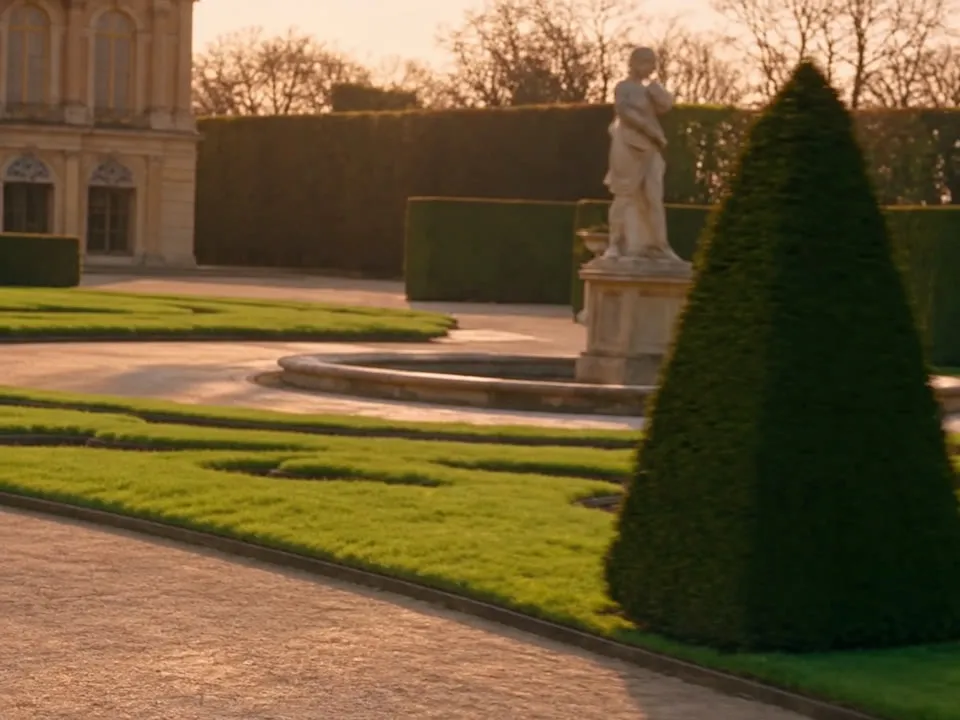
The supplied reference moves between a night lawn, a blue studio and golden grass, with two suited characters standing in for the performers. Those are details of the reference clip, not customer results or extra scene choices. This page has no case gallery. Your generation uses the reference as its guide, so you cannot swap in a different setting or direct a new sequence. The bandit juice wrld ai trend follows this reference, and the Juice WRLD Bandit video uses its scenes as a visual guide.

Make Our Bandit Video

Three Steps

How to Make a Bandit Juice WRLD AI Trend Couple Video

  1. 1

    Choose Two Clear Photos

    Pick one photo for each adult. Use separate portraits with faces toward the camera, good light and no sunglasses or objects covering the face. Make sure both people agree to appear.

  2. 2

    Upload Both People

    Add the first portrait, then the second. The page uses both photos with the supplied reference; it does not offer a scene picker or a prompt field for custom actions.

  3. 3

    Generate and Review

    Start the generation and review the finished 15-second, 16:9 clip. It follows the reference’s scenes, camera work and pacing, with instrumental audio and no vocals. Download it when ready and add any platform sound separately.

Straight Answers

What This Couple Video Does

The preview is the reference clip, not a finished result made from your photos. The tool uses that reference to guide a new 15-second video, and the boundaries are clear before you start. The bandit juice wrld ai trend makes a two-photo rap video from this fixed reference.

What You Get

  • Two separate portraits give each person a place in the reference’s two-person rap scene.
  • MiniMax H3 uses the supplied reference to guide the action, camera positions and pacing across the clip.
  • The output is a 15-second video in 16:9 format with instrumental audio and no vocals.
  • The reference gives a concrete visual guide: a night lawn, a blue studio and golden grass, rather than a blank prompt.

Known Limits

  • The generated video has no vocals, and you cannot upload your own song.
  • You need two separate photos; one shared couple selfie is not the input described for this page.
  • The actions, camera work and pacing follow the reference, so you cannot direct a different scene or sequence.
  • A reference preview shows the source look, not proof that every generated face or movement will match perfectly.
Make Our Bandit Video

The Trend Explained

What Is the Bandit Rap Duo Trend?

This couple video trend uses the supplied Bandit reference as a guide for a 15-second, 16:9 video made with two separate photos and MiniMax H3. The reference shows two suited sitcom characters across a night lawn, a blue studio and golden grass. The generated clip follows the reference’s actions, camera work and pacing, with instrumental audio and no vocals. It is a generated interpretation of the reference, not an official music video or an endorsement by any artist.

Two Portraits, Two Places

Upload one clear photo for each adult. The tool uses both portraits in the reference’s two-person scene without specifying which portrait maps to which role, so use separate images with visible faces instead of a group shot. This paired rap video follows the reference’s setup. Check that each image shows one adult clearly, with the face uncovered and good light, before you upload both portraits.
The Reference Sets the Scene

The supplied reference shows suited characters on a night lawn, in a blue studio and in golden grass. MiniMax H3 uses the source as a guide for the sequence, camera positions and timing in this bandit juice wrld ai trend video. You cannot type in a replacement location or request new actions. The reference determines the visual sequence, while the two uploaded portraits provide the people placed into it.

Instrumental Audio Only

The generated clip is 15 seconds, landscape 16:9 and includes instrumental audio without vocals. You cannot upload a personal track. If you want a vocal song on a social post, add it through that service’s sound tools after generation.

More to try with your photo

Bandit Juice WRLD AI Trend FAQ

Answers about the two photos, the reference, audio and finished clip.

Make Our Bandit Video
Which app lets me put me and my partner into the bandit juice wrld ai trend video?

This page makes a couple version from two separate photos and the supplied reference. The Juice WRLD Bandit video follows the reference’s scenes, movement, camera positions and timing to create a 15-second, 16:9 instrumental video. The result is an AI-generated interpretation, not an official music video. Each portrait supplies one person for the paired scene, and the reference guides the actions and camera work.

How many photos do I need for the bandit juice wrld ai trend?

You need two separate photos, one for each adult in the couple. Choose clear portraits with visible faces and good light; a single shared selfie does not provide the two separate inputs this page asks for. Upload only photos of people who have agreed to appear. Before starting, check that both images show one person clearly and that each person has agreed to use their photo in the generated clip. These portraits are the inputs for the couple Bandit video.

Can I use one couple selfie for the Bandit AI remake?

This page is set up for two separate portraits, one per person. If you only have a shared selfie, choose or take separate photos where each face is clear before starting. Keep both people’s permission in mind when preparing images for a generated video. The separate inputs let the tool place each adult into one of the two roles shown in the supplied reference. This setup also describes the Bandit AI remake.

What happens in this couple video trend?

The two people in your photos take the places of the pair in the supplied reference. That reference shows suited sitcom characters across a night lawn, a blue studio and golden grass. The generated video follows the reference’s actions, camera work and pacing rather than building a new scene from a written prompt. The supplied scenes guide the result, while your two portraits determine who appears in the paired roles.

Does the Bandit couple video include the song or vocals?

No. The generated video has instrumental audio and no vocals, and you cannot upload your own song on this page. If you want a vocal track in a social post, add a sound separately using the posting service’s audio tools.

Can I choose different locations or actions?

No. The supplied reference guides the scenes, actions, camera positions and timing. This page has no scene picker or custom direction field, so the output follows the reference’s night lawn, blue studio and golden grass sequence.

How long and what shape is the finished video?

The finished clip is 15 seconds in 16:9 landscape format. It follows the supplied reference and includes instrumental audio without vocals, making it a short horizontal video you can review before sharing.

How do I make a couple version of this Bandit video?

Upload two separate, clear photos of adults who agreed to appear, then start the generation. MiniMax H3 uses the supplied reference to guide the 15-second, 16:9 instrumental clip. This couple Bandit video follows the reference’s scenes and pacing, so prepare two distinct portraits before you begin. For a step-by-step overview of trend videos, read the [AI trend creation guide](/hub/how-to-do-the-ai-trend).

Explore More

More AI Video Tools and Guides

Plans and Pricing

Music and Performance

Put Both Photos Into the

Bandit Couple Video

Start your bandit juice wrld ai trend video with two clear portraits. The reference guides a 15-second, 16:9 instrumental clip.

Make Our Bandit Video

15 seconds • 16:9 landscape • Instrumental audio

Put Both Photos Into the

Make Our Bandit Video