Suave Cat Dance: A Bedroom, Garden, or City Groove

Make a suave cat dance video from one pet photo. Pick a scene, upload a clear image, and get a 15-second vertical clip with environmental sound and instrumental music, without vocals.

1사진 추가

Choose a Dance Scene

2화질 및 길이768p · 15s · 9:1660 credits

구독 없음 · 약 3분이면 완성 · 실패 시 결제되지 않음

Only upload a photo of your own pet. This page accepts pet photos only.

From the Feed

Four Scenes for Your Suave Cat Dance

Each scene chip changes the setting around the pet in your photo: Bedroom Groove uses a sunlit bed, Garden Dance adds grass and flowers, City Sidewalk places the pet on a quiet street, and Cozy Showtime centers it on a soft rug. Signature Sway is selected first by default. Choose one scene before generating; the page makes one 15-second, vertical 9:16 video from one photo.

Make My Cat Dance

Three Steps

How to Make a Suave Cat Dance Video

  1. 1

    Choose a Scene Chip

    Start with Signature Sway, the default, or select Bedroom Groove, Garden Dance, City Sidewalk, or Cozy Showtime. Read the scene examples if you want to compare the bed, garden, sidewalk, and rug settings before choosing.

  2. 2

    Upload One Pet Photo

    Add one clear photo of the pet you want to animate. A full-body view with good light makes the animal easier to see. The page accepts one photo per clip, and the selected scene chip controls the setting. The uploaded image becomes the visual reference for your dancing cat clip or other pet dance result.

  3. 3

    Generate and Review the Clip

    Press Make My Cat Dance to create a 15-second, vertical 9:16 video with environmental sound and instrumental music. Review the result before downloading or sharing it, especially the pet’s appearance and movement. If you want a dancing cat clip for a post, check the full clip and follow the sharing app’s rules for AI generated media.

Scene 01 · Bedroom Groove

Bedroom Groove on a Sunlit Bed

A morning scene with a full-body view.

Bedroom Groove places the pet from your photo on a neatly made bed in a sunlit bedroom. Warm morning light and a full-body frame make the setting easy to read, while the selected scene gives the dance a quiet, at-home feel. Choose this chip when you want the suave cat dance to look like a private bedroom performance rather than a staged show.

  • Neatly made bed
  • Warm morning light
  • Full-body framing

Scene 02 · Garden Dance

Garden Dance Among Flowers

A small patch of grass and soft greenery.

Garden Dance sets your pet on a small patch of grass among a few flowers, with soft greenery behind it. The uncluttered outdoor setting keeps attention on the dancing pet while giving the clip a clear change of scene from the indoor options. Pick this chip for a gentle garden look; the video still lasts 15 seconds and stays vertical at 9:16.

  • Grass and a few flowers
  • Soft green background
  • Vertical 9:16 framing

Scene 03 · City Sidewalk

City Sidewalk in Afternoon Light

A quiet street with blurred storefronts.

City Sidewalk places the pet on a clean, quiet sidewalk in soft afternoon light, with storefronts blurred in the distance. The scene gives your suave cat dance a city setting while keeping the pet in the foreground. Choose it when you want an outdoor clip with a recognizable street backdrop and no busy crowd competing for attention.

  • Clean, quiet sidewalk
  • Soft afternoon light
  • Blurred storefronts in the distance

Scene 04 · Cozy Showtime

Cozy Showtime on a Soft Rug

A warm home setting framed like a performance.

Cozy Showtime centers the pet on a soft rug in a warmly lit home, with the framing suggesting a small performance. It keeps the subject in the middle of the scene and gives the dance a living-room stage. Select this chip for a cozy, show-like take on the suave cat dance, built from your single pet photo.

  • Soft rug in a warm home
  • Pet centered in the frame
  • Performance-like composition

Straight Answers

What This Pet Dance Generator Can Do

The setup is deliberately specific: one pet photo, one scene chip, and one short video. Here is what you can expect before you generate.

What You Get

  • One uploaded pet photo becomes the visual reference for a 15-second vertical video, so you do not need to film your pet dancing.
  • Five scene chips give you distinct settings: Signature Sway, Bedroom Groove, Garden Dance, City Sidewalk, and Cozy Showtime.
  • The clip includes environmental sound and instrumental music, so the result has audio without pretending your pet is speaking or singing.
  • The generated clip includes environmental sound and instrumental music without vocals, and you can add a separate track in the sharing app.

Known Limits

  • The output is 15 seconds in a 9:16 vertical format, so you cannot request a longer or horizontal clip here.
  • The audio contains environmental sound and instrumental music, but no human voice; you also cannot upload your own song.
  • You must use one photo and choose from the five scene chips. You cannot add a second photo or write a custom scene on this page.
  • The pet is represented in an AI-generated dance scene, so movement or small details may differ from the source photo.
Make My Cat Dance

The Trend Explained

What Is the Suave Cat Dance Video?

A suave cat dance video on this page is a 15-second, vertical 9:16 clip made from one pet photo and one selected scene. The idea is simple: give a familiar pet an unexpected dance moment, then place that moment in a cozy home, bedroom, garden, or sidewalk setting. You upload one image, choose a chip, and MiniMax H3 generates the video with environmental sound and instrumental music. The clip has no human voice, and you cannot supply a song of your own. The first chip, Signature Sway, is selected by default, so the page opens with a clear starting scene rather than an empty prompt. The same workflow can make a cat dance video from a photo or create an AI pet dance video for another animal.

One Photo Sets the Pet

Upload one photo of your pet for each generation. A clear image with the full body visible gives the video a useful visual reference, while a simple background helps distinguish the pet from its surroundings. This workflow does not accept a second reference photo, so choose an image that shows the animal you want in the clip. The tool uses that image to make a cat dance video from a photo, with the selected scene providing the setting.
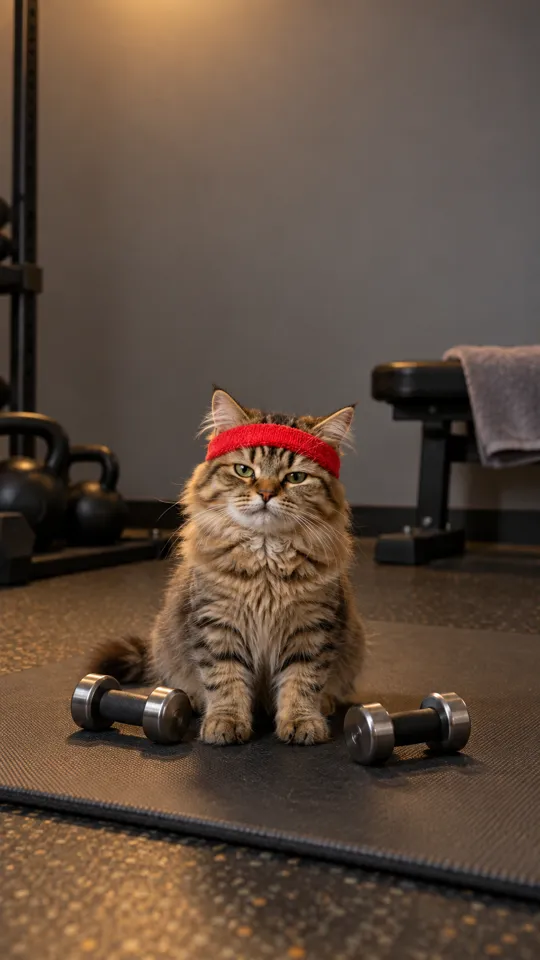
Five Fixed Scene Chips

Choose Signature Sway, Bedroom Groove, Garden Dance, City Sidewalk, or Cozy Showtime. Signature Sway appears first and is the default; the other four chips each have a scene description and a matching example below. You choose from these options instead of typing a custom setting. The fixed choices let you make an AI pet dance video with a room, garden, sidewalk, or cozy home backdrop.

Instrumental Sound, No Voice

The generated 15-second video includes environmental sound and instrumental music. It does not include human vocals, and the page does not let you upload your own track. If you want a particular song in a social post, add it separately using the posting app’s sound tools. This sound setup applies to every scene, whether you make a suave cat dance or another pet dancing video.

More to try with your photo

Suave Cat Dance FAQ

Answers about the photo, scenes, length, sound, and sharing your generated pet dance.

Make My Cat Dance
How can I turn a photo of my cat into a suave cat dance video?

Choose a scene chip, upload one clear photo of your cat, and press Make My Cat Dance. MiniMax H3 generates a 15-second vertical 9:16 clip with environmental sound and instrumental music, but no vocals. This creates a cat dance video from a photo without requiring you to film your pet.

What scenes can I choose for the cat dance video?

There are five scene chips: Signature Sway, Bedroom Groove, Garden Dance, City Sidewalk, and Cozy Showtime. Signature Sway is selected by default, and each of the other four has a matching example describing its setting. Choose a scene before generating an AI pet dance video.

Can I use more than one photo or write my own scene?

No. Each video uses one uploaded pet photo, and you must choose one of the five available scene chips. You cannot add another reference image or type a custom setting on this page.

How long is the suave cat dance clip, and what shape is it?

Every generated clip is 15 seconds in a vertical 9:16 format. The page does not offer a longer duration or a horizontal version for this effect.

Does the video include a song or my pet’s voice?

The video includes environmental sound and instrumental music, with no vocals. You cannot upload your own song, so add a track separately in the app where you share the clip if you want one.

Can I make a dog or another pet dance?

You can upload one pet photo and choose a scene chip, so the input is not limited to cats. Use a clear image of the animal you want in the clip; movement and small details may vary in the generated result. This is one way to animate a pet photo into a short dance scene, though the pet’s movement may differ from the source image.

How many credits does one suave cat dance video cost?

One 15-second clip costs 60 credits. The generation button shows the applicable amount before you start, and the pricing page lists credit packs and plans.

Can I share the video?

Yes. Review the generated clip and follow the sharing app’s rules for AI generated media. For a walkthrough of making and posting AI trend videos, read the guide to how to do the AI trend.

Explore More

More One-Photo Video Tools

Give Your Pet a

Suave Cat Dance

Upload one pet photo, choose a scene chip, and generate a 15-second vertical dance clip with instrumental sound.

Make My Cat Dance

One photo • 15 seconds • 9:16 with sound

Give Your Pet a

Make My Cat Dance