AI Pet Video Generator: Your Pet Leads a Drum Circle

Upload one pet photo and the ai pet video generator puts your pet in a moonlit courtyard, dressed for a royal dance as a circle of dogs plays hand drums. Get a vertical 15-second clip with instrumental music and ambient sound.

1Ajoutez votre photo

Choose a Pet Scene

2Qualité et durée768p · 15s · 9:1660 credits

Sans abonnement · Prêt en environ 3 minutes · Aucun frais en cas d'échec

Only upload a photo of your own pet. For any person’s photo, use your own image or an adult’s image with their consent.

From the Feed

Choose the Scene Around Your Pet

This page offers two fixed scenes for a pet photo. Use this ai pet video generator to choose Royal Pet Dance, which places your pet in a moonlit courtyard in an ornate jewel-toned gown, surrounded by dogs in elegant headscarves with small hand drums. Cozy Home Moment sets your pet on a soft cushion beside a sunlit window, with toys nearby. Choose the scene that fits the mood you want; custom scenes are not available here.

Make My Pet Video

Three Steps

How to Make a Pet Video From One Photo

  1. 1

    Choose a Scene Chip

    Select Royal Pet Dance in this ai pet video generator for the moonlit courtyard performance, or choose Cozy Home Moment for the sunny living room. The first chip, Royal Pet Dance, is selected by default. The scene is preset, so choose the option closest to the result you want. You can review the scene description before generating, but you cannot enter custom instructions.

  2. 2

    Upload One Pet Photo

    Add one photo that clearly shows your pet. This tool uses a single pet image per clip; it does not take a second reference photo. Check that you have selected the right file before generating.

  3. 3

    Generate and Review the Clip

    Press Make My Pet Video to start generation. MiniMax H3 creates a 15-second vertical 9:16 clip with ambient sound and instrumental music. Watch the result before sharing, since generated details may differ from the scene description.

Straight Answers

What This Pet Video Makes—and What It Does Not

The setup is specific: one pet photo, one selected scene, and a short finished clip. Here are the practical details before you begin.

What You Get

  • One photo is enough to create a complete scene around your pet; you do not need to film your animal or edit a timeline.
  • Royal Pet Dance gives the clip a clear visual joke: your pet takes center stage while a circle of dogs plays hand drums.
  • Cozy Home Moment offers a quieter option with afternoon light, a cushion, a window and nearby toys.
  • The 15-second vertical 9:16 video includes ambient sound and instrumental music, so the generated clip has an audio track.

Known Limits

  • The soundtrack has no human voice, lyrics or spoken pet dialogue, and you cannot upload your own song.
  • Each generation uses one pet photo. You cannot add another pet photo or combine separate animals on this page.
  • You must choose one of the two preset scenes; you cannot enter a custom scene or change the scene details here.
  • A scene description is not a guarantee that every visual detail will appear exactly as written. Review the generated clip before sharing it.
Make My Pet Video

The Trend Explained

What Does This AI Pet Video Generator Make?

An ai pet video generator turns a still pet image into a moving clip. On this page, you upload one photo, choose one of two preset scenes, and generate a 15-second vertical 9:16 video with MiniMax H3. Royal Pet Dance imagines your pet as the center of a moonlit court performance, while dogs in headscarves play hand drums around them. Cozy Home Moment gives the animal a calm place beside a sunny window. The result includes ambient sound and instrumental music, but no human voice. This page is designed around those two scenes, so you select a chip instead of writing a custom prompt.

One Pet Photo Starts the Clip

Upload one picture of your pet and choose a scene chip in this ai pet video generator. The selected scene supplies the setting and scene, so you do not need to write a prompt. A clear image makes it easier to see which animal the video is meant to feature, but the generated result can still vary. This pet photo animation starts from a single image, with the scene choice determining the setting.
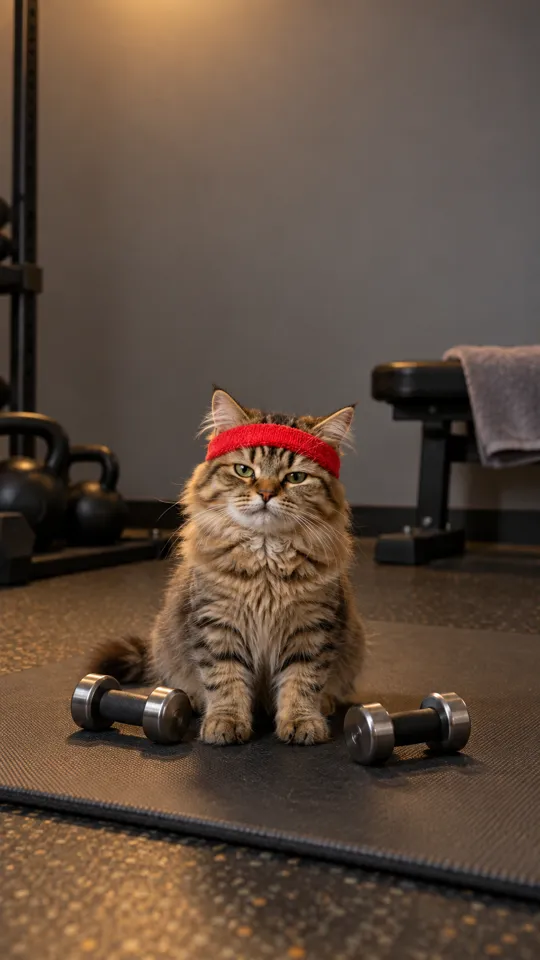
Two Preset Scenes Set the Mood

Royal Pet Dance is the playful option: a moonlit courtyard, a jewel-toned gown, and a ring of dogs with small hand drums. Cozy Home Moment is quieter, with warm afternoon light, a cushion, a window and a few toys. These are the available choices on this page. Select the scene that best fits the clip you want before uploading your pet photo.

A Short Vertical Clip With Sound

MiniMax H3 generates a 15-second video in 9:16 vertical format. The soundtrack combines environmental sound with instrumental music. It contains no human voice, and the tool does not accept a song upload, so use a platform’s own audio library if you want a different track. Review the finished clip before sharing it to confirm the audio and framing suit your post.

More to try with your photo

AI Pet Video Generator FAQ

Answers about the two scenes, the photo, the soundtrack and the generated clip.

Make My Pet Video
What does this ai pet video generator create?

It creates a 15-second vertical 9:16 video from one pet photo and one selected scene. You can choose Royal Pet Dance or Cozy Home Moment, and MiniMax H3 generates the clip with ambient sound and instrumental music. The audio has no human voice.

Can this ai pet video generator make an AI video of my dog from just one photo?

Yes. Upload one photo of your dog, select one of the two scene chips and generate the clip. This page can make an AI video of your dog from a single image, with Royal Pet Dance providing a moonlit courtyard setting and Cozy Home Moment showing a living-room scene with warm afternoon sunlight, a cushion, a window and nearby toys. The result is a generated scene, not footage recorded from your original photo.

Which scene should I choose for a dancing pet video?

Choose Royal Pet Dance for the performance scene. Your pet appears in an ornate jewel-toned gown in a moonlit courtyard, with dogs in headscarves holding small hand drums. Cozy Home Moment is the calmer option and does not describe a dance scene.

What app can animate a photo of my cat here?

Use this page to turn one cat photo into a short video by selecting a preset scene and generating it. The page does not offer a custom prompt or a choice of additional scenes. The generated motion and visual details may vary, so review the result to see how your cat appears. Choose Royal Pet Dance for the courtyard setting or Cozy Home Moment for the window scene.

Can I add my own song or make my pet talk?

No. The generated clip has ambient sound and instrumental music, but it contains no human voice or spoken dialogue. You also cannot upload a personal song. If you want a different track, add audio through the platform where you share the finished video.

How long and what shape is the generated pet clip?

Each generated video is 15 seconds long and uses a vertical 9:16 aspect ratio. The tool uses MiniMax H3 to create the clip from the selected scene and your one pet photo. It includes ambient sound and instrumental music, without a human voice.

Can I upload two photos or type my own scene?

No. This page takes one pet photo and offers two fixed scene chips: Royal Pet Dance and Cozy Home Moment. You cannot add a second reference photo or enter your own scene description here. Choose the preset that is closest to the clip you have in mind, then review the generated video because its motion and visual details may vary from the scene description.

How many scene options does the pet video tool have?

There are two scene options. Royal Pet Dance is first and selected by default; it features a moonlit courtyard, a jewel-toned gown and drumming dogs. Cozy Home Moment shows a softly lit living room with a cushion, a sunny window and nearby toys.

Can I use a person’s photo in the pet video?

This page is set up for one pet photo. If you use a photo that includes a person, use your own image or get consent from the adult shown. Avoid uploading an image of someone who has not agreed to its use.

How much does one 15-second pet video cost?

One 15-second clip costs 60 credits. You can also choose a one-time pack with 1, 3 or 5 clips, or compare the available monthly plan. Check the pricing page for current plan details before you buy.

Where can I learn how to do the AI pet video trend?

Start with one clear pet photo, choose Royal Pet Dance or Cozy Home Moment, and generate the 15-second vertical clip. The video includes ambient sound and instrumental music, with no human voice; you cannot upload your own song. Read the How to Do the AI Trend guide for help planning a post, and remember that this ai pet video generator uses one photo and a preset scene.

Explore More

More Pet Videos and Creation Guides

Put Your Pet in a

Moonlit Drum Circle

Upload one photo and choose a preset scene. The ai pet video generator makes a 15-second vertical clip with instrumental music and ambient sound.

Make My Pet Video

One pet photo • 15 seconds • 9:16 vertical

Put Your Pet in a

Make My Pet Video