Santa Video Message: Your Photo Gets a Fireside Visit

Upload one photo and make a santa video message with you in a holiday scene. Choose a preset, then get a 15-second vertical clip with environmental sound and instrumental music, but no spoken words.

1添加你的照片

Choose a Holiday Scene

2画质与时长768p · 15s · 9:1660 credits

无需订阅 · 约 3 分钟完成 · 失败不扣费

Only upload a photo of yourself or an adult who has agreed to appear in the video.

From the Feed

Four Preset Scenes for a Santa Video Message

These four scenes give your santa video message a defined holiday setting: Fireside Story, Dome Cabin, Snowy Porch, or Holiday Mantel. Each uses the same one-photo setup and changes the surroundings described by its preset. The person in your photo appears in the selected scene, while the clip stays 15 seconds and vertical 9:16. Choose based on the backdrop you want, since custom locations and extra subjects are not available here.

Make My Santa Video

Three Steps

How to Make a Santa Video Message From One Photo

  1. 1

    Choose a Scene Chip

    Select Fireside Story, Dome Cabin, Snowy Porch, or Holiday Mantel. The chip determines the setting for the clip, so choose the backdrop you want before uploading.

  2. 2

    Upload One Photo

    Add one clear photo of yourself or an adult who agreed to appear. This page uses one person from one image; it does not take a second photo, a song, or a spoken script.

  3. 3

    Generate and Review the Clip

    Start the generation and review the 15-second 9:16 video with sound on. Expect environmental audio and instrumental music without a spoken greeting, then download or share the result where appropriate.

Scene 01 · Fireside Story

A Quiet Seat by the Fire

A mug, a log cabin, and warm firelight.

Fireside Story places the person from your photo in a log cabin beside a stone fireplace. A mug rests on a small wooden table while the firelight fills the room. Choose this preset for a calm, close holiday portrait. The generated clip follows the selected scene and does not add dialogue or a custom message.

  • Stone fireplace and warm firelight
  • Mug on a small wooden table
  • Choose Fireside Story in the scene picker

Scene 02 · Dome Cabin

Rocking Chair Under the Glass Dome

A glowing stove, with snowy trees outside.

Dome Cabin shows the person in your photo seated in a rocking chair inside a glass dome cabin. A wood stove glows nearby, and snow-covered trees appear beyond the glass. This scene gives the clip a sheltered winter setting. The visual prompt comes from the preset, so you cannot replace the cabin with a location of your own.

  • Person seated in a rocking chair
  • Glowing wood stove nearby
  • Snow-covered trees visible outside

Scene 03 · Snowy Porch

A Blue Dusk Cabin Entrance

Snow, pine trees, and a softly lit doorway.

Snowy Porch places the person on the porch of a snow-covered cabin at blue dusk. Pine trees frame the scene, and a softly glowing doorway adds a warm point behind them. Pick this preset when you want an outdoor winter setting with a clear cabin backdrop. The video stays a short visual scene; it does not contain a spoken Santa greeting.

  • Snow-covered cabin porch
  • Blue dusk with pine trees
  • Soft light at the doorway

Scene 04 · Holiday Mantel

Winter Boots Beside the Mantel

Evergreen garland and warm lights complete the setting.

Holiday Mantel places the person beside a white mantel decorated with evergreen garland and warm lights. Neatly placed winter boots give the room a small seasonal detail. Choose this preset for an indoor holiday look with a simple background. As with the other scenes, the model uses the selected preset and your single photo; it does not speak a custom line.

  • White mantel with evergreen garland
  • Warm lights in the room
  • Winter boots placed beside the mantel

Straight Answers

What This Photo-Based Santa Clip Includes

The format is specific: one person, one chosen scene, and a short vertical video. The preset controls the setting, while the soundtrack contains environmental audio and instrumental music. If you expect Santa to talk, the key detail is that this clip has no human voice. It creates a holiday scene around your photo rather than a spoken greeting or a script you can edit.

What You Get

  • One photo is enough to place a person in a holiday scene; you do not need to film or edit a video.
  • Four named presets give you a choice of indoor and outdoor winter settings.
  • The finished format is a 15-second 9:16 vertical clip with environmental sound and instrumental music.
  • The no-speech format is clear: it will not invent a spoken greeting or ask you to provide a voice recording.

Known Limits

  • There is no human voice, spoken Santa line, or personalized message in the clip.
  • You cannot upload your own song or soundtrack; the generated audio uses environmental sound and instrumental music.
  • The tool accepts one photo, so you cannot add a second person or combine multiple portraits.
  • You must choose from the available scene chips; you cannot type a custom location or scene.
Make My Santa Video

The Trend Explained

What Is a Santa Video Message Made From a Photo?

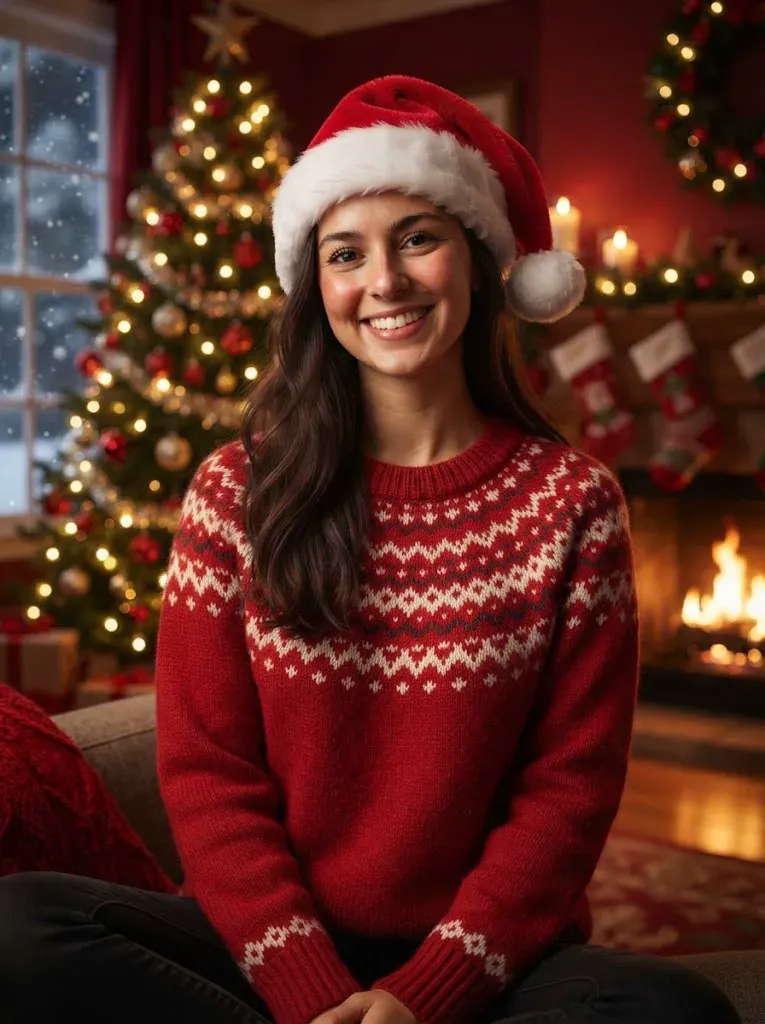
A santa video message on this page is a 15-second vertical video that places one person from a photo into a preset winter scene. You upload one photo, choose a scene chip, and the generator builds the visual around that choice. The result includes environmental sound and instrumental music, but no human voice, spoken greeting, or custom script. That distinction matters if you expect Santa to say a child’s name or read a message: this format makes a holiday portrait video, not a talking character. Use a photo of yourself or an adult who has agreed to appear, then pick the scene that fits the mood you want. This Santa greeting video is a visual holiday clip; a Christmas video message or Santa video from a photo describes the same one-photo format. A photo Christmas video from this page also uses one of the four preset scenes.

One Photo Sets the Person

Upload one photo showing one consenting adult clearly. The image supplies the person for the scene; it does not give you a second subject slot or a way to combine portraits. A straightforward, well-lit photo makes it easier to recognize the person in the generated clip.
Four Chips Set the Backdrop

Choose Fireside Story, Dome Cabin, Snowy Porch, or Holiday Mantel. Each chip maps to a preset setting, from a stone fireplace to a snowy cabin porch. The scene picker controls the setting, so there is no custom prompt field for inventing another location.

Sound Without Dialogue

The 15-second video includes environmental sound and instrumental music. It has no human voice, and you cannot upload your own song. The result is a holiday scene with a soundtrack, but no spoken greeting.

More to try with your photo

Santa Video Message FAQ

Answers about the photo, preset scenes, sound, duration, and what this video can show.

Make My Santa Video
How do I make a Santa video message from one photo?

Choose one of the four scene chips, upload a clear photo of yourself or a consenting adult, and generate the clip. The result is a 15-second vertical video with environmental sound and instrumental music, but it does not include speech or a custom Santa message.

Can Santa say a child’s name in the video?

No. This generator does not create a spoken greeting, dialogue, or personalized line. It places the person from your photo in a preset holiday scene and adds environmental sound and instrumental music, so use it as a visual holiday clip rather than a talking Santa video. You can add a written caption after downloading the clip, but the video itself will not speak the child’s name.

What scenes can I choose for the Santa video?

You can choose Fireside Story, Dome Cabin, Snowy Porch, or Holiday Mantel. Each chip supplies its own setting, such as a stone fireplace or a snow-covered cabin porch. You cannot type a custom location or add a scene beyond these presets.

Does the Santa video message have a voice or music?

The clip has instrumental music and environmental sound, but no human voice or spoken words. You also cannot upload your own song. If you want a greeting with spoken words, this particular one-photo scene format will not provide that feature.

How long is the video, and what shape is it?

Each generated clip is 15 seconds and uses a vertical 9:16 aspect ratio. The available input here is one photo, and the scene comes from one of the four preset chips.

Can I upload two photos or include a group?

No. This page takes one photo for one person and has no second-photo slot. Choose a photo of yourself or an adult who has agreed to appear, rather than uploading a group image when you need to control who is shown.

Can I choose a custom Christmas background?

No. You can choose only from Fireside Story, Dome Cabin, Snowy Porch, and Holiday Mantel. The selected chip defines the background and scene details, so you cannot enter a custom prompt or request a different location through this tool.

Can I use a photo of my child?

Use only a photo of yourself or an adult who has agreed to appear in the video. Do not upload a child’s photo for this page. A clear, well-lit portrait of an eligible adult is the intended input for the one-person scene.

How much does a Santa video message cost?

One 15-second clip costs 60 credits. You can also choose a one-time pack with $9.99 for one clip, $19.99 for three, or $29.99 for five; monthly plans start at $12.99 and include 400 credits. The generation interface shows the applicable credit amount before you create the clip.

Where can I learn how to make an AI trend video?

Read the [guide to making an AI trend video](/hub/how-to-do-the-ai-trend) for general steps and sharing tips. This santa video message uses one photo, one preset scene, a 15-second vertical format, and a soundtrack without speech.

Put One Photo in a

Santa Video Message

Choose a preset scene and make a 15-second santa video message with environmental sound and instrumental music. It has no spoken words and takes one photo.

Make My Santa Video

One photo • 15 seconds • Vertical 9:16

Put One Photo in a

Make My Santa Video