Corpse Bride AI: A Bridal Transformation in the Mirror

Create a corpse bride ai video from one photo of an adult who agrees. Choose a scene for a 15-second vertical transformation with atmospheric sound and instrumental music, with no voice.

1添加你的照片

Choose a Bridal Scene

2画质与时长768p · 15s · 9:1660 credits

无需订阅 · 约 3 分钟完成 · 失败不扣费

Upload only your own photo or a photo of an adult who has agreed to its use.

From the Feed

Five More Ghost Bride Scenes

These five scenes give the same one-photo transformation different settings: a flower-crowned veil in a dim room, an antique mirror, a narrow hallway, a pine forest, or one flashlight in a backyard. The first chip, Moonlit Graveyard, is the default. Each remaining case matches one chip by name, so select the scene that fits the mood you want before generating your 15-second vertical clip.

Create My Bride Video

Three Steps

How to Make a Corpse Bride AI Video

  1. 1

    Choose a Scene

    Keep Moonlit Graveyard, the default, or select Veil Reveal, Mirror Transformation, Hallway Dance, Forest Veil, or Flashlight Dance. Each chip applies its named setting.

  2. 2

    Upload One Adult Photo

    Choose one clear photo of yourself or a consenting adult. A face toward the camera works as a clear reference for the transformation. The output is one 15-second vertical clip.

  3. 3

    Generate and Download

    Press Create My Bride Video and wait for generation to finish. Add a song from your posting platform’s library if you want music beyond the instrumental audio included in the clip.

Scene 01 · Veil Reveal

A Face Beneath the Flower Crown

A quiet portrait in a dim old room.

Veil Reveal begins with the person facing the camera in a dim room, their face partly hidden beneath a flower-crowned veil. The faded wedding gown and close framing keep attention on the covered face and the reveal. Choose this scene for a gothic bride video from photo with a simple, direct setup. The clip uses the uploaded adult’s likeness and has instrumental music and environmental sound, without a voice. This gothic bride video from photo uses the same single-photo setup.

  • Flower-crowned veil partly covers the face
  • Dim room and faded wedding gown
  • Choose Veil Reveal for this framing

Scene 02 · Mirror Transformation

A Bridal Change in the Mirror

A plain room becomes a transformation setting.

Mirror Transformation places the person before an antique mirror in a plain room, wearing a simple light outfit under subdued warm light. The mirror gives the scene a clear before-and-after idea: an ordinary portrait meets a gothic bridal transformation. This ghost bride transformation video starts with one photo, and the scene is selected from the chips rather than written as a custom prompt. Sound is instrumental with environmental audio and no speech. The ghost bride transformation video keeps the mirror as its defining setting.

  • Antique mirror in a plain room
  • Warm, subdued starting light
  • Choose Mirror Transformation from the chips

Scene 03 · Hallway Dance

A Shadowy Hallway Entrance

A long veil at the end of a narrow passage.

Hallway Dance starts with the person at the far end of a narrow, shadowy hallway, dressed in a faded wedding gown and long veil. Pale blue makeup adds a ghostly bridal cue while the corridor sets a strong line toward the camera. Pick this haunted wedding video scene when you want the location to shape the mood. It is still a fixed 15-second generation from one photo, with instrumental music and environmental sound but no voice. The haunted wedding video uses the hallway as its central visual setting.

  • Narrow, shadowy hallway
  • Faded gown, pale blue makeup, and long veil
  • Choose Hallway Dance from the chips

Scene 04 · Forest Veil

A Veil Among the Pine Trees

Dark trees and thin mist set the scene.

Forest Veil places the person among dark pine trees in a long lace gown with a trailing veil. Pale blue makeup and thin ground mist give the portrait a cool, haunted wedding atmosphere. Choose this scene for a blue bridal AI video framed by trees instead of a room or graveyard. The generator uses one adult’s photo and adds instrumental music with environmental sound; it does not produce spoken audio. This blue bridal AI video uses the forest setting throughout.

  • Dark pine-tree setting with thin ground mist
  • Long lace gown and trailing veil
  • Choose Forest Veil from the chips

Scene 05 · Flashlight Dance

One Light in a Dark Backyard

A steady flashlight picks out the veil.

Flashlight Dance begins in a dark backyard, where one steady flashlight lights the person in a torn wedding dress and long grey veil. The single light gives the scene a stark look without changing the workflow: select the chip and use one photo. This corpse bride ai scene lasts 15 seconds and includes environmental sound and instrumental music, with no voice. The result is designed as a vertical clip for sharing.

  • Dark backyard lit by one steady flashlight
  • Torn wedding dress and long grey veil
  • Choose Flashlight Dance from the chips

Straight Answers

What This Corpse Bride AI Video Includes

The setup is specific: one adult photo, one selected scene, and a short vertical video with instrumental audio. Here is what the generator does and where its limits are.

What You Get

  • The first screen shows the Moonlit Graveyard look, so you can see the scene choice before creating your clip.
  • Six selectable scene chips cover a graveyard, room, mirror, hallway, forest, and backyard setting.
  • The upload flow uses one photo, and the output is a 15-second vertical 9:16 video with environmental sound and instrumental music.
  • The model and clip format are stated up front; the video has no spoken voice and does not use a song you upload.

Known Limits

  • The video has no voice or lyrics. It includes environmental sound and instrumental music, and you cannot upload your own song.
  • Each generation uses one photo; this page does not combine multiple people or reference images.
  • You must choose from the available scene chips. You cannot enter a custom setting on this page.
  • The clip is 15 seconds in 9:16 format, so it is a short vertical video rather than a still image or longer scene.
Create My Bride Video

The Trend Explained

What Is the Corpse Bride AI Trend?

The corpse bride ai trend turns a portrait into a gothic wedding scene: a pale, blue-toned look, a veil, a worn bridal dress, and a setting such as a graveyard or shadowy hallway. This page makes a 15-second vertical video from one photo of a consenting adult. You choose one scene chip, and MiniMax H3 generates the clip with environmental sound and instrumental music. The result contains no voice, and you cannot upload a song. The page offers a ghost-bride styling prompt, not an official film character or affiliation.

One Photo Sets the Character

Upload one clear photo of yourself or an adult who has agreed. A face turned toward the camera gives the tool a clear starting point for the bridal styling, while the uploaded person remains the subject. The tool does not accept a second photo for this clip.
Choose a Scene Chip

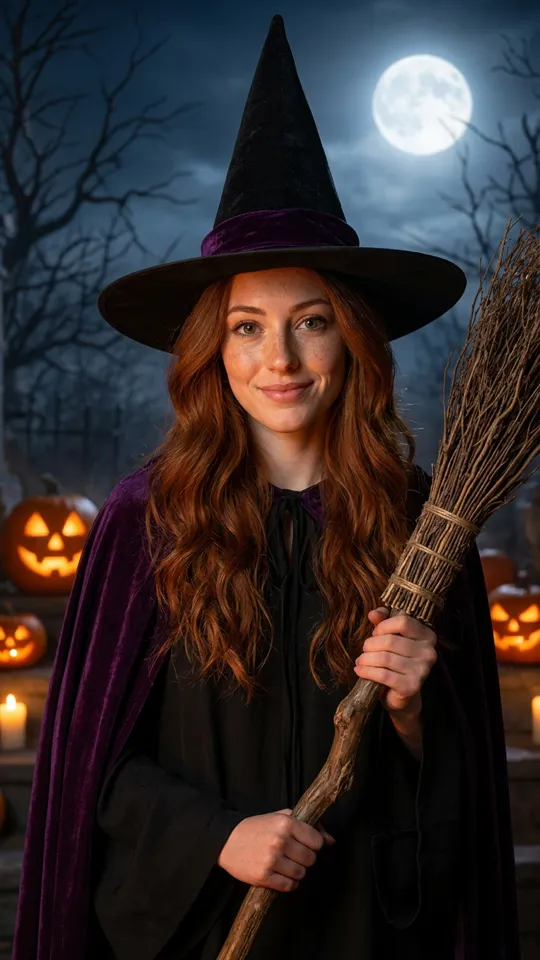
Moonlit Graveyard is selected first. The other choices are Veil Reveal, Mirror Transformation, Hallway Dance, Forest Veil, and Flashlight Dance. Each chip names a prepared setting, so you can choose a scene without writing a prompt.

Instrumental Sound, No Voice

The clip is 15 seconds long and uses a vertical 9:16 format, with environmental sound and instrumental music. It does not contain a spoken or sung voice, and the tool does not let you upload your own song. Add a track from your posting platform’s sound library when you post if you want a specific song.

More to try with your photo

Corpse Bride AI Video FAQ

Answers about the photo, scene choices, audio, format, and sharing.

Create My Bride Video
How can I make a corpse bride ai video from a selfie?

Choose a scene chip, upload one clear photo of yourself, and press Create My Bride Video. MiniMax H3 generates a 15-second vertical clip with a gothic bridal setting, environmental sound, and instrumental music. The video has no voice, and you cannot upload your own song.

What does this ghost bride video generator make?

It creates a 15-second 9:16 video from one photo of an adult who agrees to appear. You choose one of the scene chips, and the result combines a ghostly bridal look with environmental sound and instrumental music. It is a video rather than a still image, and it has no spoken audio.

Can I choose the setting for my bridal transformation?

Yes. Choose Moonlit Graveyard, Veil Reveal, Mirror Transformation, Hallway Dance, Forest Veil, or Flashlight Dance. Moonlit Graveyard is the default scene, and the other five choices match the cases shown on this page. Custom scene text is not available in this tool.

Can I use more than one photo or add another person?

No. This page takes one photo per generation and is designed around one person. Use a clear photo of yourself or an adult who has agreed to appear; the tool does not combine separate portraits into a group clip.

Does the corpse bride ai video include singing or dialogue?

No. The video has environmental sound and instrumental music, but no voice, dialogue, lyrics, or singing. You cannot upload your own song here. If you want a specific song, add it from the sound library on the platform where you post the finished clip.

How long and what shape is the finished video?

Each corpse bride ai video is 15 seconds in vertical 9:16 format. That shape is intended for phone-first short video posts. The duration and aspect ratio are fixed for this page, so you cannot request a longer or horizontal version here.

Can I upload a photo of a friend?

Only upload your own photo or a photo of an adult who has agreed to its use. Do not use a child’s photo or an adult’s image without permission. The uploaded image provides the person shown in the generated bridal scene.

How much does one ghost bride video cost?

One 15-second clip costs 60 credits at the current listed rate. You can also choose a one-time pack: 1 video for $9.99, 3 for $19.99, or 5 for $29.99. The pricing page lists plans, including the monthly entry option at $12.99 with 400 credits.

What happens if a generation fails?

A system error can stop a generation before the video is ready. If that happens, the credits are returned automatically. Check the page’s generation status before starting another run so you do not create a duplicate request.

Where can I learn how to post an AI trend video?

Read the guide for practical steps on preparing and sharing an AI trend video. Remember to use the platform’s AI label when posting, and only share a person’s likeness when they have agreed to its use.

Explore More

More Photo-to-Video Tools and Guides

Turn One Photo Into a

Corpse Bride AI Video

Pick a scene, upload one consenting adult’s photo, and create a 15-second vertical ghost-bride clip with instrumental sound.

Create My Bride Video

One photo • 15 seconds • 9:16 vertical

Turn One Photo Into a

Create My Bride Video