Meimei Dance: Your Pet Masters the Deadpan Side-to-Side Sway

Make a meimei dance video from one pet photo. MiniMax H3 follows the reference clip’s side-to-side sway, camera and timing to create a 15-second vertical video with instrumental sound.

1Adicione sua foto

2Qualidade e duração480p · 15s · 9:16120 credits

Sem assinatura · Pronto em cerca de 3 minutos · Não cobramos se falhar

Only upload a photo of your own pet or one you have permission to use. For photos of people, use only your own image or that of an adult who has agreed.

From the Feed

Four Meimei Dance Reference Scenes

These four examples show distinct reference frames for the same side-to-side dance: an orange cat on a window-side box, a black cat on a blue blanket, a close-up grey-blue cat and a ginger cat above books. Each clip follows the movement, camera and timing of its reference. Upload one pet photo to replace the subject; you cannot specify a new setting or custom choreography.

Make My Pet Dance

Three Steps

How to Make a Meimei Dance Video From One Pet Photo

  1. 1

    Choose a Clear Pet Photo

    Select one photo of the pet you want in the clip. Make sure the face and upper body are visible, and use an image you own or have permission to use.

  2. 2

    Upload the Photo

    Add the photo to the upload field. The reference clip controls the movement, camera and timing, so there are no scene or choreography choices to make.

  3. 3

    Generate and Review the Video

    Press Make My Pet Dance. The result is a 15-second vertical 9:16 clip with instrumental sound and no voice. Review the video before downloading or sharing it.

Example 01 · Window Box

A Fluffy Ginger Cat Sways by the Window

The head tilt lands with each lean.

A long-haired orange cat sits upright on a box beside a window, swaying from side to side and tilting its head. This example shows the reference pose and setting that the generated clip follows. The movement stays tied to the original choreography; you provide one pet photo to take the subject’s place.

  • Long-haired orange cat
  • Sitting on a box by a window
  • Side-to-side sway with a head tilt

Example 02 · Red Collar

A Black Cat Keeps Its Eyes on Camera

A steady stare through the sway.

A black cat wearing a red collar and tag sways on a blue blanket while looking toward the camera. The reference gives the clip its framing and movement, including the direct gaze. Use a clear photo of your pet; the generated video follows this example’s motion instead of letting you set a new scene.

  • Black coat with red collar and tag
  • Blue blanket
  • Sways while facing the camera

Example 03 · Close-Up

A Wide-Eyed Grey-Blue Close-Up

A small frame, a pronounced lean.

A grey-blue cat fills the close camera view and leans left and right with a wide-eyed stare. The tight framing makes the face the focus while the body follows the same side-to-side motion. Your photo supplies the pet subject, and the reference controls the action and camera for this meimei dance example.

  • Grey-blue cat close to the camera
  • Wide-eyed expression
  • Leans left and right

Example 04 · Bookshelf

A Ginger Cat Sways Above the Books

A teal bow tie for the formal entrance.

A ginger cat in a teal bow tie sits on a shelf above books and sways from side to side. The example keeps the shelf setting, seated pose and reference movement together. The generator uses one pet photo and follows the original clip’s action, camera and timing for the meimei dance; it does not let you choose a different scene.

  • Ginger cat wearing a teal bow tie
  • Shelf above books
  • Seated side-to-side sway

Straight Answers

What This Pet Dance Makes—and What It Does Not

This page turns one pet photo into a fixed 15-second routine. The reference controls the movement, camera and timing, so the result stays tied to the recognizable sway instead of becoming a custom dance.

What You Get

  • One pet photo supplies the subject for the full clip. MiniMax H3 uses the reference clip to guide the movement and camera.
  • The side-to-side sway and timing follow the original reference, including the seated pose shown in the examples.
  • The result is a 15-second vertical 9:16 video with instrumental sound and no vocals.
  • The four examples make the reference look visible before you upload: window box, blue blanket, close-up and bookshelf.

Known Limits

  • The clip has no voice, and you cannot upload your own song. Add a track separately in your posting app if you want one.
  • Each video uses one photo. This page does not combine multiple pets or photos into a group scene.
  • You cannot choose a custom setting or write a different action. The reference clip sets the scene and movement.
  • The output is fixed at 15 seconds and vertical 9:16, so it is made for a short portrait video rather than a longer edit.
Make My Pet Dance

The Trend Explained

What Is the Meimei Dance Pet Video?

The meimei dance here is a short pet video built around the reference clip’s seated, side-to-side sway. Upload one photo of your pet, and MiniMax H3 uses the original clip as its motion reference: the pet takes the subject’s place while the action, camera and timing follow that source. The result lasts 15 seconds, uses a vertical 9:16 frame and includes instrumental sound without vocals. You cannot upload a song or set a different scene. The examples show four reference looks, from a cat beside a window to one above a bookshelf. Use a photo of your pet, or get permission from the owner before using someone else’s image.

One Photo Sets the Pet

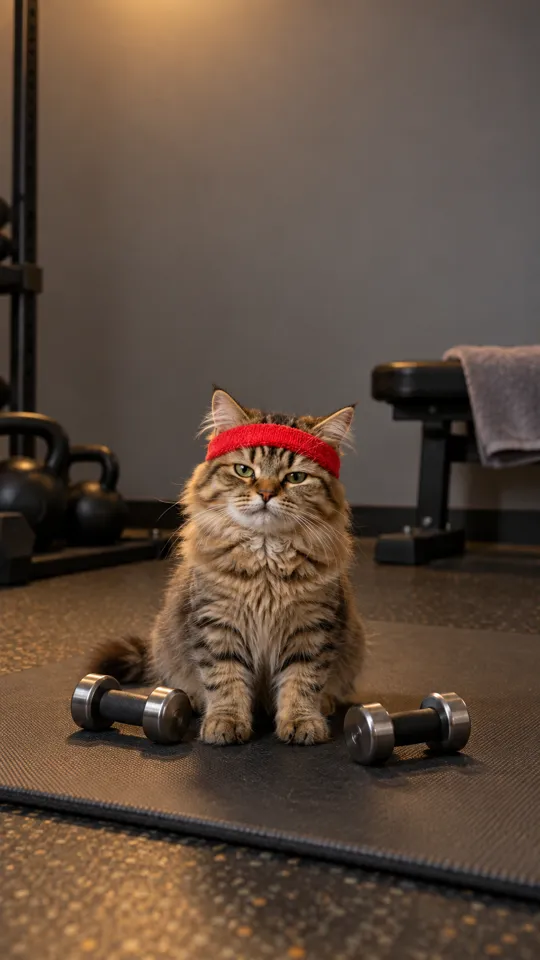
Upload one photo of a pet as the subject for the video. A clear view of the face and upper body gives the model visible details to work from. The reference clip supplies the dance and camera direction; the uploaded photo supplies the pet that appears in the result. This setup can make your dog do the dance without needing a separate video of the dog moving.
The Reference Sets the Sway

MiniMax H3 follows the reference action, camera and timing. The examples include a window-side box, a blue blanket, a tight grey-blue close-up and a bookshelf. You cannot type in a new scene or change the choreography on this page.

A Short Vertical Clip With Instrumental Sound

Each result is 15 seconds in a 9:16 vertical frame and includes instrumental sound without vocals. You cannot upload your own track. If you want a particular song, add it later through the sound library in the app where you share the video.

More to try with your photo

Meimei Dance FAQ

Answers about the reference movement, pet photo, sound, format and sharing.

Make My Pet Dance
What tool can turn a photo of my pet into a Meimei dance video?

This page makes a meimei dance video from one pet photo using MiniMax H3. Upload a clear image, and the model uses the original clip as a reference for the sway, camera and timing. The result is a 15-second vertical video with instrumental sound and no vocals. This pet dance clip uses your photo for the subject while the reference determines the movement and framing.

How can I make my dog do the Meimei dance from a photo?

Upload one clear photo of your dog and generate the clip. The reference supplies the dance, camera and timing, so your dog takes the subject’s place in the same routine. The video lasts 15 seconds, and you cannot choose a different setting or upload a song.

Is there an AI app that makes pets dance in videos?

Yes. This page uses MiniMax H3 to make a pet dance video from one photo and a reference clip. The model follows the reference action and camera, then produces a 15-second vertical 9:16 video with instrumental sound but no vocals. It can create a dance video from a pet photo, with the reference setting the motion and timing.

What should I use to animate my cat doing the Meimei dance?

Use one clear photo of your cat, with its face and upper body visible. The reference clip sets the sway, camera and timing, so the image does not need to show your cat dancing. You cannot provide a custom scene or a different routine here.

Can I make the dance video using a picture of my pet?

Yes. Upload one photo of your pet, and MiniMax H3 uses the reference clip to guide the motion and camera. The finished video is 15 seconds in vertical 9:16 and includes instrumental sound without a voice. Use a photo you own or have permission to use. The result is a pet video from one photo, with the reference supplying the dance.

Can I choose the scene or change the dance?

No. The reference clip determines the scene, movement, camera and timing. You can choose which pet photo to upload, but you cannot write a new setting or ask for a different dance on this page.

Can I add my own song or get vocals in the clip?

No. The generated clip has instrumental sound and no voice, and you cannot upload your own song. If you want a specific track, add it separately using the sound library in the app where you post the video.

How long is the pet dance video, and what shape is it?

Every result is 15 seconds and uses a vertical 9:16 frame. The format suits portrait video feeds, and the reference clip controls the action throughout the short video.

How much does one Meimei dance video cost?

One 15-second clip costs {credits:768p-15} credits. You can also check the current one-time video packs and monthly plans on the pricing page, since prices and plan details are shown there.

Will my photo or finished video appear publicly?

Check the account and sharing settings before generating or posting a clip. This page does not provide verified details about whether photos or videos are shared publicly, so avoid uploading images you would not want others to see.

Can I use a photo of another person with my pet?

Only use your own photo or a photo of an adult who has agreed. The video is designed around one pet photo, so avoid adding people unless you have permission to use their image.

How do I make and share an AI trend video?

Start with one photo you have permission to use, generate the clip, and review the result before sharing. For a broader walkthrough on preparing and posting an AI trend video, see the How to Do the AI Trend guide.

Explore More

More Photo-Based Video Tools

Give Your Pet the

Meimei Dance Sway

Upload one pet photo and let the reference set the movement, camera and timing for a 15-second vertical clip.

Make My Pet Dance

One photo • 15 seconds • 9:16 vertical

Give Your Pet the

Make My Pet Dance