Personalized Santa Video: Santa Finds Cookies and Milk by the Tree

Make a personalized Santa video with one photo of yourself or a consenting adult. Choose a Christmas scene, then get a 15-second, 16:9 clip with environmental sound and instrumental music, without vocals.

1Aggiungi la tua foto

Choose a Santa Scene

2Qualità e durata768p · 15s · 16:960 credits

Nessun abbonamento · Pronto in circa 3 minuti · Nessun addebito se fallisce

Only upload a photo of yourself or an adult who has given permission. Do not upload a child’s photo.

From the Feed

Five Christmas Scenes for Your Santa Video

Each scene chip sets a different holiday moment for the person in your uploaded photo. Fireplace Arrival uses a glowing hearth and gift sack; Cookie Thanks adds a cookie and milk at a small table; Snowy Door looks out onto falling snow; Tree Present puts a wrapped gift beside the tree. The first chip, Santa Letter, is selected by default. Choose one scene for each generation; custom scenes and extra photos are not available.

Make My Santa Video

Three Steps

How to Make a Personalized Santa Video

  1. 1

    Choose a Scene Chip

    Santa Letter is selected by default. Choose Fireplace Arrival, Cookie Thanks, Snowy Door or Tree Present to set the holiday moment around the person in your photo.

  2. 2

    Upload One Consenting Adult Photo

    Select one clear image of yourself or an adult who agreed to appear. Check that the face is visible and well lit. This tool takes one photo and does not accept a second person image or a custom scene.

  3. 3

    Generate and Review the Clip

    Press Make My Santa Video and review the 15-second, 16:9 result. Listen for the environmental sound and instrumental music; the video has no voice. Download or share it if the scene fits what you had in mind.

Scene 01 · Santa Letter

A Letter Beside the Christmas Tree

A quiet moment in an armchair.

Santa Letter places the person from your photo seated in an armchair beside a lit Christmas tree, holding a folded letter. This default scene frames the person and letter together in a festive room. Choose this chip for a seated holiday moment centered on the letter. The video lasts 15 seconds and uses environmental sound with instrumental music, without vocals.

  • Person seated in an armchair
  • Lit Christmas tree beside the chair
  • Folded letter held in view

Scene 03 · Snowy Door

A Gift Sack by the Snowy Door

Soft snow outside the glass.

Snowy Door shows the person from your photo standing beside a glass door that looks out on softly falling snow, holding a large gift sack in a festive living room. The window adds an outdoor winter detail while the person remains inside the holiday scene. Choose this chip for a clear contrast between the warm room and snowy view. The 15-second clip has environmental sound and instrumental music, with no human voice.

  • Glass door with falling snow outside
  • Large gift sack held by the person
  • Festive living room setting

Scene 04 · Tree Present

A Present Beside the Christmas Tree

Warm lights frame the gift.

Tree Present places the person from your photo kneeling beside a Christmas tree, with a wrapped present on the floor and warm lights around the room. This personalized Santa video scene brings attention to the gift and tree, making this chip a direct fit for a holiday reveal. The scene is generated from one adult photo and lasts 15 seconds in 16:9. Its soundtrack uses environmental sound and instrumental music; it does not include dialogue or singing.

  • Person kneeling beside the tree
  • Wrapped present on the floor
  • Warm lights around the room

Straight Answers

What This Santa Video Can and Cannot Do

The setup is specific: one adult photo, one scene chip and a short clip with sound. Here is what to expect before you generate.

What You Get

  • One photo is enough to place the person into a Christmas setting, so you do not need to film a scene or edit separate footage.
  • Five scene chips give you distinct settings: Santa Letter, Fireplace Arrival, Cookie Thanks, Snowy Door and Tree Present.
  • Each result is a 15-second 16:9 video with environmental sound and instrumental music already included.
  • The format is clearly bounded: it is a visual Christmas scene, not a recorded greeting from Santa or a spoken message about someone.

Known Limits

  • The video contains no human voice, dialogue or singing; instrumental music and environmental sound are the only audio.
  • You cannot upload your own song or choose a custom soundtrack for the generated clip.
  • The tool accepts one photo and a scene chip; you cannot add another person by uploading a second image or type a new scene.
  • The result is always 15 seconds and 16:9, so this page does not provide alternate durations or aspect ratios.
Make My Santa Video

The Trend Explained

What Is a Personalized Santa Video?

A personalized Santa video on this page is a 15-second Christmas scene generated from one photo of an adult and one selected scene chip. It places the person in a visual holiday setting, such as an armchair by a Christmas tree or a room beside a glowing fireplace. The video has a 16:9 aspect ratio and includes environmental sound and instrumental music, but no human voice. The personalization comes from the person in the photo and the scene you choose; there is no text box for a name, custom dialogue or a personal song. If you want a custom Santa greeting video, keep in mind that this format creates a visual Christmas scene without a spoken message.

One Adult Photo Sets the Person

Upload one photo of yourself or another adult who has agreed to appear. A clear, well-lit face gives the generator visible reference details. The page supports one image per clip, so select a photo that shows the person you want in the Christmas scene.
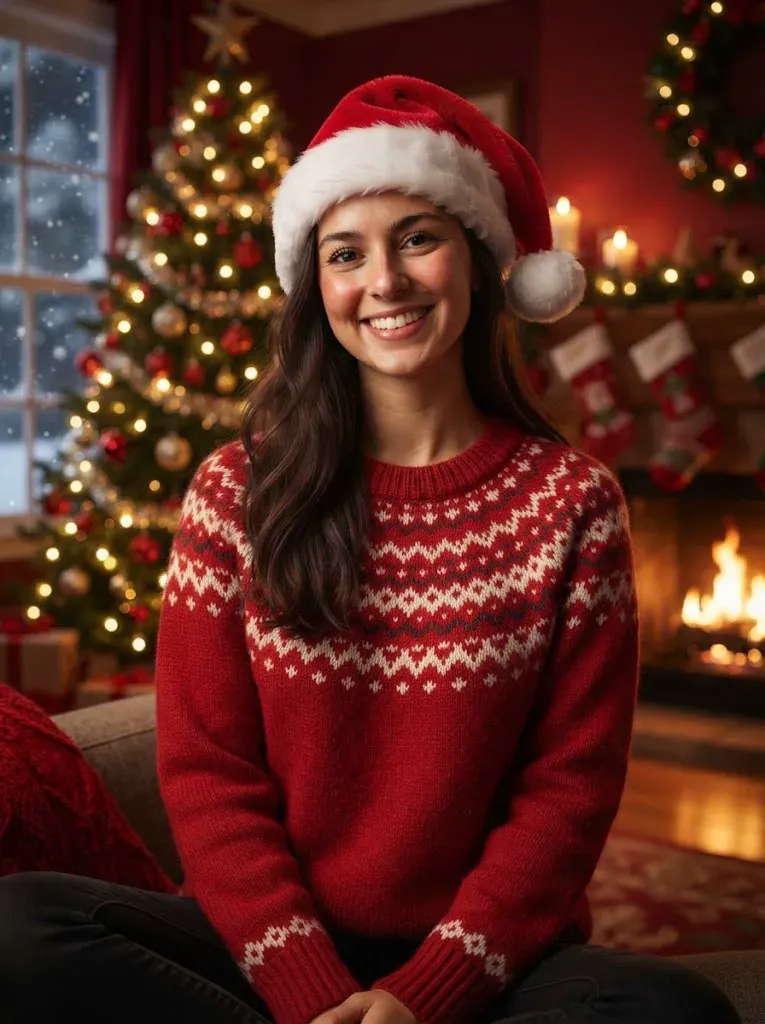
Five Scene Chips Set the Moment

The available scenes are Santa Letter, Fireplace Arrival, Cookie Thanks, Snowy Door and Tree Present. Santa Letter is selected first by default. Each chip defines its setting and action; you choose from those options rather than entering a custom prompt.

A Fixed 15-Second Widescreen Result

Every result is 15 seconds and 16:9. Environmental sound and instrumental music are included, with no vocals or spoken words. You cannot upload your own song, so plan to use the generated soundtrack as provided.

More to try with your photo

Personalized Santa Video FAQ

Answers about the photo, scene choices, duration, sound, privacy and cost.

Make My Santa Video
How do I make a personalized Santa video from one photo?

Choose one of the scene chips, upload one clear photo of yourself or an adult who agreed, and press Make My Santa Video. The result is a 15-second, 16:9 Christmas scene with environmental sound and instrumental music. It does not include spoken words, and you cannot enter a custom message.

Can I upload a selfie and have Santa deliver a custom message?

You can upload one adult photo, but this page does not generate a spoken message from Santa. It creates a visual Christmas scene around the person in the photo, with environmental sound and instrumental music only. There is no dialogue field, name field or voice track. The finished 15-second clip is a Christmas video from a photo, with the selected scene setting the moment.

What scenes can I choose for a Santa video using my picture?

There are five scene chips: Santa Letter, Fireplace Arrival, Cookie Thanks, Snowy Door and Tree Present. Santa Letter appears first and is selected by default. The other four each set a different Christmas setting, from a glowing fireplace to a snowy glass door. Each option makes a distinct Santa scene video around the person in your uploaded photo.

Does the personalized Santa video have a voice?

No. The clip includes environmental sound and instrumental music, but no human voice, spoken greeting or singing. Choose this format for a visual holiday scene, and do not expect Santa to say a person’s name or deliver custom dialogue.

Can I use my own song in the Santa video?

No. You cannot upload a song or replace the generated audio during creation. Each clip comes with environmental sound and instrumental music and has no vocals. If you share it on a social platform, check that platform’s music rules before adding audio separately.

How long and what shape is the generated clip?

Every clip is 15 seconds long and has a 16:9 aspect ratio. The duration and shape are fixed on this page, so you cannot choose a shorter version, a longer version or a vertical format.

Can I add more than one person to the Christmas scene?

This page accepts one photo per video and offers one scene chip at a time. Use a photo of the adult you want featured; you cannot upload a second image to add another person. Only use a photo of yourself or an adult who has agreed. A personalized Santa video keeps the scene focused on that one person.

How much does one personalized Santa video cost?

One 15-second clip costs 60 credits. You can also choose a one-time pack: 1 video for $9.99, 3 videos for $19.99 or 5 videos for $29.99. Monthly plans start at $12.99 and include 400 credits. See [Pricing](/pricing) for the available options.

What happens to my photo and finished video?

Your photo is used to generate the clip. Videos made without a subscription may appear in the public Explore feed, so avoid uploading an image you would not want shown publicly. Only use your own photo or one from an adult who agreed to be included.

How can I make and share an AI Christmas video responsibly?

Use a photo you have permission to share, review the generated scene before posting, and label the result as AI-generated when the platform provides that option. This custom Santa greeting video uses a visual scene rather than spoken dialogue, so check the clip before sharing to confirm it matches your expectations. For practical guidance on making and sharing trend videos, read [How to Do the AI Trend](/hub/how-to-do-the-ai-trend).

Explore More

More Christmas Video Ideas

Put One Photo in a

Personalized Santa Video

Choose a Christmas scene, upload one consenting adult photo and generate a 15-second widescreen clip with environmental sound and instrumental music.

Make My Santa Video

One photo • 15 seconds • 16:9 with sound

Put One Photo in a

Make My Santa Video