Oouuh AI: Your Couple Takes the Ukulele Hallway

Oouuh AI turns two photos into a 15-second vertical couple duet. Pick a scene chip, and MiniMax H3 builds the hallway performance with instrumental music and ambient sound—no vocals.

1Aggiungi due foto

Choose a Couple Scene

2Qualità e durata768p · 15s · 9:1660 credits

Nessun abbonamento · Pronto in circa 3 minuti · Nessun addebito se fallisce

Upload photos of yourself or adults who have agreed to be included. Do not use someone’s photo without their consent.

From the Feed

Two Oouuh AI Scenes for Couple Photos

These two examples match the available scene chips: Dramatic Duet and Playful Couple. Each uses two uploaded photos to place both people in one hallway scene. The first leans into warm, dramatic staging with a ukulele; the second keeps the couple relaxed in a bright home hallway. Select a chip in the tool to use its scene direction. Both outputs are 15-second vertical videos with instrumental music and ambient sound, and neither includes vocals.

Make Our Duet

Three Steps

How to Make an Oouuh AI Couple Video

  1. 1

    Upload Two Photos

    Add one photo of each adult in the couple. Choose clear images with visible faces, and make sure every person has agreed to be included. The tool uses both images to create the shared scene.

  2. 2

    Choose a Scene Chip

    Select Dramatic Duet for the dim hallway, warm light, and ukulele setup, or Playful Couple for a bright home hallway and relaxed pose. The available chips set the scene; you cannot enter a custom one.

  3. 3

    Generate and Review the Clip

    Press Make Our Duet to generate a 15-second vertical video with MiniMax H3. It includes instrumental music and ambient sound without vocals. Review the result before downloading or sharing it.

Scene 01 · Dramatic Duet

A Hallway Duet With Full Seriousness

Warm light, a ukulele, and a straight-faced pose.

Dramatic Duet places the first person with a ukulele in a dim, intimate hallway. The second person stands beside them under warm dramatic light. Choose this chip when you want the couple performance to feel deliberately grand, while the small hallway setting keeps the scene playful. The generated 15-second clip includes instrumental music and ambient sound, with no vocals.

  • Dim hallway with warm dramatic light
  • First person holds the ukulele
  • Both people appear in the same scene

Scene 02 · Playful Couple

A Bright Hallway for Two

Close together, relaxed, and facing the camera.

Playful Couple puts both people close together in a bright home hallway, relaxed and facing the camera. This scene gives the duet a lighter, casual setup than Dramatic Duet. Pick it when you want the pair to look like they have been caught mid-joke rather than posing for a grand performance. The clip remains 15 seconds, vertical, and soundtracked with instrumental music and ambient sound without vocals.

  • Bright home hallway
  • Both people stand close together
  • Relaxed, camera-facing pose

Straight Answers

What This Couple Duet Includes

Oouuh AI is designed around two people, a short hallway performance, and a scene chip you choose. Check these details before you upload.

What You Get

  • Use two photos to place two adults together in one generated couple scene.
  • Choose Dramatic Duet or Playful Couple from the scene chips.
  • MiniMax H3 generates a 15-second video in vertical 9:16 format.
  • Instrumental music and ambient sound come with the clip, so the video has sound without human vocals.

Known Limits

  • The clip has no human vocals, and you cannot upload your own song.
  • You must upload two photos; this page does not make a duet from one combined photo.
  • You can only choose from the available scene chips, not type a custom scene.
  • The result is 15 seconds long, so the performance is a short clip rather than a full song.
Make Our Duet

The Trend Explained

What Is the Oouuh AI Couple Video?

Oouuh AI makes a short couple duet from two uploaded photos. You choose a scene chip, and MiniMax H3 creates a 15-second vertical 9:16 video with both people together in a hallway performance. The generated sound combines ambient audio and instrumental music; it does not contain human vocals, and you cannot upload a song. The setup is intentionally specific: two people, one selected scene, and a short wordless performance. Use photos only of yourself or adults who have agreed to appear. The video is generated from your images and the selected scene direction, so review the result before sharing it.

Two Photos Become One Couple Scene

Upload one photo for each adult, and the generator places both people together in the chosen scene. Clear images with visible faces give the model useful visual references. The tool requires two photos for this duet; a single portrait or a combined couple photo does not replace the two upload slots. Check that both images show the people you intend to include, and use photos only when each adult has agreed to appear.
Two Scene Chips Set the Mood

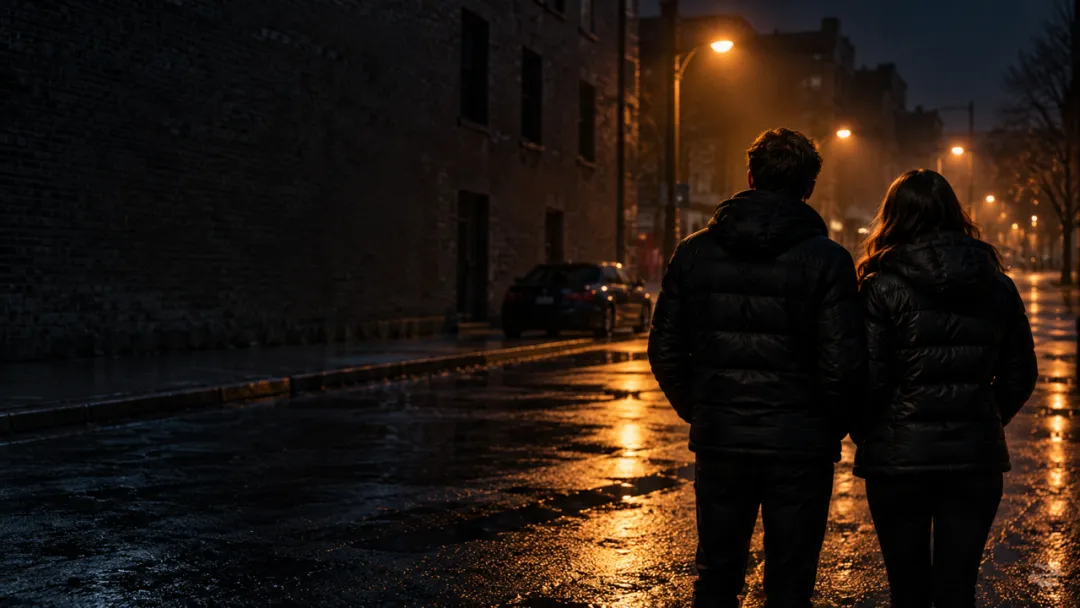
Dramatic Duet uses a dim hallway, warm dramatic light, and a ukulele held by the first person. Playful Couple puts both people close together in a bright home hallway, relaxed and facing the camera. Select one of these chips to set the scene; the tool does not offer free-form scene selection. The scene chip determines the setting and pose direction, so choose the one that matches the mood you want before generating the clip.

A Wordless 15-Second Soundtrack

Each generated clip runs for 15 seconds in vertical 9:16 format. It includes ambient sound and instrumental music, but no human vocals. You cannot upload your own song into the generation, so add music separately on the platform where you post if that fits your edit.

More to try with your photo

Oouuh AI FAQ

Answers about the two photos, scene choices, soundtrack, video length, and sharing.

Make Our Duet
What does Oouuh AI make from two couple photos?

Oouuh AI turns two uploaded photos into a 15-second vertical 9:16 video showing both people together in the scene chip you choose. MiniMax H3 generates the couple performance with instrumental music and ambient sound. The clip has no human vocals, and it does not use an uploaded song. Choose a scene chip before generating, and review the finished video to confirm that the setting and people appear as expected.

How do I make an AI video from a picture of me and my partner?

Upload one photo of yourself and one photo of your partner, then choose Dramatic Duet or Playful Couple. Press Make Our Duet to generate the 15-second clip. Use photos only if both people are adults who have agreed to appear in the video.

Can I make this couple ukulele video from one photo?

No. This page needs two separate photo uploads, one for each person. A single photo of both people does not replace the two required upload slots, so prepare an individual image for each adult before starting.

Which scenes can I choose for the AI duet video?

You can choose Dramatic Duet or Playful Couple. Dramatic Duet uses a dim, warm-lit hallway with a ukulele; Playful Couple uses a bright home hallway with both people standing close and facing the camera. The scene is selected from the chips, with no custom scene entry.

Does the Oouuh AI clip include singing or my own song?

No. The generated soundtrack has ambient sound and instrumental music, but no human vocals. You also cannot upload your own song during generation. If you want a particular track, add it separately when editing or posting the finished video.

How long and what format is the couple video?

Every result is 15 seconds in vertical 9:16 format. The page uses MiniMax H3 to generate the clip from the two uploaded photos and your selected scene chip. Review the generated video before sharing it.

Can I write a custom scene for the Oouuh AI trend?

No. You choose from the available scene chips, Dramatic Duet or Playful Couple. Each chip supplies its own scene direction, and this tool does not let you replace that direction with a custom prompt.

Can I use someone else’s photo in a romantic couple clip?

Use photos of yourself or adults who have explicitly agreed to appear. Do not upload a person’s image without their consent. Check that both people in the two photos are comfortable with the generated scene before you share the result.

Will the video appear publicly after I make it?

Videos made without a subscription can appear in Ricebowl AI’s public Explore feed. Keep that in mind before uploading personal images, and use only photos of yourself or adults who agreed to be included. Review the account and visibility options before generating if public display would be a concern. If you do not want an image to appear in a public feed, check those settings first and avoid uploading photos until you understand the available visibility choices.

How can I learn the steps for making an Oouuh AI trend video?

Start with two separate photos, choose one of the scene chips, and generate the 15-second vertical clip. The [AI trend guide](/hub/how-to-do-the-ai-trend) explains a general workflow for creating and sharing trend videos. The finished clip has instrumental music and ambient sound, but no vocals.

Explore More

More Couple Video Tools and Guides

Put Your Photos in a

Oouuh AI Couple Duet

Choose a scene and let Oouuh AI turn two agreed-to photos into a 15-second vertical duet with instrumental music and ambient sound.

Make Our Duet

Two photos • 15 seconds • 9:16 vertical

Put Your Photos in a

Make Our Duet